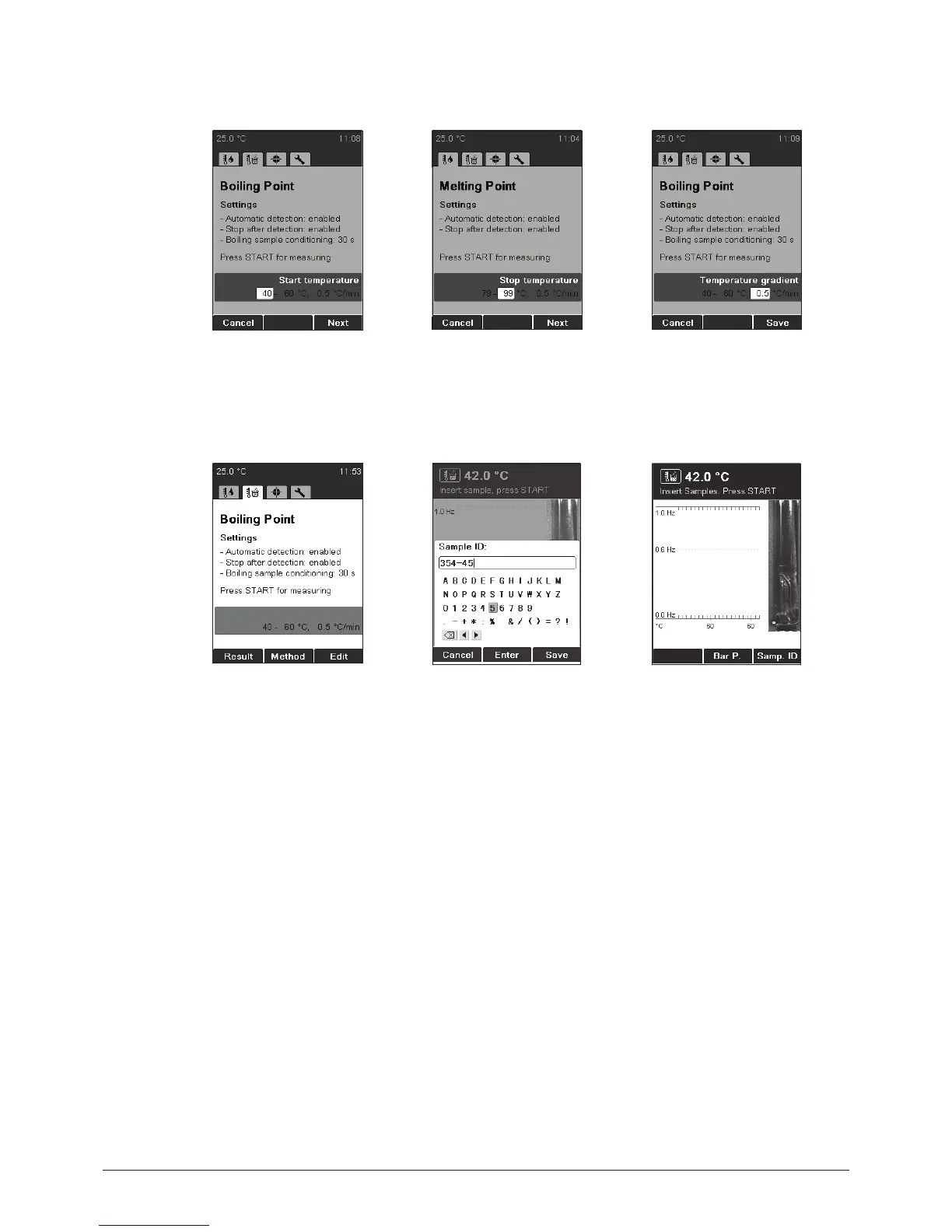
• Use the rotary knob to
choose the start tempera-
ture and press Next.
• Use the rotary knob to
choose the stop tempera-
ture and press Next.
• Use the rotary knob to
chose the temperature
gradient and press Save.
NOTE
Insert sample only when the instrument has reached the start temperature.
• Press START to start the
determination, and follow
the instructions on the
screen.
The instrument requests a
sample ID during preheating
(for details on entering text
see 6.1.3). This request can
be switched off by chang-
ing the setting “Sample ID
request” (see 6.5).
• Bar P: Enter the current
barometric pressure.
• This request can be
switched off by changing
the setting “Barometric
pressure request” (see 6.5).
• Insert sample and press
START to start the deter-
mination.



 To Next Page