6.4.4 Verification
To verify the calibration, proceed as follows:
• Measure all standards (BUCHI recommends using the verification set (11055019) but it is also
possible to use your internal standards.
NOTE
The verification is not a guided process.
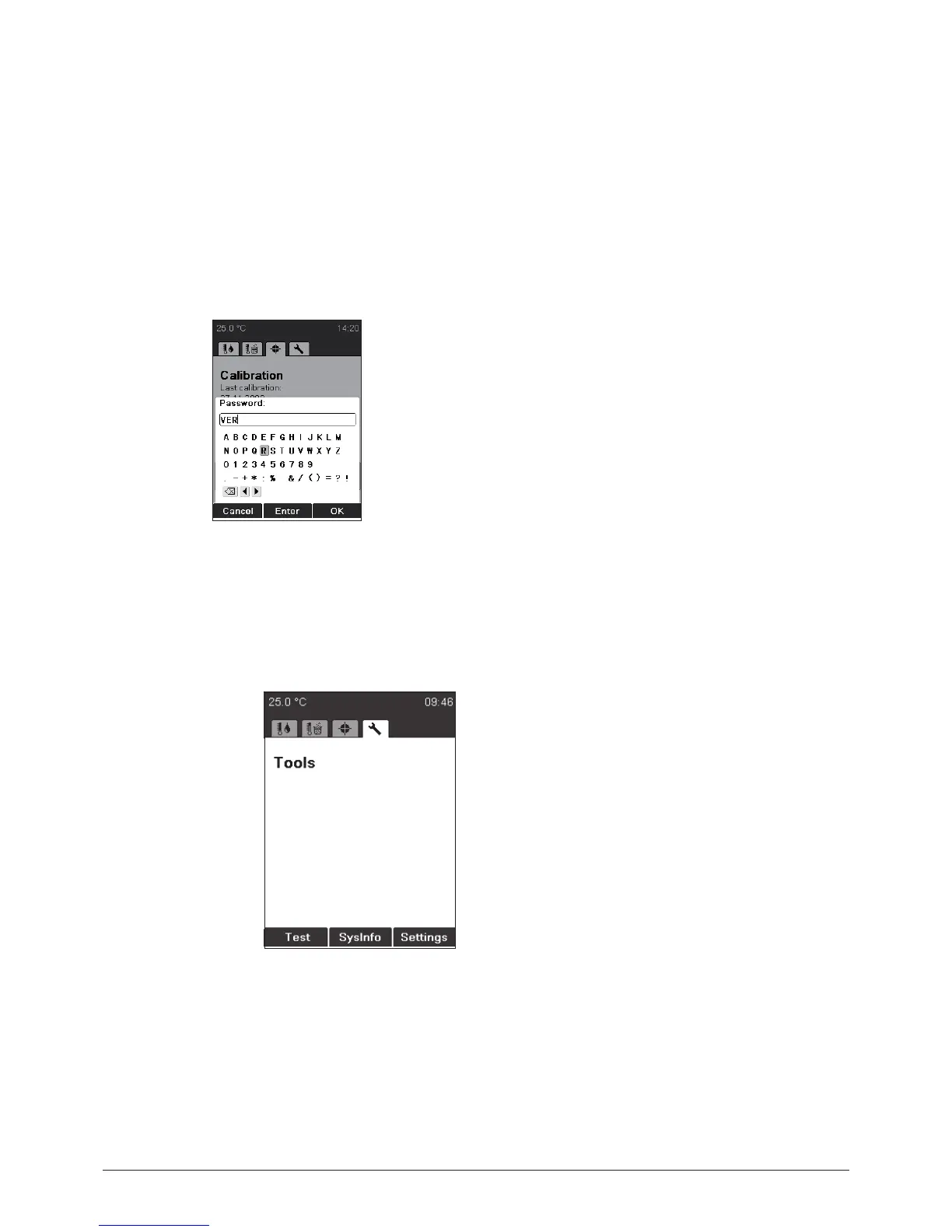
• When all measuring results were within the required tolerances, click on Verified. The following
screen appears:
• Enter the following password: VER. The current date is now indicated under “Last verification”.
NOTE FOR USER MANAGEMENT
Can only be accessed in the administrator level.
6.5 Settings, SysInfo, Test
Test: Functional test of the instrument. To per-
form the test of several functions follow carefully
the instuction on the screen. If a function test
shows not ok, please contact the customer
service. The Test protocol is described in sec-
tion 6.5.1.
SysInfo: Instrument gives information regarding
settings and connected devices.
Settings: This menu can be used to change
parameters. The SysInfo protocol is described
in section 6.5.2.
NOTE FOR USER MANAGEMENT
Can only be accessed in the administrator level.



 To Next Page