Table 6-1: Setting parameters (cont.)
Thermodynamic correction 0.0–3.0; default value: 1.1
Company name The name of a company can be entered.
Date (DD.MM.YYYY) XX.XX.XXXX
Time (24 h) XX:XX
Date format DD.MM.YYY, MM/DD/YYYY, YYYY-MM-DD
Time format 24 h, AM/PM
Temperature unit °C, °F, K
Buzzer volume 0, 1, 2, 3, 4
External Keyboard CH, USA
Display brightness 0–100%
Automatic detection Enable or disable the automatic detection. If disabled, stop tempera-
ture of method is the end of the determination.
Statistic Enable or disable the statistic. If disabled, mean value and standard
deviation are not shown in the results.
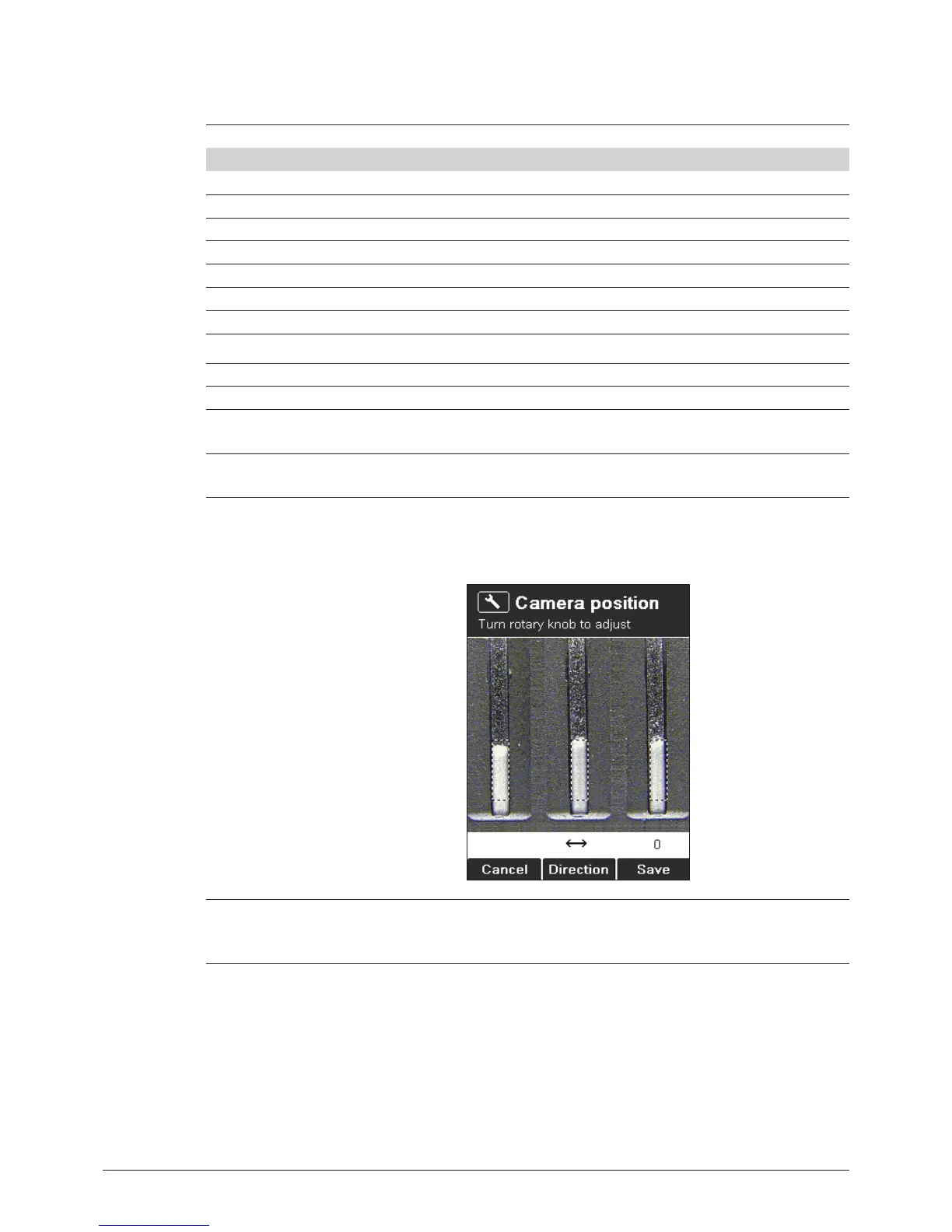
Camera position Use the rotary knob to position the dashed rectangles at the bottom
part of the substance according to the example.
Change Direction to move vertically or horizontally.
User management Activation key will enable the user management setting. After an
administrator password can be defined. The instrument can only be
started in the administrator mode if the correct password is entered.



 To Next Page