strategy by design
Buddy User Manual Page 10 of 10
Version 1.1
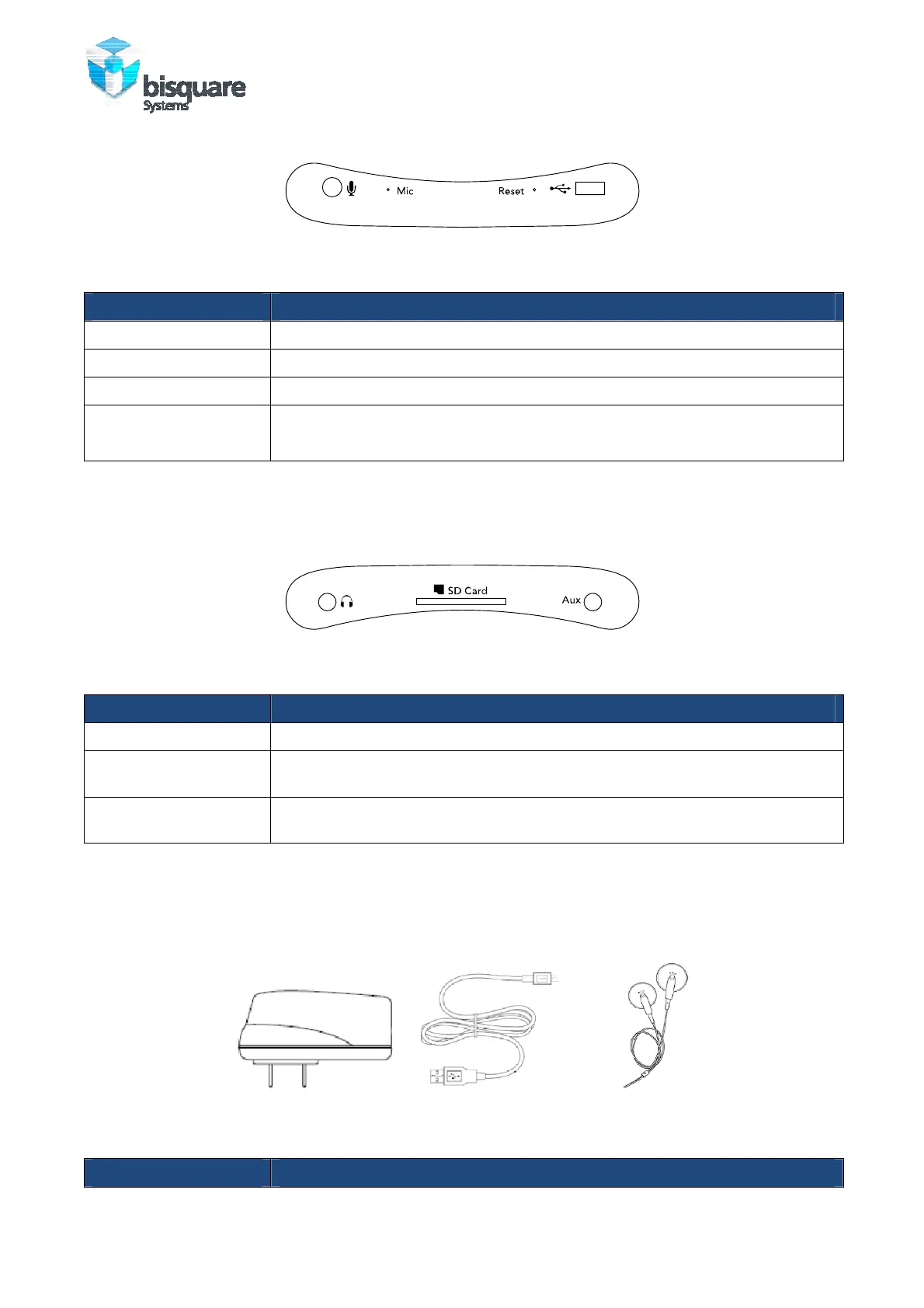
Figure 4: Top view (showing connectors)
Item Function
External Microphone Plug in the external microphone when recording voice.
Microphone Speak into the microphone when recording voice.
reset Insert a pin to reset the player (to recover from an unexpected ‘Crash’).
USB port Connect the USB cable to transfer data from Host Computer.
Plug-in the Battery Charger for charging the battery.
Note: Buddy can be plugged into the Host PC and Player mode selected to Charge the battery while using
Buddy. The same can also be done with the external AC adapter.
Figure 5: Bottom view (showing connectors)
Item Function
Earplugs Connect earphones/ headphones
SD slot Additional SD Cards can be used (up to 16 GB) for content storage. Note:
content should be stored in the correct format.
Auxiliary Input Plug in the auxiliary Stereo Audio input for High fidelity Audio recording in mp3
format.
ACCESSORIES
The following accessories are provided with Buddy:
Figure 6: Accessories bundled with Buddy
Accessory Function



 To Next Page