EasyManua.ls Logo

Buffalo CD969 - User Manual

Buffalo CD969
40 pages
Print Icon
To Next Page IconTo Next Page
Loading...
NL
Vacuümverpakkings-
machine
Handleiding
7
IT
Confezionatrice
sottovuoto
Manuale di istruzioni
22
FR
Machine d’emballage
sous vide
Mode d'emploi
12
ES
Máquina de envasado al
vacío
Manual de instrucciones
27
DE
Vakuumiergerät
Bedienungsanleitung
17
PT
Máquina de embalar a
vácuo
Manual de instruções
32
Model • Modèle • Modell • Modello • Modelo • Malli:
CD969
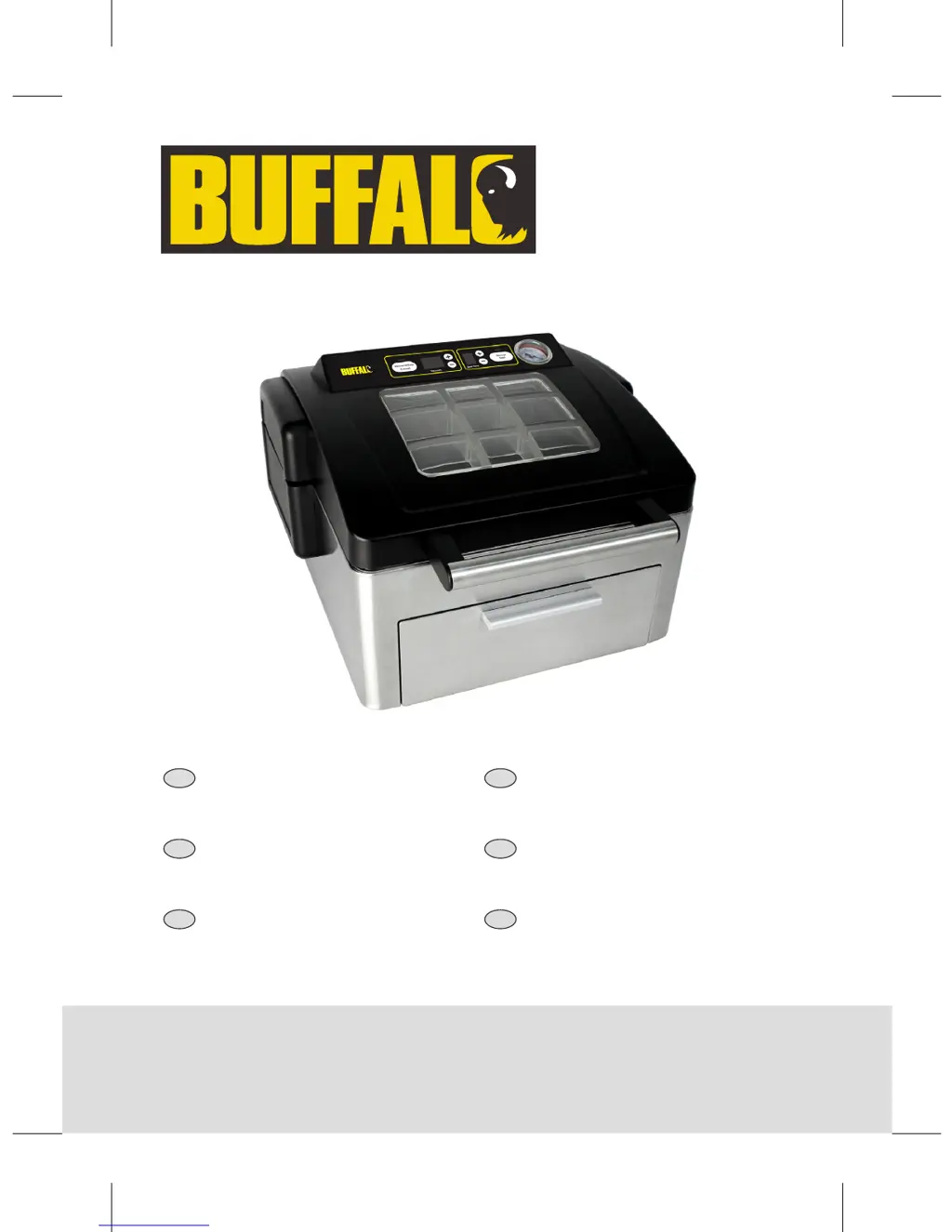
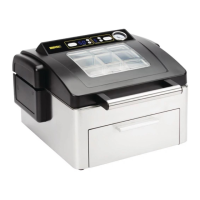
Vacuum Pack
Machine
Instruction manual
CD969_ML_A5_v3_20181031.indb 1 2018/10/31 16:02

Questions and Answers

  • C
    Cynthia GrayAug 15, 2025
    What to do if my Buffalo Kitchen Appliance is not working?
    • Q
      qhendersonAug 15, 2025
      If your Buffalo Kitchen Appliance isn't working, there are several things you can check: * Ensure the unit is correctly plugged in and switched on. * Check the power supply. * Replace the fuse in the plug if it has blown. If these steps don't resolve the issue, it could be due to damaged plug and lead or an internal wiring fault, which requires contacting a Buffalo agent or qualified technician.
  • R
    robertsdennisAug 18, 2025
    Why is my Buffalo Kitchen Appliance not removing all the air from the bag?
    • T
      Tammy NicholsAug 18, 2025
      If your Buffalo Kitchen Appliance isn't removing all the air from the bag, it could be due to a few reasons: * The bag might not be correctly positioned; try opening the lid and repositioning it. * The open end of the bag could be dirty; try cleaning it. * The bag may be punctured; in this case, replace it. If these steps don't resolve the issue, ensure you are using the correct bags. If in doubt, call your Vacuum Pack machine supplier.
  • L
    Lauren LewisAug 21, 2025
    What to do if Buffalo Kitchen Appliance bags are not sealing correctly?
    • D
      Dr. Shelley CurtisAug 22, 2025
      If the bags in your Buffalo Kitchen Appliance are not sealing correctly, consider the following: * Ensure the inside of the bag is dry and free from moisture where it is to be sealed. * Make sure the end of the bag is placed above the sealing bar; adjust the bag's position if necessary. If these steps don't resolve the issue, ensure you are using the correct bags. If in doubt, call your Vacuum Pack machine supplier. Also, the sealing bar might require replacement, which requires contacting a Buffalo agent or qualified technician.
  • M
    Mr. Charles Chan DDSAug 25, 2025
    What does error message E1 mean on my Buffalo Kitchen Appliances?
    • R
      rthompsonAug 26, 2025
      If you're seeing error message E1 on your Buffalo Kitchen Appliance, it could indicate: * The lid is not making good contact with the chamber; try cleaning the lid gasket and chamber. * The lid gasket is distorted or broken; in this case, replace the lid gasket. If the issue persists, there might be an internal system leak, which requires contacting a Buffalo agent or qualified technician.
  • H
    Howard TranAug 28, 2025
    What does error message E2 mean on my Buffalo Kitchen Appliances?
    • K
      Kathy SalinasAug 28, 2025
      If you're seeing error message E2 on your Buffalo Kitchen Appliance, it could indicate a safety switch or electronic fault, which requires contacting a Buffalo agent or qualified technician.
  • E
    Elizabeth NicholsonAug 31, 2025
    Why are bags not sealing correctly in my Buffalo Kitchen Appliances?
    • K
      kevinhessAug 31, 2025
      If bags are not sealing correctly in your Buffalo Kitchen Appliances, first ensure the inside of the bag is dry and free from moisture where it is to be sealed. Make sure the end of the bag is placed over the sealing bar. If the issue persists, it could be due to incorrect bags; in that case, contact your Vacuum Pack machine supplier. If the sealing bar requires replacement, contact a Buffalo agent or qualified technician.
  • M
    Maria OliverSep 3, 2025
    What to do if Buffalo CD969 does not remove all the air from the bag?
    • J
      John HollandSep 3, 2025
      If your Buffalo Kitchen Appliance isn't removing all the air from the bag, it might be due to several reasons. First, open the lid and reposition the bag to ensure it is correctly placed. Check if the open end of the bag is dirty and clean it if necessary. Also, the bag may be punctured, so replace it. If you're still experiencing issues, it could be due to using incorrect bags; contact your Vacuum Pack machine supplier for assistance.
  • N
    Noah SmithSep 7, 2025
    How to fix error message E1 in Buffalo Kitchen Appliances?
    • B
      Belinda WelchSep 7, 2025
      If you see error message E1 on the digital display of your Buffalo Kitchen Appliances, it could be due to several reasons. First, clean the lid gasket and chamber, because the lid may be in poor contact with the chamber. If the lid gasket is distorted or broken, replace it. If the problem persists, there may be an internal system leak, and you should contact a Buffalo agent or qualified technician.
  • J
    Juan JohnstonSep 12, 2025
    What does error message E2 mean on Buffalo CD969?
    • J
      Joseph EdwardsSep 12, 2025
      If error message E2 appears on the digital display of your Buffalo Kitchen Appliances, it indicates a safety switch or electronic fault. Contact a Buffalo agent or qualified technician for assistance.

Summary

Safety Tips

General Safety Precautions

Covers safe positioning, maintenance, liquid usage, hot surfaces, power, intended use, bags, and packaging.

Introduction

Pack Contents

Lists the items included with the BUFFALO Vacuum Pack Machine upon purchase.

Controls

Control Panel Overview

Details the buttons, screens, and gauge on the vacuum packing machine's control panel.

Operation

Vacuum Packing Food

Step-by-step guide on how to vacuum pack food using the machine.

Cleaning, Care & Maintenance

Troubleshooting

Technical Specifications

Electrical Wiring

Information on the appliance's wiring, plug, and earthing requirements.

Compliance

Details on WEEE disposal, product testing, and certifications like CE marking.

Declaration of Conformity

Buffalo CD969 Specifications

General IconGeneral
BrandBuffalo
ModelCD969
CategoryKitchen Appliances
LanguageEnglish

Related product manuals