EasyManua.ls Logo

Buffalo CC770 - User Manual

Buffalo CC770
9 pages
Print Icon
To Next Page IconTo Next Page
Loading...
1
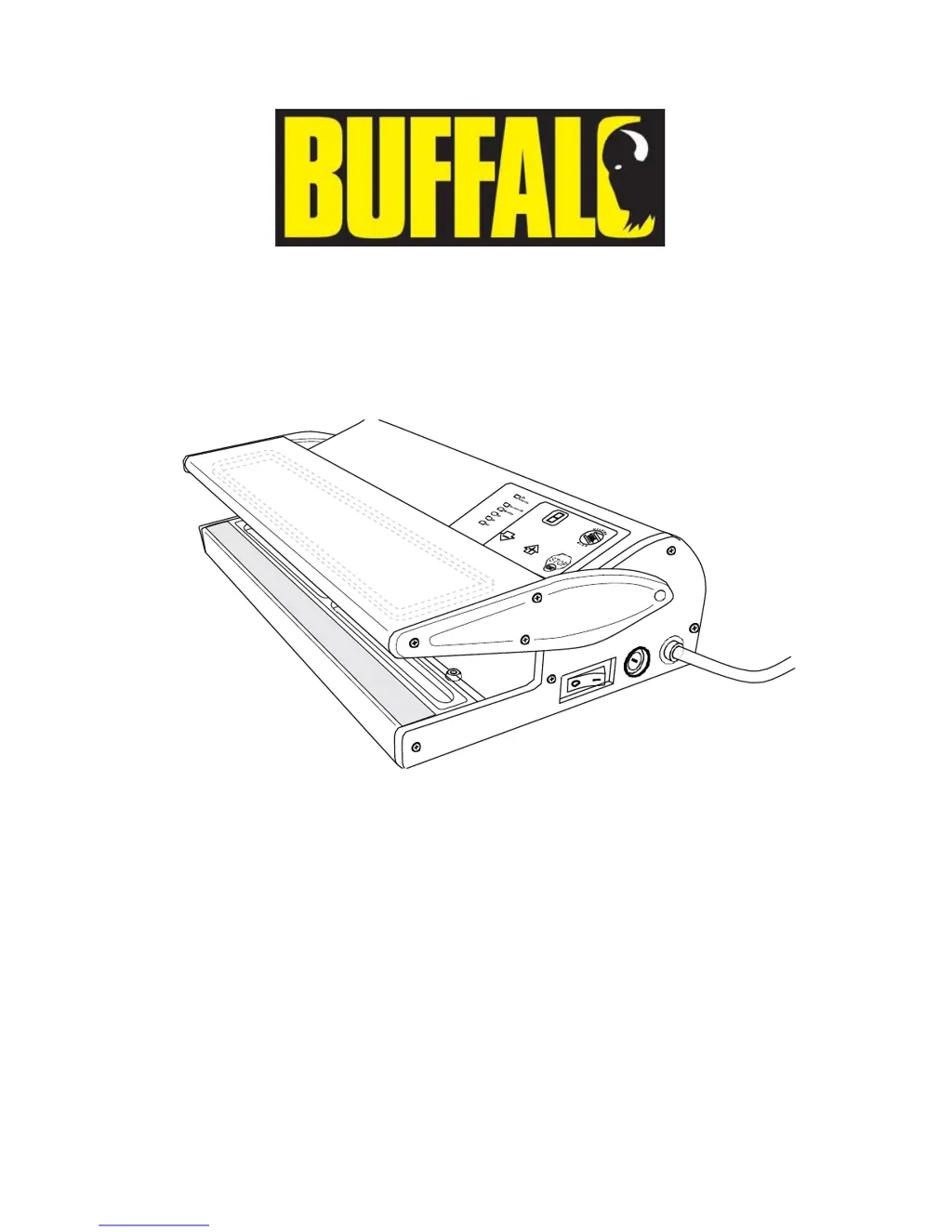
CC770 / CC771 Envasadora al vacio
Instruction Manual
Leer antes de usar
QUICK NOTES
Designed for use with embossed bags only
Designed for use with dry products only
E’ (CC770) or ‘End’ (CC771) flashes at the end of cycles
or when first turned on with the lid down
CC770/CC771 have 4/5 operating modes
which can all be customised (Sealing Time & Extra Suction Time)
Firm pressure must be applied on the lid
during full working cycle (suction & sealing)
You can pressSTOP/OK’ at any time to stop a cycle
You cannot decrease the Suction Time
but you can press ‘WELDING M1-M2-M3’ at any time to start sealing

Questions and Answers

  • D
    Dustin ThompsonAug 14, 2025
    What to do if my Buffalo CC770 unit does not remove air from the bag?
    • J
      jane14Aug 14, 2025
      If your Buffalo Kitchen Appliance isn't removing air from the bag, make sure the bag's open end is correctly positioned over the channel. Also, clean the gaskets and the bag's open end. Check for punctures and replace the bag if needed. Ensure you're using the correct embossed bags from your supplier. Clear any blockages in the suction nozzle and apply pressure on the lid during suction.
  • C
    Carolyn RussellAug 17, 2025
    How to troubleshoot a Buffalo Kitchen Appliances unit that is not working?
    • L
      lanesandraAug 18, 2025
      If your Buffalo Kitchen Appliance isn't working, start by checking if it's plugged in and switched on. Inspect the plug and lead for any damage; if damaged, contact a Buffalo agent or a qualified technician. Replace the in-plug fuse if it has blown. Also, verify the power supply. For internal wiring faults, it's best to call a Buffalo agent or a qualified technician.
  • C
    Carolyn HubbardAug 20, 2025
    Why are the bags not sealing correctly in my Buffalo Kitchen Appliances?
    • J
      james38Aug 21, 2025
      If bags are not sealing correctly with your Buffalo Kitchen Appliances unit, the sealing bar may be overheated. Open the lid and let it cool down. Remove any excess liquid from the bag under the sealing area. Adjust the sealing time and ensure you're using a thinner bag if the current one is too thick. If you're still having issues, contact your supplier to make sure you're using the correct bags. Ensure the bag is correctly placed over the channel. If the indicator light is on but there's no weld, inspect the heating element for damage and replace it if needed. For an imperfect weld, check the rubber pressure pad for damage and replace it if necessary. Also check parts like heater element and Teflon fabric heater cover for wear and tear and replace if necessary.
  • H
    Holly JonesAug 25, 2025
    What to do if ‘E’ flashes on the display of my Buffalo CC770 unit?
    • C
      christinegonzalezAug 25, 2025
      If your Buffalo Kitchen Appliances unit displays ‘E’ and flashes, the safety cut-out has been activated. Let the appliance rest for the indicated time.
  • S
    Scott MunozAug 27, 2025
    How to fix a Buffalo Kitchen Appliance that is not working?
    • F
      Frank HansenAug 27, 2025
      If your Buffalo Kitchen Appliance isn't working, first ensure it's properly plugged in and switched on. Check the fuse and replace it if necessary. Examine the power supply. If the plug, lead, or internal wiring is damaged, contact a qualified technician or BUFFALO agent for assistance.
  • H
    Heather ElliottAug 30, 2025
    What to do if my Buffalo Kitchen Appliances does not remove all the air from the bag?
    • P
      Phillip ThorntonAug 30, 2025
      If your Buffalo Kitchen Appliance isn't removing all the air from the bag, try these steps: Open the lid and reposition the bag to ensure the open end is completely inserted. Clean the gaskets and the open end of the bag. If the bag might be punctured, line it with paper towels. Also clear the suction nozzle. If the issue persists, replace the bag.
  • T
    tammy42Sep 3, 2025
    Why are bags not sealing correctly in my Buffalo Kitchen Appliances?
    • W
      Whitney HarrisSep 3, 2025
      If bags are not sealing correctly in your Buffalo Kitchen Appliance, the sealing bar may be overheating; open the lid and allow it to cool down. Also, check the sealing time and adjust it accordingly. If the bag is too thick, try using a thinner bag. If you are using incorrect bags, contact your Vacuum Pack machine supplier.
  • E
    ericgardnerSep 6, 2025
    What to do if ‘E’ flashes on the display of my Buffalo Kitchen Appliances?
    • D
      Diane JamesSep 7, 2025
      If ‘E’ flashes on the display of your Buffalo Kitchen Appliance, the safety cut-out has likely been activated. Allow the appliance to rest for the indicated time before using it again.
  • J
    James WhiteSep 10, 2025
    What to do if ‘0’ flashes on the display of my Buffalo CC770?
    • K
      kpearsonSep 10, 2025
      If ‘0’ flashes on the display of your Buffalo Kitchen Appliance, the ‘Lid closed’ switch is likely faulty. Contact a qualified technician or BUFFALO agent for assistance.

Summary

Read Before Use

Safety Tips

Introduction

Pack Contents

Controls

Operating Modes

CC770 Operating Modes

Details the specific operating modes for the CC770 model, including Standard Mode and four others with customisation options.

CC771 Operating Modes

Turning On and Setting Sealing Time

Reset to Default Settings

Setting Extra Suction Time

Vacuum Packing Food

Safety Features

Safety Cut-out

Automatic system preventing damage from excessive suction pressure by switching to sealing.

Anti-stress Safety

Automatic system preventing damage from overuse, indicated by 'E'/'A' codes and requiring a 10-minute rest.

Auto-Standby

Vacuum Packed Shelf Life

Cleaning and Maintenance

Troubleshooting

Technical Specifications

Electrical Wiring

Compliance

Buffalo CC770 Specifications

General IconGeneral
BrandBuffalo
ModelCC770
CategoryKitchen Appliances
LanguageEnglish

Related product manuals