Operation
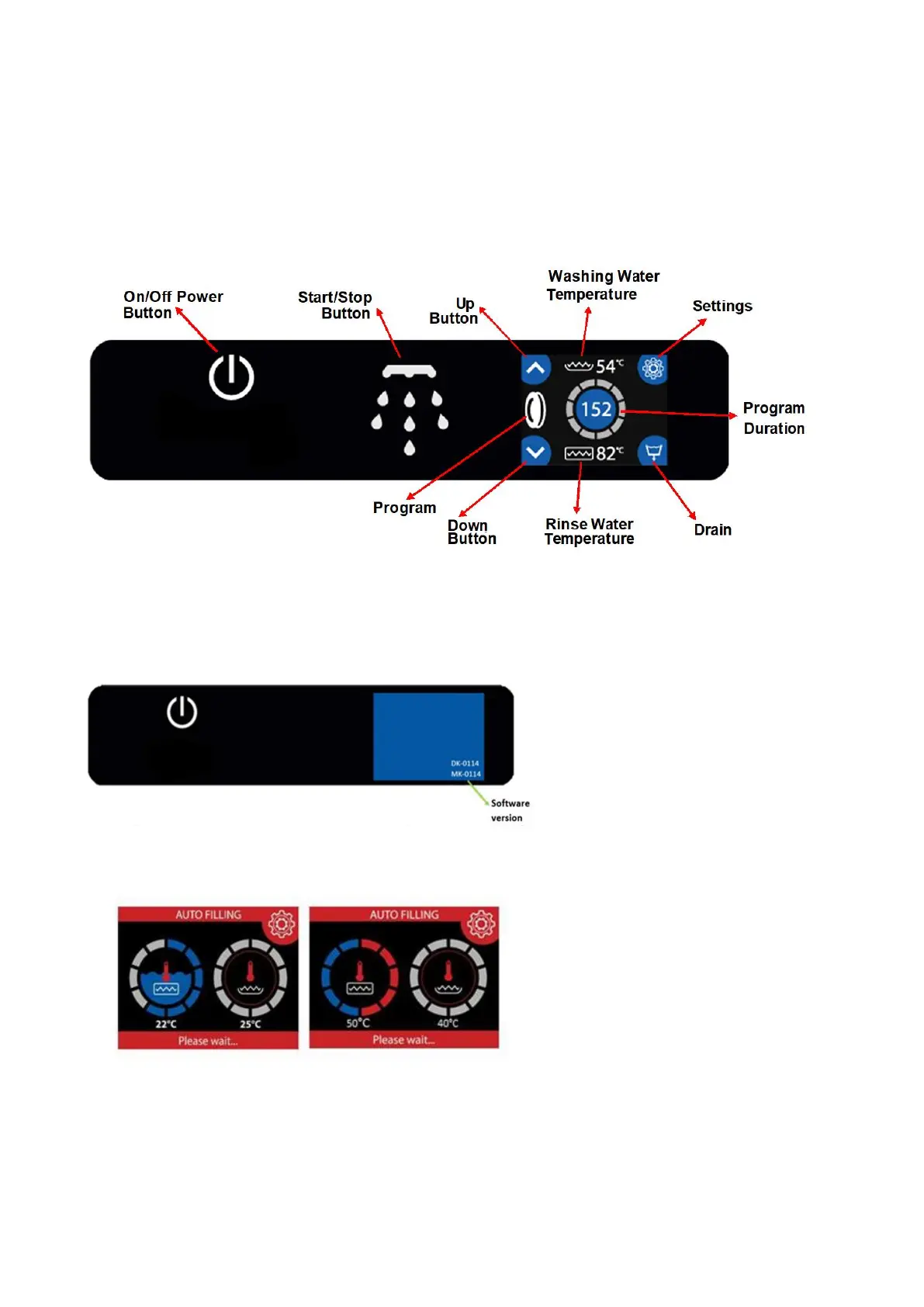
Control Panel
Before starting the appliance, familiarise operators with the control buttons and signal items on the front panel.
In addition operators should be familiar with the location of power and water cut-off switches.
Starting the Appliance
Make sure that the electricity, water and drain installations are complete. Wait for the “On/Off switch” on the
front panel to light, then keep it pressed for 3 seconds. The LCD screen will switch on
The machine will start to take water automatically. Heating starts automatically when the set amount of
water has entered the boiler


 To Next Page