3
Congratulations on your new DriveStation Combo!
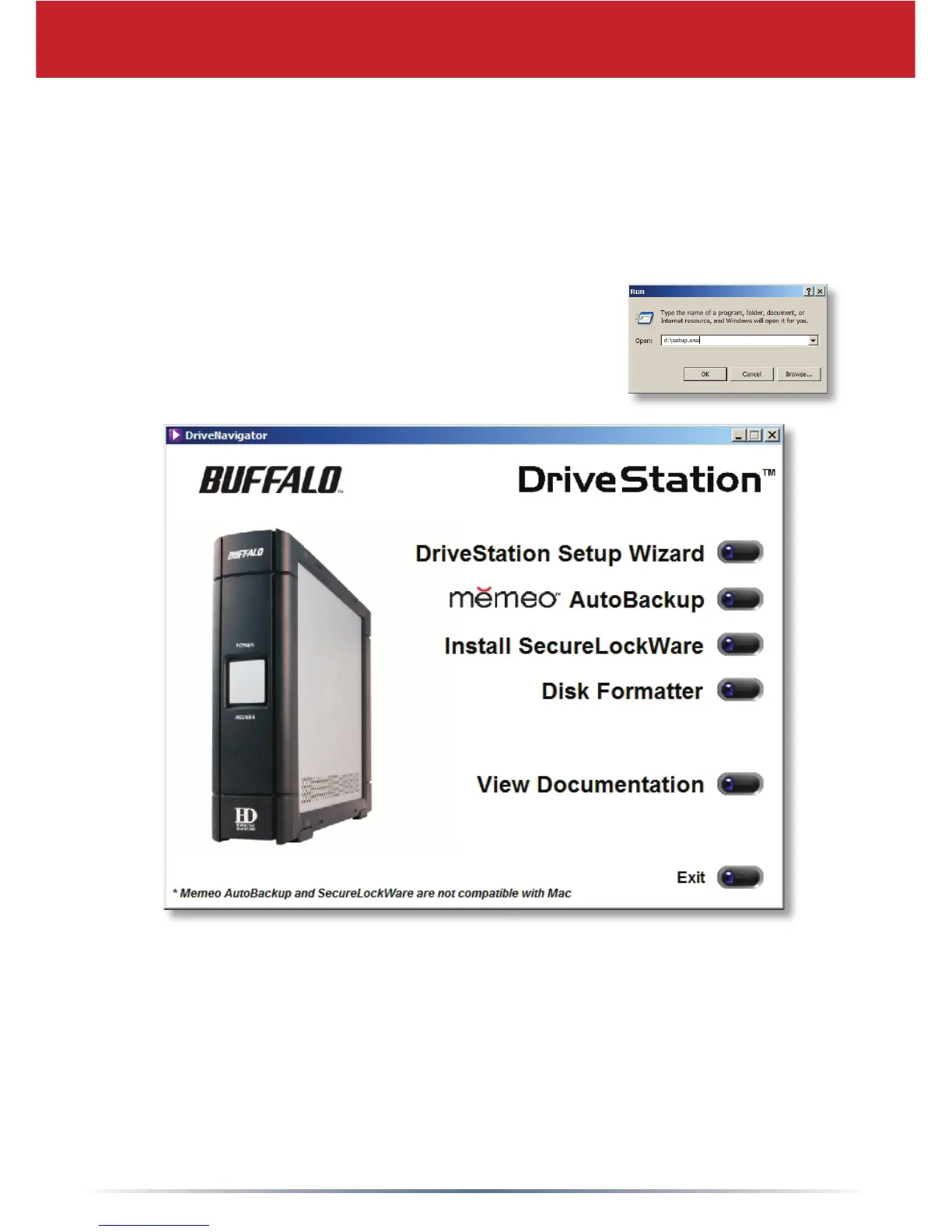
To begin, insert the DriveNavigator CD in your PC. The setup program will run.
Follow the steps to connect your DriveStation Combo.
DriveStation Setup
After completing the setup wizard, your DriveStation Combo is installed and ready
to use!
By default, the DriveStation is formatted with FAT32, allowing it to be used with
most common operating systems. If you’re going to use it with programs that
generate lesizes larger than 4GB, such as backup or video editing software,
reformat the DriveStation as an NTFS drive.
If the setup program doesn’t run automatically, click
Start, then Run, and then type “d:\setup.exe” in the
Open window. Click OK.
Click DriveStation Setup Wizard to begin.












 To Next Page