
 Need help?
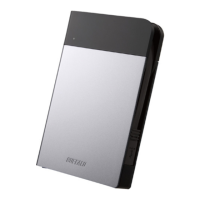
Do you have a question about the Buffalo MiniStation HD-PXU2 and is the answer not in the manual?
Details the physical parts of the MiniStation, including LEDs and connectors.
Provides essential precautions to avoid data damage and ensure safe operation.
Explains how the MiniStation locks in encryption mode based on OS and user actions.
Details the procedure to reset the drive to factory defaults when the password is forgotten.
Guides for installing software on Windows and Mac operating systems.
Lists and describes available optional software packages for enhanced functionality.
 General
| Model | HD-PXU2 |
|---|---|
| Interface | USB 3.0 |
| Form Factor | 2.5 inch |
| Capacity | 1TB |
| Operating System Compatibility | Windows, Mac |
| Power Supply | USB Bus Powered |
| Included Software | Buffalo Tools |










 To Next Page