EasyManua.ls Logo

Buffalo MiniStation HD-PXTU2 - User Manual

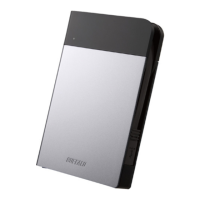
Buffalo MiniStation HD-PXTU2
132 pages
Print Icon
To Next Page IconTo Next Page
Loading...
2.5 inch USB Hard Drive with Encryption
MiniStation HD-PXTU2
User Manual
2
Recommended Usage ...................3
1
Layout ............................................2
5
Specications ..............................10
3
Forgot your password?
.................6
4
Software
........................................8
35011262 ver.02

Table of Contents

Question and Answer IconNeed help?

Do you have a question about the Buffalo MiniStation HD-PXTU2 and is the answer not in the manual?

Summary

Layout

Components

Describes the physical parts of the MiniStation, including LEDs and connectors.

Recommended Usage

Warning

Provides precautions to avoid data damage and system issues.

Forgot Password and Reset

Reset to Factory Defaults

Explains how to reset the drive to factory defaults if the password is forgotten.

Optional Software

Installing Software

Step-by-step guide on installing optional software packages from the DriveNavigator wizard.

Specifications

Technical Specifications

Details technical specifications like interface, dimensions, power, and compatible OS.

Buffalo MiniStation HD-PXTU2 Specifications

General IconGeneral
BrandBuffalo
ModelMiniStation HD-PXTU2
CategoryStorage
LanguageEnglish

Related product manuals