EasyManua.ls Logo

Buffalo Mac - User Manual

Buffalo Mac
6 pages
Print Icon
To Next Page IconTo Next Page
Loading...
Package contents:
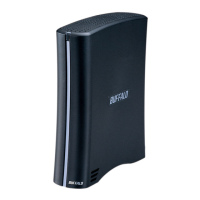
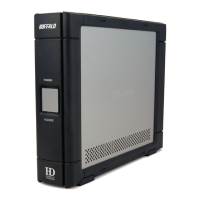
Main Unit (DriveStation)
Power Cord
USB Cable
1394/FireWire Cable
DriveNavigator Installation CD
User Guides
Mac User Guide
DriveStation Combo
USB 2.0 and Firewire Hard Drive
v1.2
Question and Answer IconNeed help?

Do you have a question about the Buffalo Mac and is the answer not in the manual?

Summary

Back Panel Layout

DriveStation Setup

Connecting Cables

Connect the power cord to a power outlet and the drive, then connect a USB or firewire cable.

Powering On and Detection

Flip the power switch to ON. Your Mac will detect the drive and place an icon on the desktop.

Technical Specifications

Technical Support Information

Contact information for technical support via phone and web.

FCC Compliance Warning

Information regarding compliance with FCC Rules and potential interference.

Note on Drive Formatting

Details on default FAT32 formatting and reformatting for large files using Mac Disk Utility.
Summary

Back Panel Layout

DriveStation Setup

Connecting Cables

Connect the power cord to a power outlet and the drive, then connect a USB or firewire cable.

Powering On and Detection

Flip the power switch to ON. Your Mac will detect the drive and place an icon on the desktop.

Technical Specifications

Technical Support Information

Contact information for technical support via phone and web.

FCC Compliance Warning

Information regarding compliance with FCC Rules and potential interference.

Note on Drive Formatting

Details on default FAT32 formatting and reformatting for large files using Mac Disk Utility.

Buffalo Mac Specifications

General IconGeneral
BrandBuffalo
ModelMac
CategoryStorage
LanguageEnglish

Related product manuals