5
Technical Support
Technical support contact information is on the back page of this
manual. Please also visit the web site at http://www.buffalotech.com.
FCC Warning
This device complies with part 15 of the FCC Rules. Operation is
subject to the following two conditions: (1) This device may not cause
harmful interference, and (2) this device must accept any interference
received, including interference that may cause undesired operation.
Note on Format
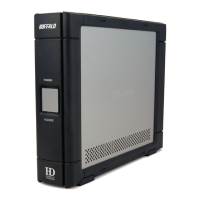
By default, the DriveStation is formatted with FAT32, allowing use with
all modern operating systems. Unfortunately, FAT32 is limited to 4GB
les, making it unsuitable for use with many video editing and backup
software packages. If you plan to use the DriveStation with programs
that generate les larger than 4GB in size, use the Mac Disk Utility to
reformat your drive with a “Mac OS Extended” format.
Technical Specications
USB Standards: USB Specication Rev. 2.0
Data Transfer Speed: Max 480 Mb/s (USB 2.0 Interface)
Max 400 Mb/s (FireWire 400 interface)
Seek Time: Max. 11 milliseconds
Transmission Speed: Max. 480 Mbps
Power Consumption: Max. 25W, Average 17W
Power Supply: AC100V-240V 50/60Hz (autosensing)
Dimensions: 1.77 x 6.41 7.86 inches (45 x 163 x 200 mm.)
Weight: 2.8 lbs. (1.27 kg)
Operating Environment: 5 - 35 degree C
20-80% humidity (non-condensing)
Mac OS Compatability: Mac OS 9, Mac OSX











 To Next Page