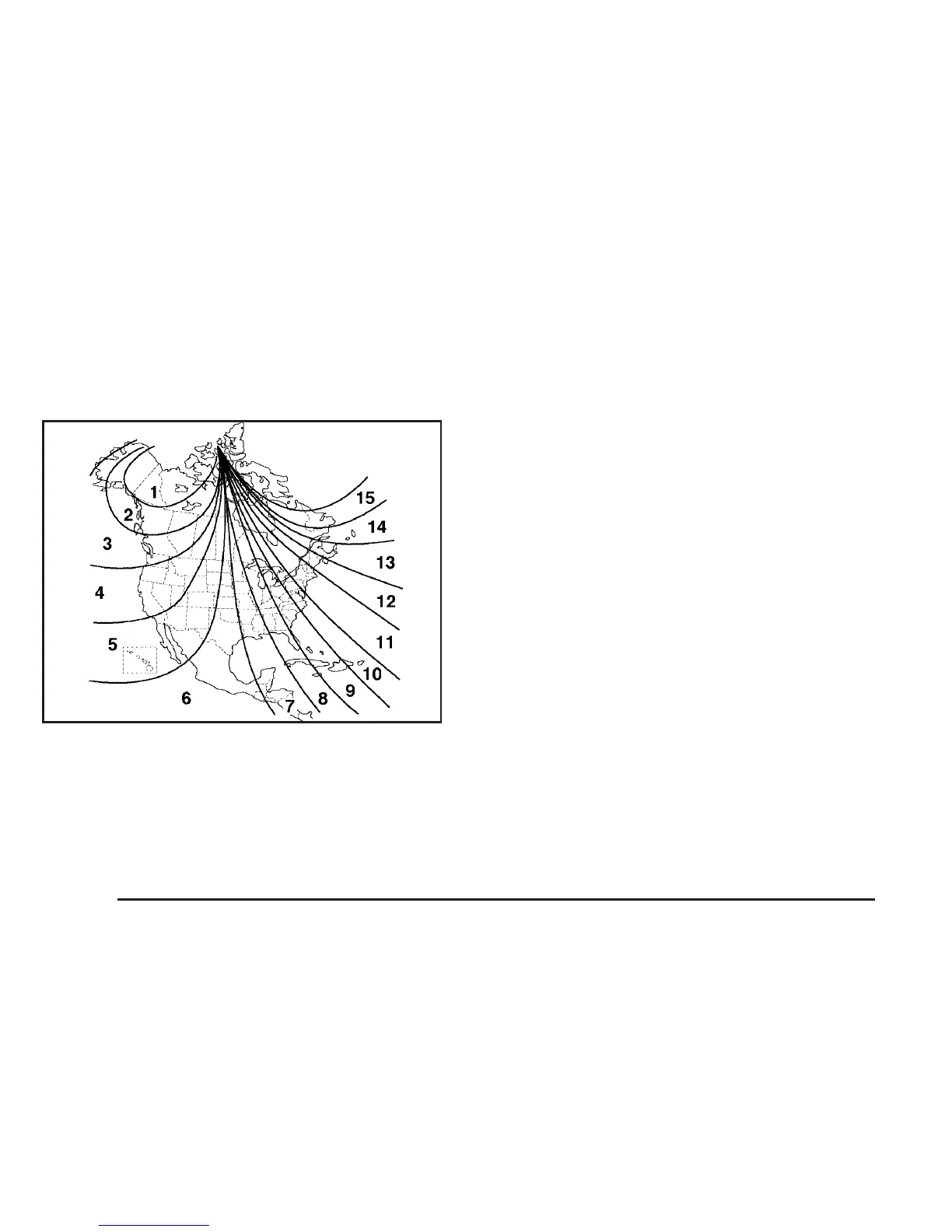
To adjust for compass variance:
1. Find your current location and variance zone
number on the following zone map.
2. Press and hold the on/off button until the zone
number is displayed. The number shown is the
current zone number.
3. Scroll through the zone numbers that appear in
the window on the mirror by pressing the on/off
button. Once you find your zone number,
release the button. After about four seconds,
the mirror will return to the compass display,
and the new zone number will be set. If C or
CAL appears in the compass window, the
compass may need calibration. See “Compass
Calibration” listed previously.
132










 To Next Page