38
ECM TUNER
Introduction Updating
Physical
Installation
Installing the
Tune
Uninstalling
the Tune
Operating the
HDGT
More
Information
Phase 2
1. Remove the microSD memory card
from the ECM Tuner.
2. Run the Heavy Duty Update Agent on a
computer with Internet access.
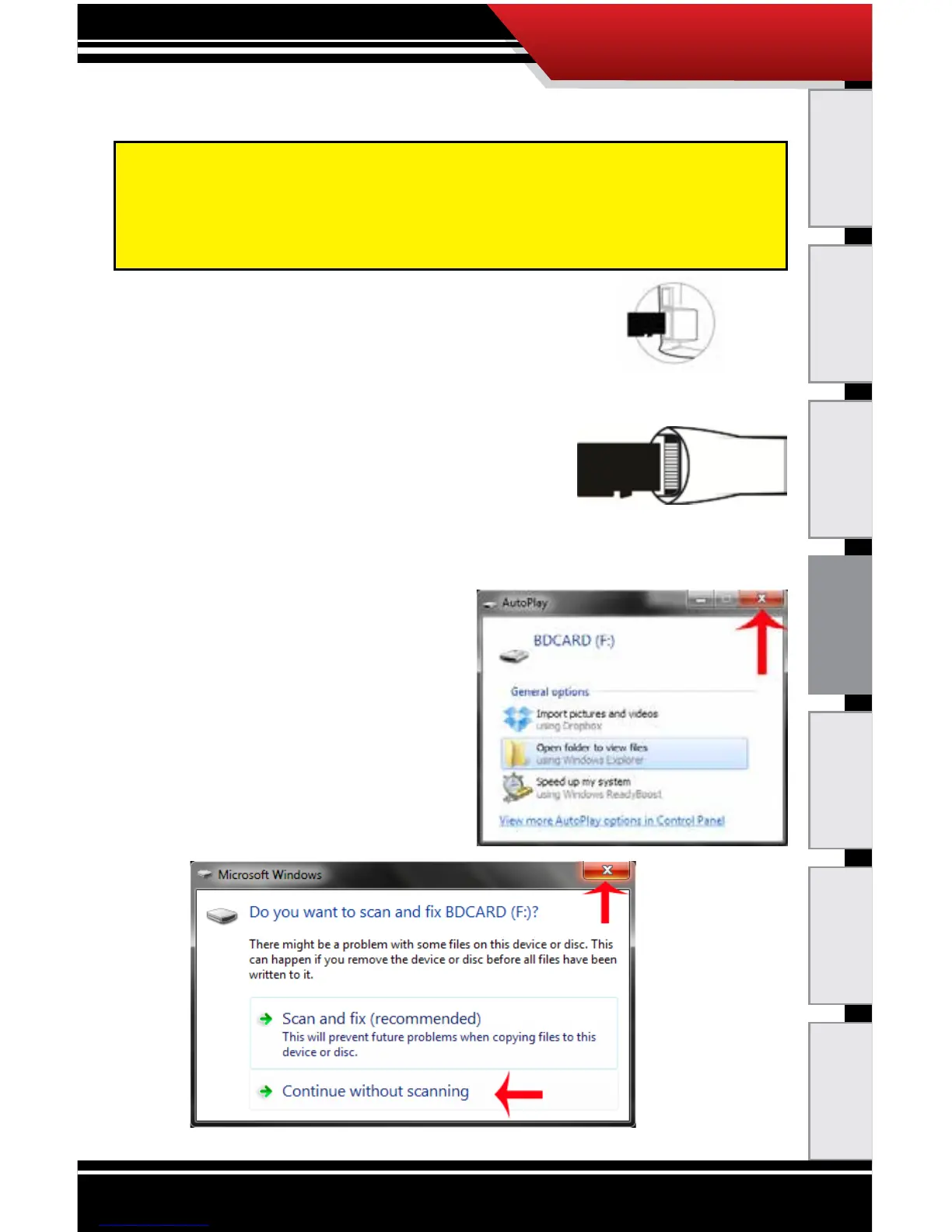
3. Plug the microSD memory card into
the card reader.
4. Plug the card reader (with the microSD card) into a
computer USB port.
‣ Close the Autoplay
window if it pops up.
‣ Close the window or
click Continue
without scanning if
a dialog box pops up
with an option to
“scan and x
BDCARD.”
The following installation steps can only be completed with
a Microsoft Windows
®
computer that has Internet access. If
you do not have access to a suitable computer, contact your
Bully Dog dealer for installation help.



 To Next Page