EasyManua.ls Logo

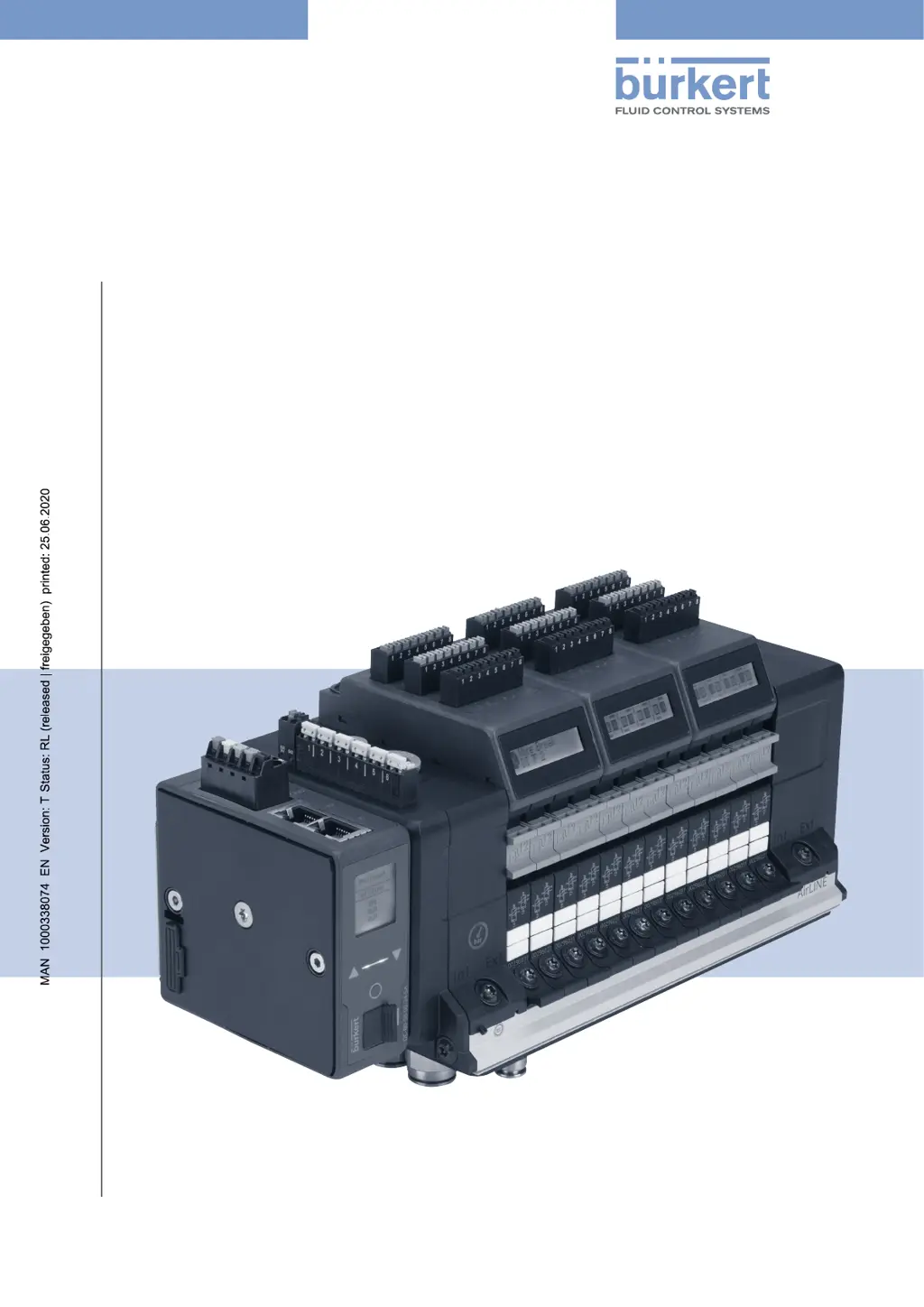
Burkert AirLINE 8652 - User Manual

Burkert AirLINE 8652
96 pages
Print Icon
To Next Page IconTo Next Page
Loading...
Operating Instructions
Type 8652
AirLINE
Modular valve island for pneumatics

Table of Contents

Other manuals for Burkert AirLINE 8652

Questions and Answers

  • I
    igilmoreAug 25, 2025
    Why do Burkert Controller valves switch with a delay?
    • E
      Ebony TateAug 25, 2025
      The Burkert Controller valves might switch with a delay due to several reasons. It could be due to an inadequate or no pressure supply, so design the pressure supply with the largest possible volume. For valves without auxiliary pilot air, ensure a minimum operating pressure of 3.0 bar. Insufficient pilot pressure build-up can also be the cause; with 5/2-way valves (CFH) and 2x3/2-way valves (CFD, normally open), operate the valve island with an external pilot pressure supply. Lastly, if the valves are not in the home position (de-energized) during pressure build-up, pressurize the valve block before switching the valves.
  • J
    Jamie RodriguezAug 26, 2025
    What to do if there is inadequate pressure supply in Burkert Controller?
    • C
      Cheryl JohnsonAug 26, 2025
      If you're experiencing inadequate pressure supply with your Burkert Controller, design the pressure supply with the largest possible volume, even for upstream devices such as pressure controllers, maintenance units, shut-off valves, etc. Also, for valves without auxiliary pilot air, ensure a minimum operating pressure of 3.0 bar.
  • J
    John Graham IIAug 28, 2025
    What to do if there is no load voltage in Burkert Controller?
    • W
      Wendy FranklinAug 28, 2025
      If there is no or insufficient load voltage in your Burkert Controller, ensure correct load voltage by checking the electrical connection.
  • A
    Andre PeckAug 30, 2025
    What to do if manual override of the Burkert Controller valves is not in neutral position?
    • I
      iaguilarAug 30, 2025
      Bring the manual override into the neutral position.
  • B
    Brian BellSep 1, 2025
    What to do if there is a short circuit at input x of the Burkert Controller position feedback unit?
    • Z
      Zachary WallaceSep 1, 2025
      If you experience a short circuit at input x of the position feedback unit in your Burkert Controller, check the position feedback/plug-in connection. If defective, replace the position feedback.
  • M
    Michael GregorySep 2, 2025
    How to fix a Burkert Control Unit with no message and LC display off?
    • V
      Victoria FullerSep 3, 2025
      If there is no message and the LC display is off on your Burkert Control Unit, check the electrical connection to ensure there is sufficient load voltage and make sure that the load voltage is correct. If the voltage was interrupted during a firmware update, update the firmware again.
  • D
    David PhillipsSep 4, 2025
    What does 'Pilot SCC Limit Ch. x' mean on my Burkert Control Unit?
    • M
      Marissa BrownSep 4, 2025
      If you see 'Pilot SCC Limit Ch. x' or 'Act. SCC Limit Ch. x' on your Burkert Control Unit, it means the maintenance limit for pilot valve / actuator channel X has been reached. To resolve this, replace the pilot valve or maintain the actuator and reset the switching cycle counter. Alternatively, you can deactivate the switching cycle counter or increase its warning limit.
  • S
    Steven WilliamsSep 6, 2025
    How to troubleshoot 'Short Circuit Ch. x' on Burkert AirLINE 8652 Control Unit?
    • G
      garciajenniferSep 6, 2025
      If your Burkert Control Unit displays 'Short Circuit Ch. x', it indicates a short circuit at input x of the position feedback unit. This could be due to a faulty position feedback or push-in connection. To fix this, check the position feedback/push-in connection or replace the position feedback.
  • K
    kellyrileySep 8, 2025
    What causes 'Wire Break Ch. x' on a Burkert Control Unit?
    • J
      Jessica BrownSep 8, 2025
      If your Burkert Control Unit displays 'Wire Break Ch. x', it indicates a wire break at input x of the position feedback unit. This is often due to a faulty position feedback or push-in connection. To resolve this, check the position feedback/push-in connection or replace the position feedback.
  • V
    Victoria AndersonSep 10, 2025
    What does 'EVS Active' mean on my Burkert Control Unit?
    • K
      Kevin DavisSep 12, 2025
      If 'EVS Active' is displayed on your Burkert Control Unit, it indicates that the 24 V supply is either not connected or incorrectly contacted. To resolve this, check the correct connection of the 24 V supply.

Summary

Basic Safety Instructions

Product Description and Safety Features

External Safety-Related Shutdown

Explains methods for de-energizing valves for safety.

Valve Island Assembly and Grounding

Connecting the Functional Earth

Essential steps for grounding the valve island.

Electrical Connections

Fieldbus Gateway Electrical Connection

Details connecting the fieldbus gateway for various protocols.

Pneumatic Connections

Web Server Configuration

Fieldbus Gateway Configuration

Bürkert Communicator Basics

Bürkert Communicator Configuration

Device Start-Up

Start-Up Safety and Manual Override

Safety precautions and steps for initial device startup.

Maintenance and Troubleshooting

Maintenance Safety Instructions

Safety guidelines for maintenance and troubleshooting tasks.

Troubleshooting Common Faults

Lists common faults, causes, and remedies.

Disassembly Safety

Burkert AirLINE 8652 Specifications

General IconGeneral
Input Voltage24 V DC
Number of valve positionsUp to 64
MediaAir, neutral gases
Communication ProtocolPROFINET, EtherNet/IP, Modbus TCP
Operating Temperature0 to +50 °C
Protection ClassIP65
MaterialStainless Steel

Related product manuals