14| 28
OPERATION MANUAL
FRONT PANEL
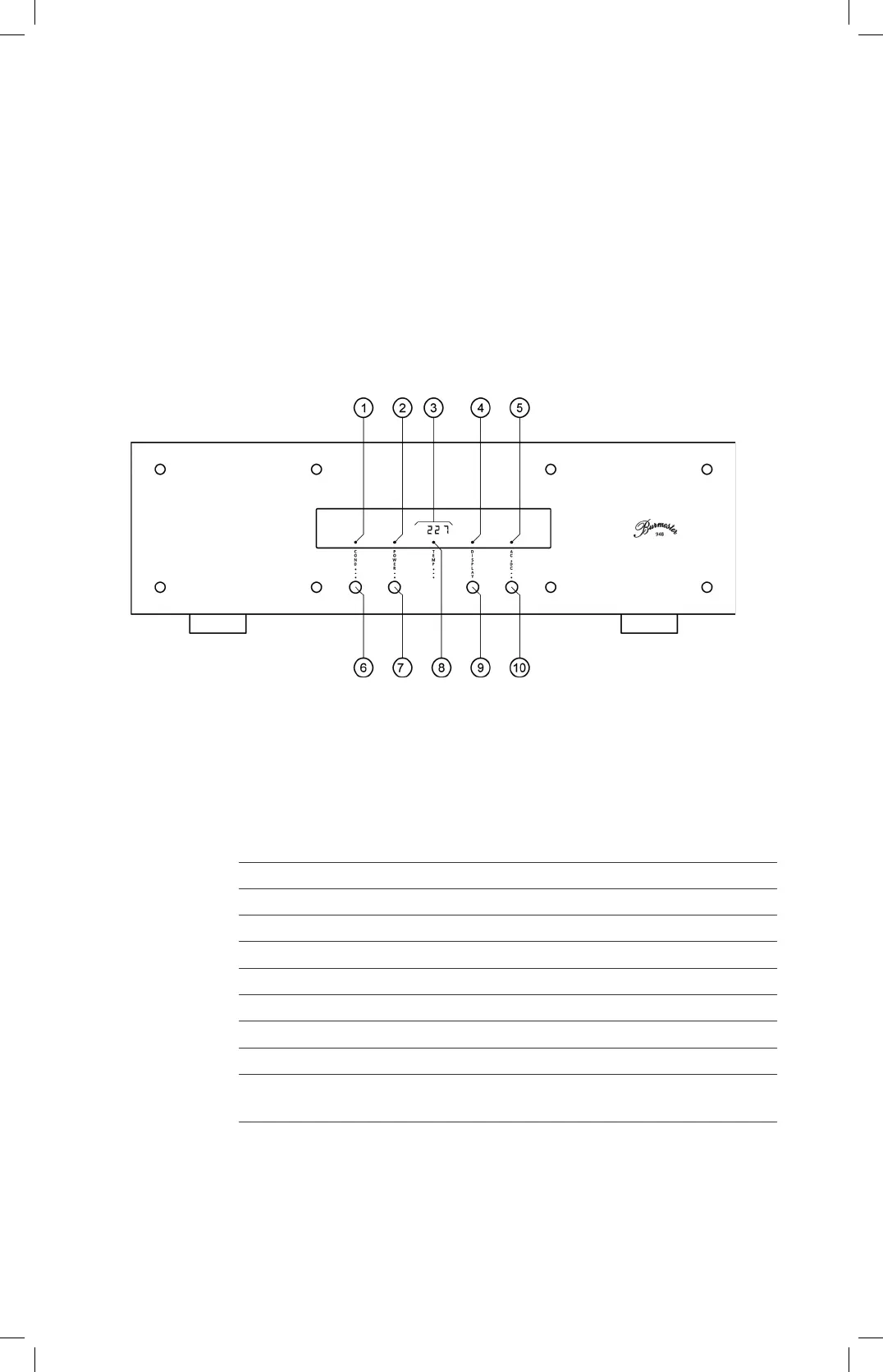
Functional Overview
1 Conditioner LED indicates active conditioner function
2 POWER LED illuminates when device is on
3 Display indicates mains voltage in V or DC component in mV
4 Stand-by LED indicates stand-by mode
5 AC DC LED illuminates when display showing DC voltage
6 Conditioner button activates conditioner function
7 POWER button switches power conditioner on and off
8 TEMP LED illuminates when operating voltage is exceeded
9 Display button switches display on and off
10
AC DC button switches display from showing mains voltage in V to DC
component in mV


 To Next Page