19| 28
Operating the Device
s
CAUTION: RISK OF INJURY TO CHILDREN
This device poses various injury risks if used improperly. Never leave your
children unattended with the device. This device is not intended for use
by children.
WARNING: DANGEROUS VOLTAGES
To fully disconnect the device from the mains, you have to unplug the
mains plug.
OPERATING CONTROLS
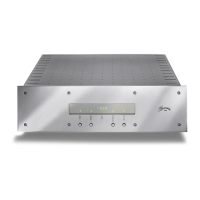
With the exception of the AC mains switch, all the operating controls are located on
the front panel. The device must be connected to the mains power in order to enable
operation. We recommend checking all the connections before switching it on.
AC MAINS SWITCH
The AC mains switch (13), which switches the AC power to the unit on and off,
is located on the rear panel above the AC mains terminal. When the switch is moved
to the ON position, the transformer is connected to the mains, the AC outlets are
switched on and the stand-by LED (4) lights up.
POWER BUTTON
The POWER button (7) switches the power conditioner on and off. This can only be
done when the AC mains switch is in the ON position.
The display (3) lights up to indicate when the device is switched on. When
the device is switched off, the stand-by LED (4) lights up to indicate that the device
is in stand-by mode.
PLEASE NOTE: ALWAYS SWITCH THE DEVICE OFF USING THE POWER BUTTON BEFORE
SWITCHING THE AC MAINS SWITCH TO OFF.


 To Next Page