Need help?
Do you have a question about the Burson Funk and is the answer not in the manual?
Expresses gratitude for purchasing the Burson Funk and its expected enjoyment.
Outlines Burson Audio's core design philosophy of musical purity and transparency.
Guides users on inspecting for shipping damage and saving packing materials.
Lists the essential items included with the Burson Funk, such as the amplifier and power supply.
A visual guide detailing the four essential steps for initial device setup.
A comprehensive list of steps for configuring the device in a standalone setup.
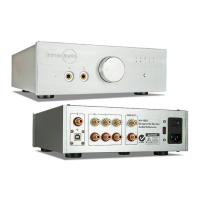
Identifies all ports and controls on the Burson Funk, including headphone output and speaker outputs.
Explains the initial break-in period for sound improvement and provides essential usage care instructions.
Provides detailed instructions and safety precautions for changing the internal opamps.
Explains how to correctly orient dual opamps within their sockets using the notch indicator.
Details the correct procedure for powering on the device and connected audio sources.
Describes how to select the desired audio input source using the volume dial.
Informs users about the availability of a free warranty extension and how to obtain it.
Outlines the terms and conditions governing the product's warranty coverage.
Details specific conditions, limitations, and exclusions that apply to the product warranty.
Guides users on how to register their product for warranty purposes.
The Burson Funk is a versatile audio device designed to function as both a headphone amplifier and a speaker amplifier, offering a high-quality audio experience for enthusiasts. Its core design philosophy, rooted in Burson Audio's commitment since 1996, emphasizes transparency and honesty in music reproduction, aiming to deliver the original sound without artificial "flavoring." This is achieved through the research and development of customized solid-state circuitries, pushing each component to its performance peak.
The Burson Funk serves a dual purpose, acting as a dedicated headphone amplifier and a speaker amplifier. This allows users to enjoy their music through headphones for a personal listening experience or connect to passive speakers for room-filling sound. The device is engineered to provide a clean and powerful audio signal, ensuring that the tempo, dynamics, and tone of the music are reproduced naturally. It avoids standard circuitry building blocks like opamps, IC regulators, or standard transformers, opting instead for bespoke solutions to achieve its sonic goals.
Setting up the Burson Funk is designed to be straightforward. The basic setup involves connecting the 24V external power supply to the Funk via the barrel socket, then plugging the figure 8 power cable into the power supply, and finally connecting the power cable to a wall socket. For audio input, users connect a line-level source to the Funk's RCA inputs. Depending on the desired output, headphones can be plugged into the headphone socket, or speakers can be connected to the Funk's speaker outputs. The device features a volume control knob for adjusting the listening level, and this knob also serves to select the input source by rotating it to the desired input and pressing inwards.
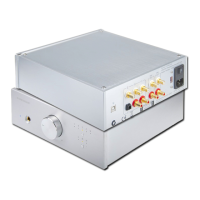
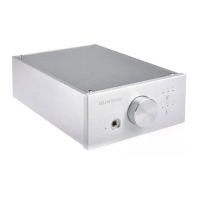
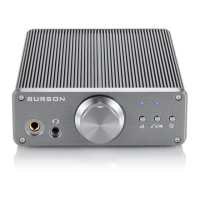
The front panel of the Burson Funk provides clear indicators and controls. There's a headphone output, a TRRS headset output, a volume control knob, a gain level indicator for headphones, and a power button. The rear panel includes RCA line-level inputs, a mic input bypass, speaker outputs, and the external 24V DC power input. This layout ensures intuitive operation and connectivity for various audio setups.
An important aspect of using the Burson Funk is its "break-in" and "warm-up" period. The sound quality is expected to improve steadily within minutes of being powered on, and for some listeners, the sound may continue to refine over the first weeks of operation, depending on the resolution of their system. This suggests a dynamic audio performance that evolves with use.
For optimal performance and to prevent damage, users are advised to never connect or disconnect RCA or speaker output cables while music is playing. It is recommended to stop the music source before making any cable changes. When powering up the system, the source machine should be turned on first, followed by the power amplifier (the Funk). When powering down, these steps should be reversed: turn off the Funk first, then the source machine.
The Burson Funk offers a unique maintenance and customization feature: opamp changing. This allows owners to customize the sound of their device to their personal preference. The process involves removing the power supply before opening the unit. Inside, there are two dual opamps. Users need to refer to a diagram for the correct position and orientation of the opamps, paying attention to the notch at the top of the opamp, which indicates its orientation within the socket. The case can be opened by removing four hex screws at the bottom using the supplied hex key. The opamp power supply voltage in the Burson Funk is +/-15V, a detail crucial for selecting compatible replacement opamps. This feature provides an advanced level of user control over the device's sonic characteristics, catering to audiophiles who enjoy fine-tuning their equipment.
The device also includes a fuse holder, indicating that fuses can be replaced if necessary, which is a standard maintenance feature for electronic devices to protect against overcurrent.
Warranty information is also provided, emphasizing the importance of proper handling and use to maintain coverage. The warranty is non-transferable and is voided if the product is modified, stored in humid conditions, or subjected to water/salt spray. This highlights the need for careful handling and adherence to the manufacturer's guidelines to ensure the longevity and continued performance of the Burson Funk.
 General
| Type | Headphone and Speaker Amplifier |
|---|---|
| Output Impedance (Headamp) | 2 Ω |
| Inputs | RCA |
| Outputs | Speaker binding posts, 6.35mm headphone jack |
| DAC | No |
| Bluetooth | No |

 To Next Page