R
9
4 CALIBRATION - BASE AND CAL
1. Press [BASE] for low end calibration on a zero plate or low value foil and [CAL] for higher foil.
2. Take a number of readings on the required calibration thickness. (Uncoated material for zero or base,
a thin foil for rough surface or unusual materials and a thick foil for cal).
(A wide range of foils is available - see “Foils” on page 32.)
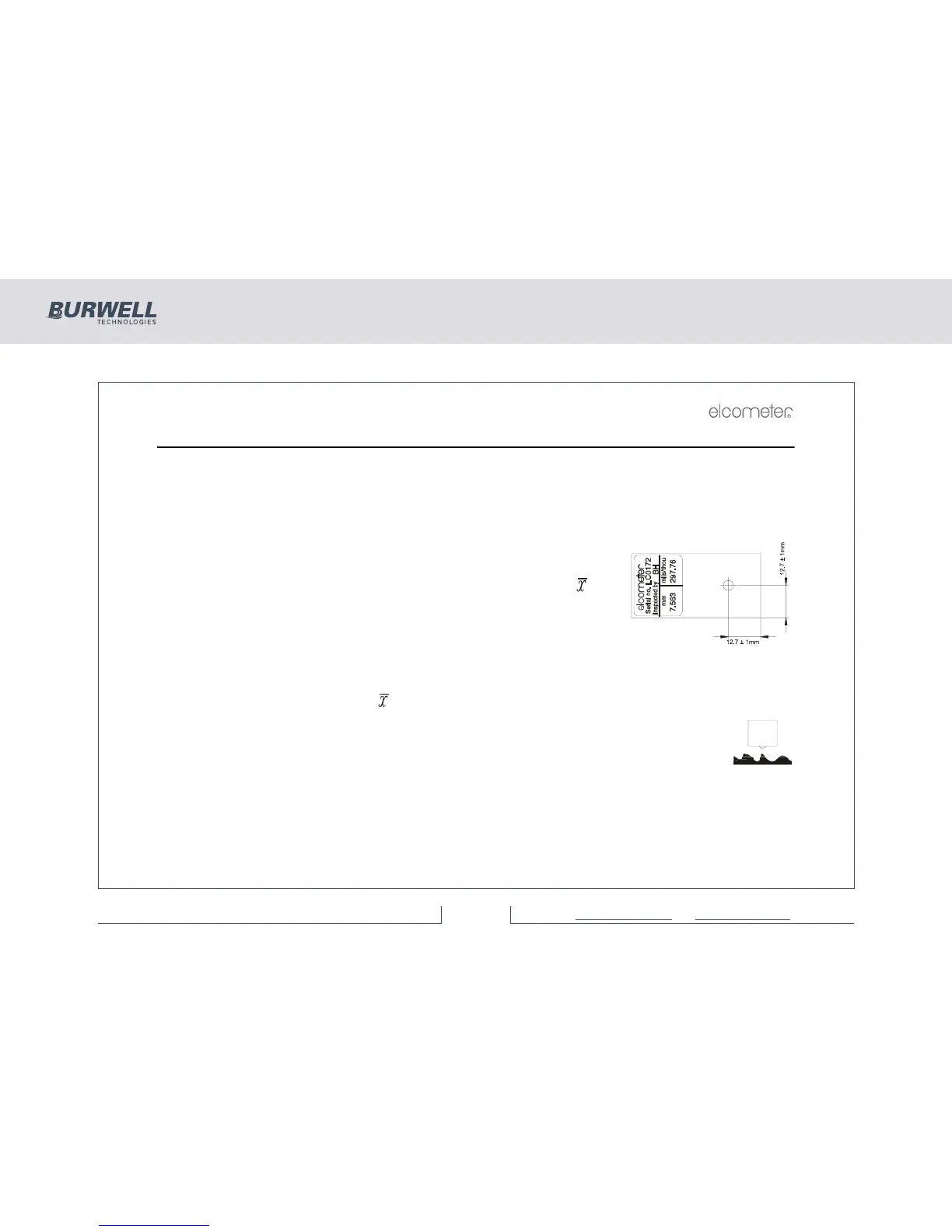
The foil value shown on the label applies to a measurement position
as indicated:
The display will show an average value - indicated by the [ ]
symbol.
3. When the base or cal value shown on the display is stable, then
adjust the display to the required value e.g. ‘0’ or the foil value; use
the [>] (CalUp) or [<] (CalDown) keys to adjust the value and then
press [ENTER].
The ‘base’ or ‘cal’ symbols and [ ] will now be removed from the display.
If a base value greater than zero is entered, the rough surface symbol will be displayed.
This symbol will disappear from the display if the base is reset to zero (0).
Note: If ‘base’ or ‘cal’ are used with regular values, the [BASE] or [CAL] keys may be pressed to recall the
last value entered to the display in order to save re-entering the numeric data. [ENTER] is used to confirm
the display value in memory.



 To Next Page