R
12
alternating with
Press [ENTER] to clear all batches, or [Esc] to cancel the operation. Press [Esc]
again to return to immediate mode.
DELETING BATCH DATA
Select the batch to be deleted - see “Selecting a batch” on page 10.
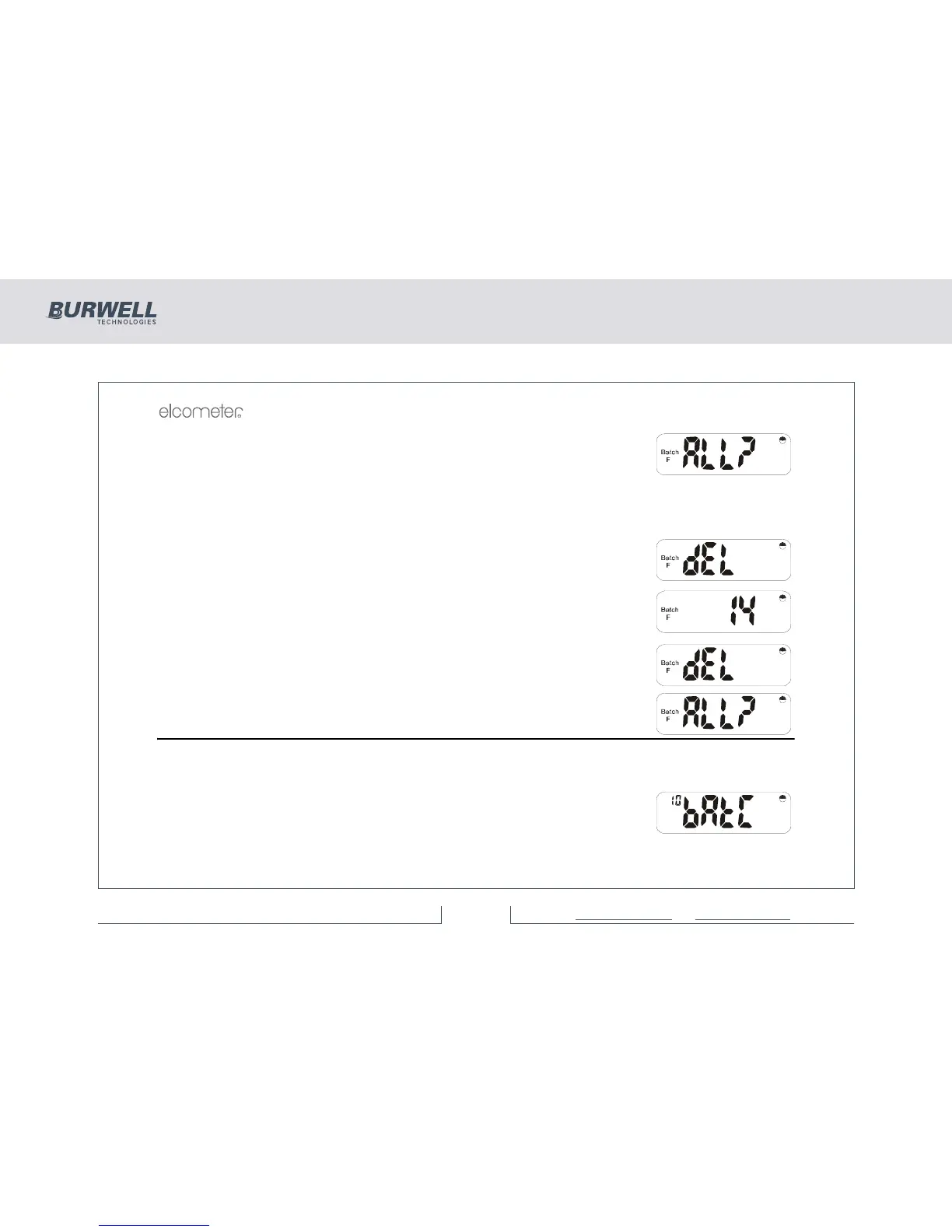
Press [DEL] and the display will alternate between ‘dEL’ and ‘batch no’ as shown
(batch number 14 in this example).
Press [ENTER] to delete the selected batch or [Esc] to cancel the operation.
If ‘Batch 0’ is selected and [DEL] is pressed, then all batches may be deleted and
the display will alternate between ‘dEL’ and ‘ALL?’
Press [ENTER] to delete all batches or [Esc] to stop the operation.
6 SETUP
The setup mode enables the User to adjust a number of different functions to suit the way the instrument is
operated. The setup mode is based around 10 functions, each of which has sub-functions.
After pressing [SETUP], Function No 10 (for auto batching mode) will be
displayed:



 To Next Page