R
11
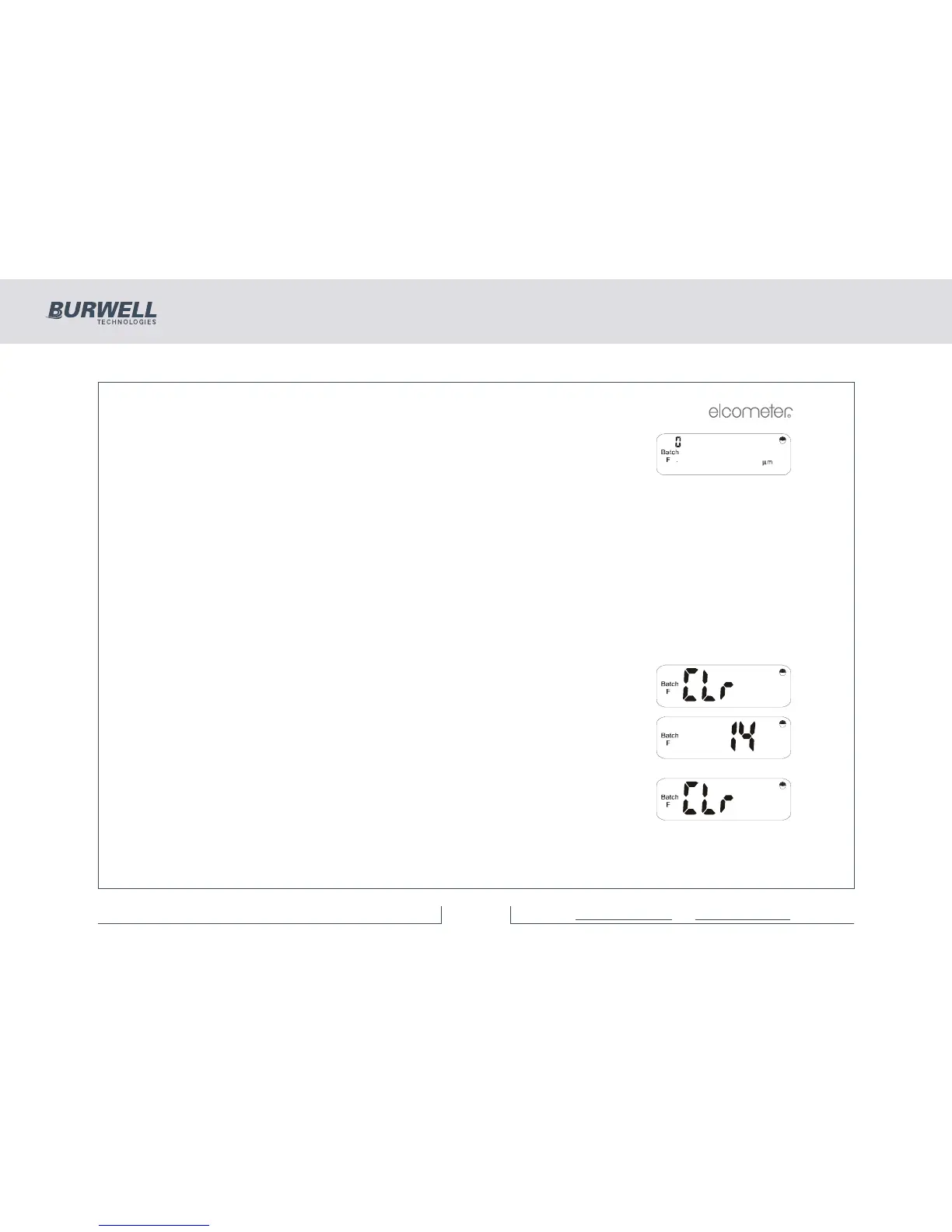
or, if it is a new batch, then ‘0’ is displayed as a reading number and the reading
display is blank.
If the existing batch has been created with a different module to the one currently
connected, the display shows ‘E14’.
Immediate mode is designated as ‘BATCH 0’. Returning to immediate mode from batch mode clears all
previous immediate mode data and starts at reading ‘0’.
5.2 CLEAR/DELETE BATCH DATA
Data within a batch may be ‘cleared’ leaving the probe type and calibration. Alternatively the batch data and
its associated probe type and calibration may be ‘deleted’.
CLEARING BATCH DATA
Select the batch to be cleared - see “Selecting a batch” on page 10
Press [CLEAR] and the display will alternate between ‘Clr’ and ‘batch no’ as
shown (batch number 14 in this example).
Press [ENTER] to clear the selected batch. If ‘Batch 0’ is selected and [CLEAR] is
pressed, then all batches may be cleared and the display will alternate as shown:



 To Next Page