R
13
Other functions may be selected by using [<] or [>] to go through the list. If [<] or [>] are pressed the
individual functions are displayed and [ENTER] must then be pressed to select that function for modification.
The symbol ‘nA’ in the display indicates that the function is not available in the Standard version of software.
Once a function is entered, [<] or [>] are used to either select the alternatives, or modify the value.
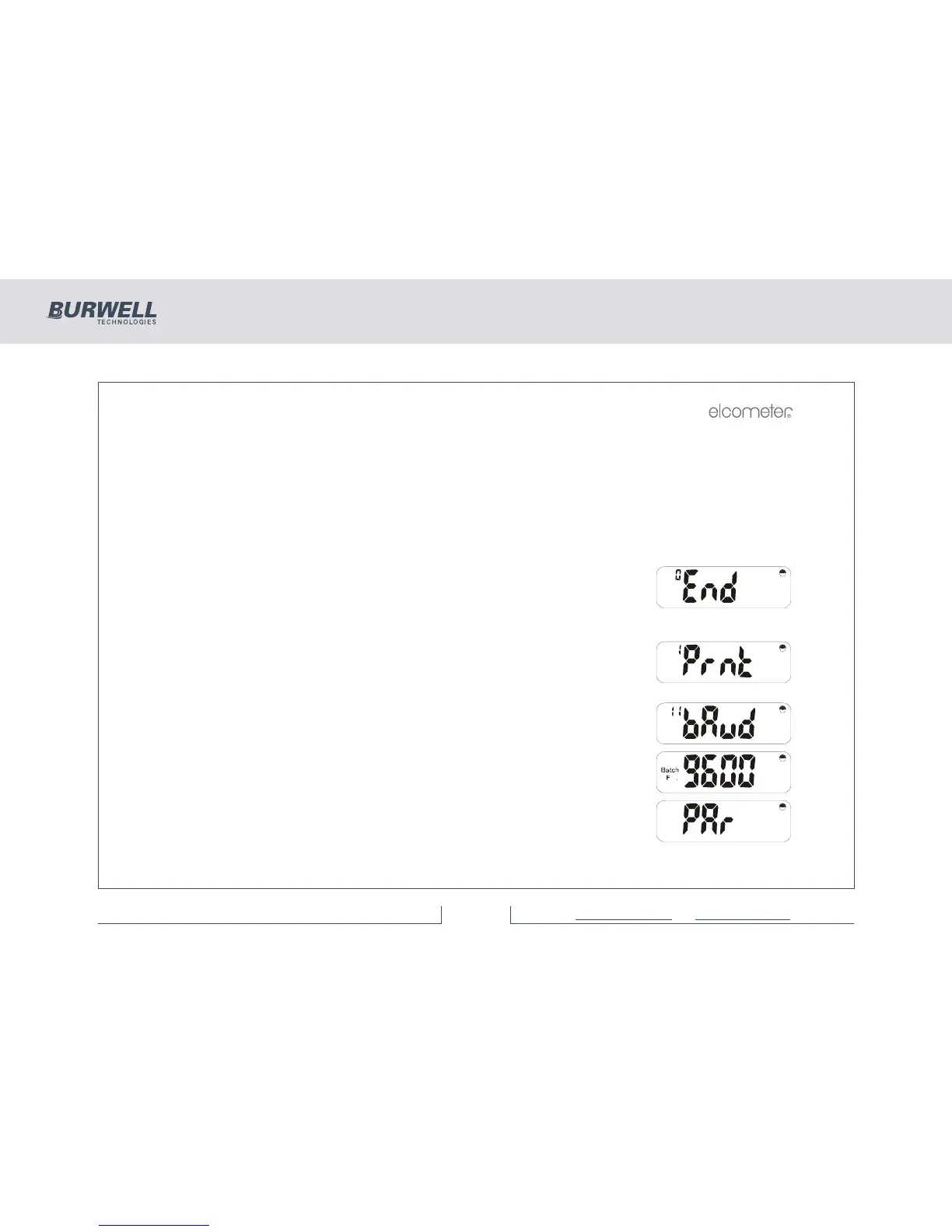
Sub-functions are displayed using a second number in the ‘n’ display. e.g. ‘11’ for baud function within ‘Prnt’.
Select the required value for the function or sub-function by pressing [ENTER]. Exit the function by pressing
[SETUP] the required number of times (or [Esc]) to step back through the Sub Menus.
This display signifies the end of each menu’s options.
The following sections describe each function (in numerical order).
6.1 PRINTER SETUP FUNCTIONS
Having pressed [SETUP] use [<] or [>] to select:
Press [ENTER].
Printer SetUp Sub-Functions
For serial printing, the printer’s baud rate must be selected in the range 300-
38,400.
Press [ENTER] and use [<] or [>] to select one of the options which are available
e.g.
Press [ENTER] to set this option to required rate and return to the Printer SetUp
Menu, or [Esc] to cancel the operation.



 To Next Page