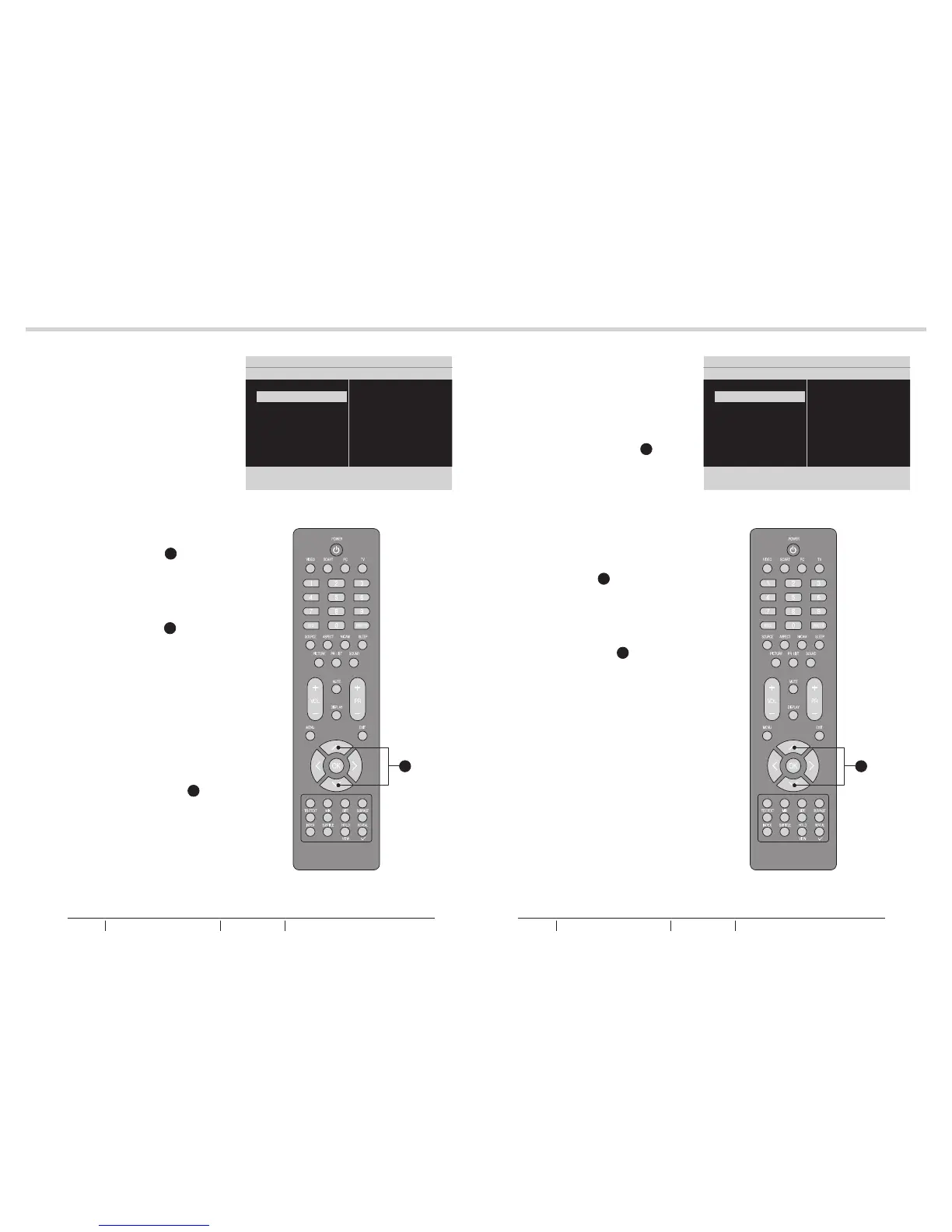
Balance
- To adjust the balance between
left/right channels.
See fig. 36 and 37.
Bass
- To adjust the amount of bass.
Treble
- To adjust the amount of treble.
Virtual surround
- To add greater depth and
dimension to the TV sound. Use
the Up or Down Cursor Y to
toggle between On or Off.
Sound mode
- To set the LCD TV to a
predefined sound setting. Use
the Up or Down Cursor Y to
toggle between Off, Rock, Pop,
Live, Dance, Techno, Classic,
and Soft.
AVL
- To eliminate the volume
differences between channels
and programs and also reduce
the dynamics of the sound.
Digital audio out
- To select the Digital audio out.
Use the Up or Down Cursor Y
to toggle between Off, Bit stream
and PCM.
Tip: When Bit stream is
selected, make sure the
amplifier supports digital
audio.
Sound
- The following functions are only
available for digital channels with
audio signals.
Volume-visually impaired
- To increase or decrease the
volume for the visual impaired.
Use the Up or Down Cursor Y
to adjust the volume.
Tip: Before you adjust the
volume, please make sure
Audio description is On.
See fig. 38 and 39.
Hearing impaired
- To transmit an audio-frequency
for the hearing impaired. Use the
Up or Down Cursor Y to toggle
between On or Off.
Audio description
- To enable or disable the volume-
visually impaired function. Use
the Up or Down Cursor Y to
toggle between On or Off.
24
25
MENU OPERATIONMENU OPERATION
fig. 36
fig. 37
fig. 38
fig. 39
Picture
Sound
TV
Installation
Parental
Settings 5 Picture
Balance
Bass
Treble
Virtual surround
Sound mode
AVL
Digital audio out
7
Picture
Sound
TV
Installation
Parental
Settings 5 Picture
Balance
Bass
Treble
Virtual surround
Sound mode
AVL
Digital audio out
7
Y Y
BUSH HD Ready Digital LCDTV User Manual Customer Helpline 0845 604 0105BUSH HD Ready Digital LCDTV User Manual Customer Helpline 0845 604 0105



 To Next Page