Getting to know your Home Theatre
You’ll be up and running in no time
Getting to know your Home Theatre
11
If you require any technical guidance or find that your product is not operating as intended, a simple solution can often be found in the Troubleshooting section of these instructions,
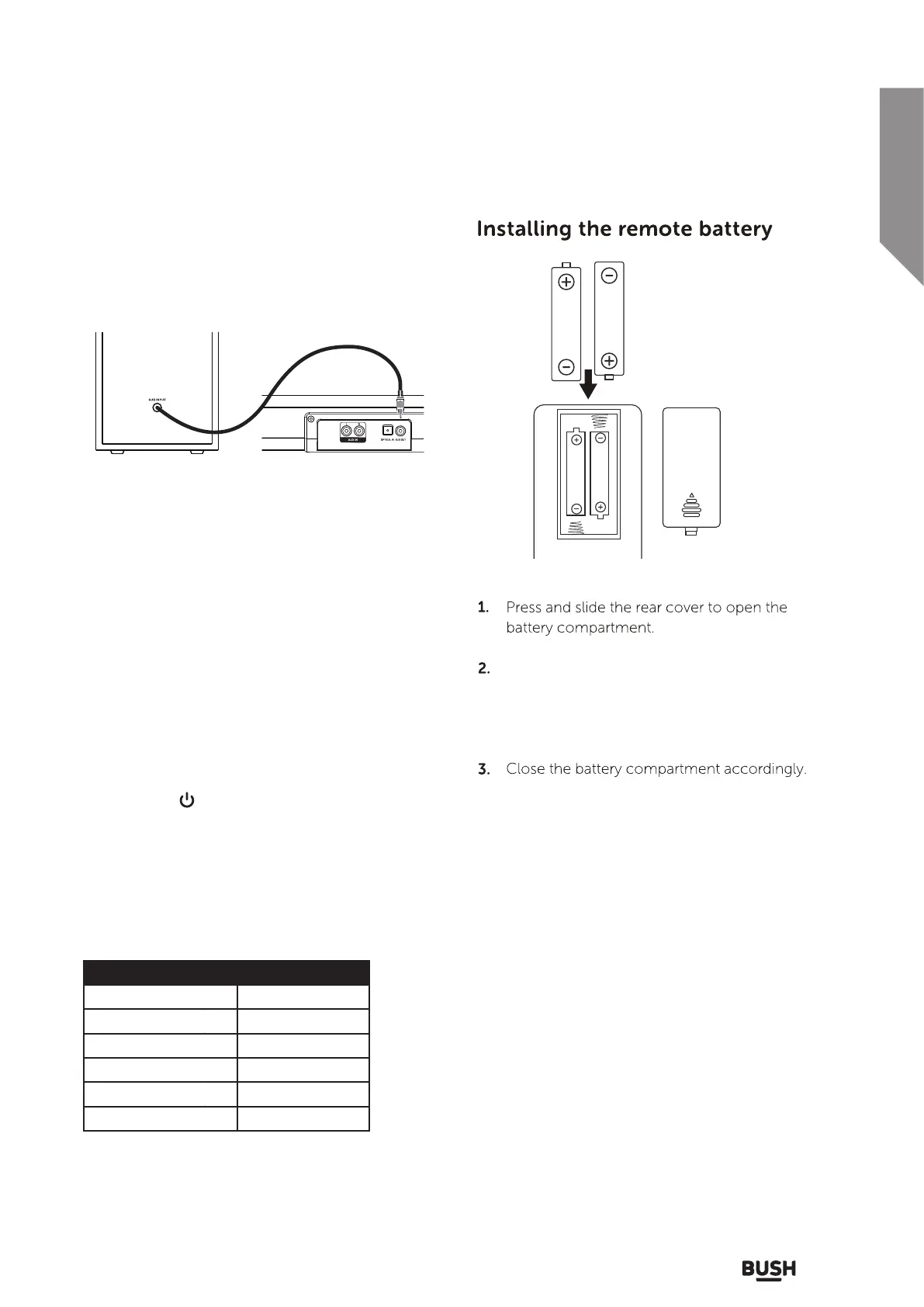
Connecting the sub woofer
Follow the below instructions to connect the wired
subwoofer to the soundbar.
1. Use the RCA audio cable from the subwoofer
to connect to the SUB OUT output on the
soundbar.
2. When audio is played through any source,
the speaker will automatically use the
connected subwoofer.
Insert 2x AAA size batteries (included).
Make sure the (+) and (-) ends of the batteries
match the (+) and (-) in battery compartment
as indicated.
Ensure the soundbar is powered ON. If not
press the POWER/SOURCE button on the
unit or the button on the remote.
Switching inputs
Soundbar Indicators
Follow the below steps to switch inputs
between :- Line,
Optical, Aux or Bluetooth.
1.
2.
Press the POWER/SOURCE button on
the unit repeatedly until you reach the
required input mode or press mode buttons
on remote control.
INDICATOR
Red Light
Yellow light
White Light
Green Light
Flashing Blue Light
STATUS
Standby
Optical Mode
Aux In Mode
Line In Mode
Bluetooth Pairing
Bluetooth Connected Blue Light



 To Next Page