Using your Soundbar
Let’s get started
Using your Home Theatre
13
or online at www.bush-support.com If you still require further assistance, call one of our experts on 0345 604 0105.
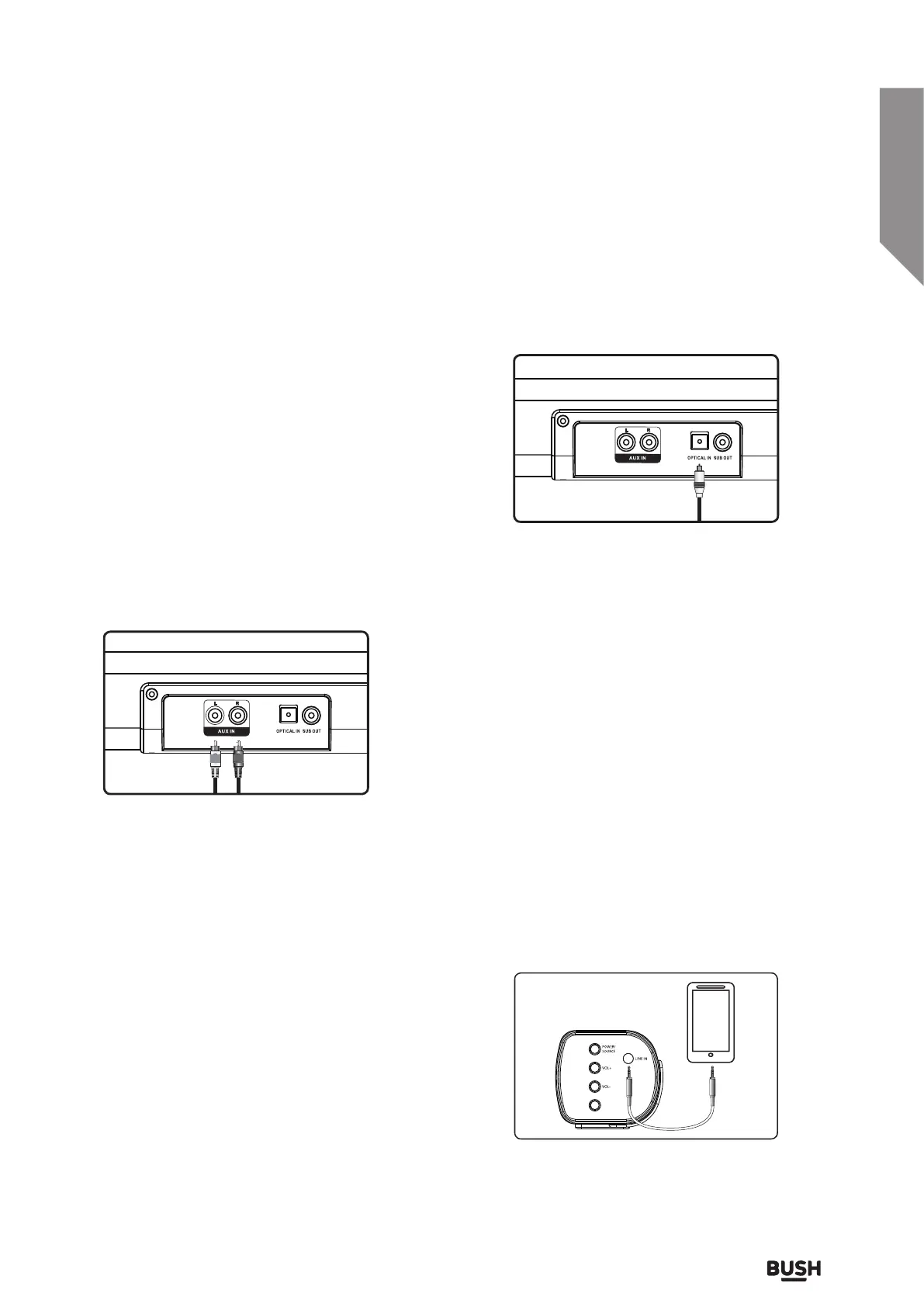
USING THE STEREO RCA INPUTS
When connecting two products using an RCA cable,
match the coloured ports with the same coloured
connection. Before use, disconnect any cable
connected to the Line in.
1. Connect the RCA Cable to the AUX IN
stereo
inputs located on the back of the unit, and
to the
audio outputs on the television.
2. Press and hold 2 seconds the POWER / SOURCE
button on side panel or POWER button directly
on the remote control to switch on the unit.
3. Press the AUX button on your remote control to
enter AUX mode or one touch the POWER/
SOURCE button on the unit repeatedly
to enter AUX mode, The mode indicator
LED will turn white.
4. Audio played through the television will now be
heard through the soundbar.
Using the Optical Input
You will need: An audio source
with an Optical Audio Output and
a Digital Optical Audio cable
(included)
1. Connect the Digital Optical Audio cable to the
optical output on the audio source and to the
OPTICAL IN on the soundbar.
2. Press and hold 2 seconds the POWER/SOURCE
button on side panel or POWER button directly
on the remote control to switch on the unit.
3. Press the OPTICAL button on your remote control
to switch to Optical Mode or one touch POWER/
SOURCE button on main unit repeatedly to select
the Optical mode. The mode indicator LED will
turn yellow.
1. Plug one end of a 3.5mm audio input cable
(included) into the LINE IN on the unit. Before
use, disconnect any cables connected to the
Stereo
RCA Inputs.
2. Plug the other end of the cable into the audio
output/headphone output on an MP3 player
or other audio source.
3. Press and hold 2 seconds the POWER/SOURCE
button on side panel or POWER button directly
on the remote control to switch on the unit.
4. Press the LINE button on your remote control to
enter LINE in mode or one touch the POWER/
SOURCE button on the unit repeatedly to enter
Line in mode.The mode indicator LED will
turn green.
5. Audio played through the connected device will
now be heard through the soundbar.
Using the LINE in
4. Using the native controls on your connected
device, make sure the audio settings are set to
PCM or Optical Audio and are turned On.
5. Audio from the connected audio source will now
be played through the soundbar.
(included)
PLAY /
PAUSE



 To Next Page