BR05DAB
7
Carefully remove your DAB+ Receiver from the box. We recommend you keep the packaging
for future reference.
Getting Started
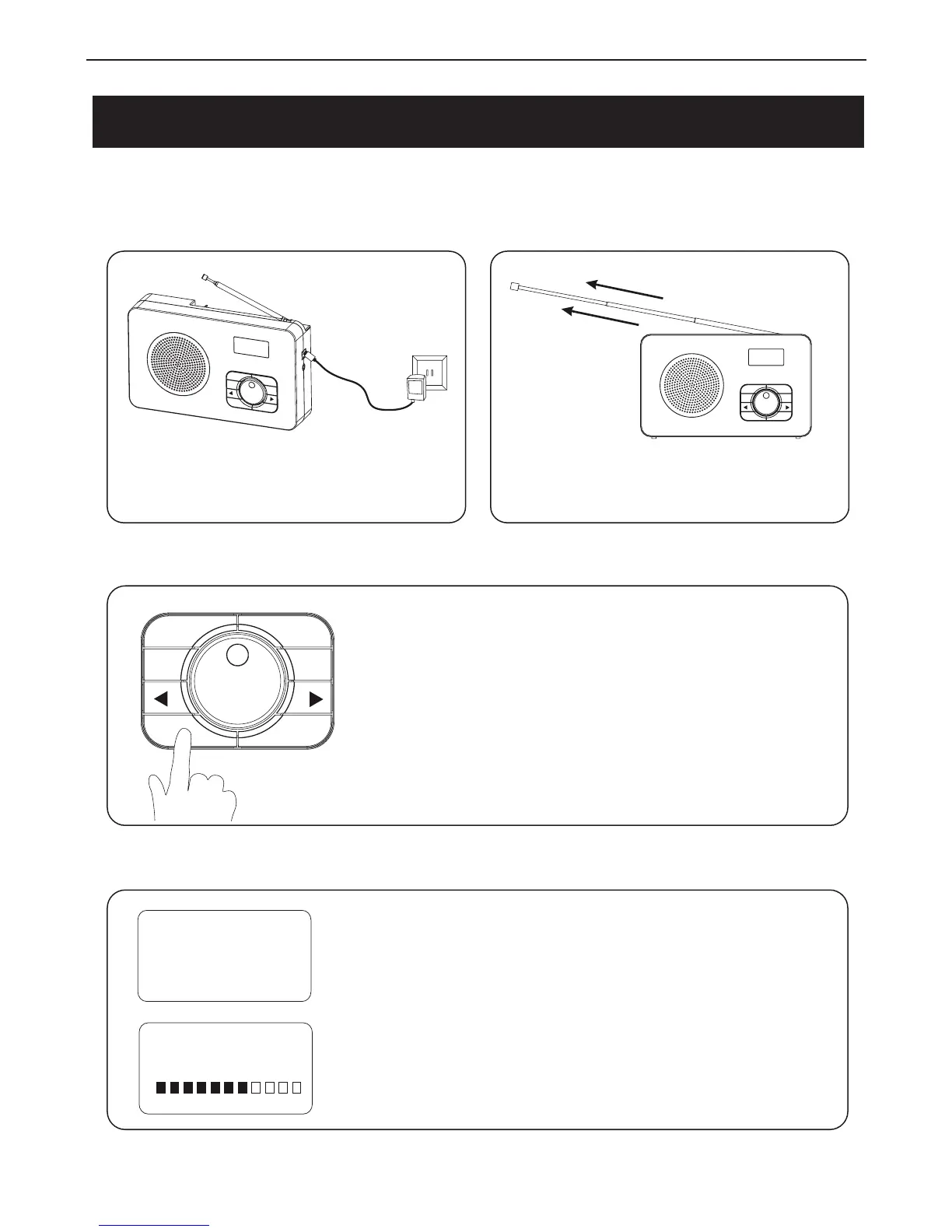
Connect the Power Adapter to the your
wall outlet.
Extend the telescopic aerial for best
reception possible.
SELECT
MODE
SCAN
POWER INFO
MENU
PRESET
1. Press the Power Button to turn on the radio.
2. Press again to enter Standby mode.
3. Press and hold the Power Button to turn off the unit.
When you turn on the radio the unit will be in DAB+
Mode. It will begin to scan for available stations
automatically. The date and time will also be set from the
DAB+ broadcaster.
Welcome to
Digital Radio
Scanning...
SELECT
MODE
SCAN
POWER
INFO
MENU
PRESET
SELECT
MODE
SCAN
POWER INFO
MENU
PRESET
1. Connect the Power
.
2. Extend the Telescopic Aerial
3. Turning on the Radio
4. Welcome to your new DAB+ Mode



 To Next Page