EasyManua.ls Logo

Bush BV21R050W - User Manual

Bush BV21R050W
52 pages
Print Icon
To Next Page IconTo Next Page
Loading...
User Manual
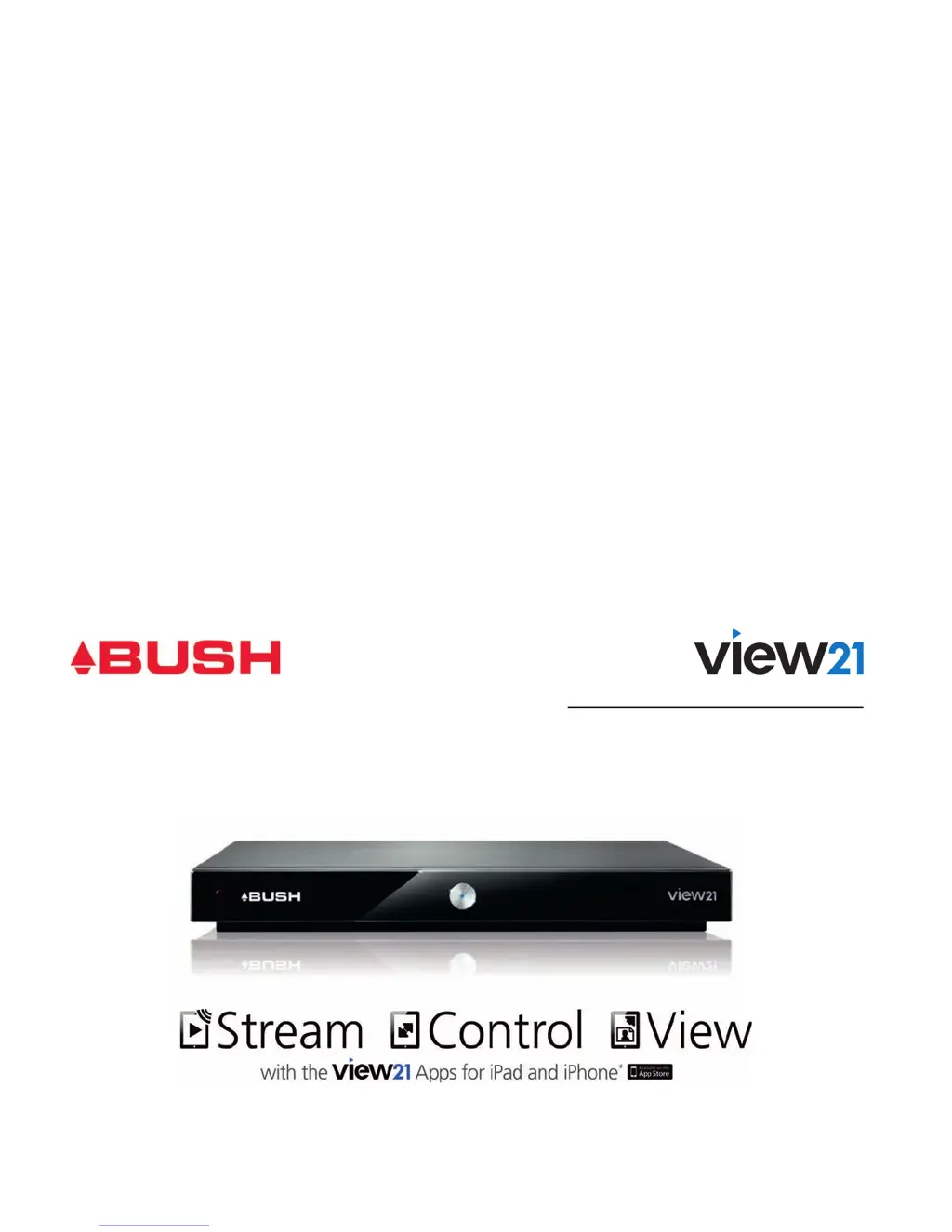
Smart Digital TV Recorder
More than a digital TV recorder
BV21R050W
BV21R100W

Table of Contents

Questions and Answers

  • M
    Melissa HaleAug 16, 2025
    Why is there no picture or sound on my Bush DVR?
    • J
      Jessica WardAug 16, 2025
      If you're experiencing a lack of picture or sound on your Bush DVR, first, check that the HDMI cable is securely connected at both ends. Also, verify that the volume isn't set to minimum or muted.
  • V
    Valerie RobertsonAug 19, 2025
    What to do if my Bush DVR says 'No signal found'?
    • M
      Michael McgrathAug 19, 2025
      If your Bush DVR shows 'No signal found', make sure the aerial is connected properly. Check the aerial and its connections for any damage or misalignment. Also, ensure that you are in an area capable of receiving Digital TV.
  • J
    Jennifer MartinAug 22, 2025
    Why is my Bush BV21R050W DVR remote control not working?
    • P
      Patricia WelchAug 22, 2025
      If your Bush DVR isn't responding to the remote control, ensure the digital box is plugged in and turned on. Aim the remote control directly at the front panel, and remove any obstructions. Finally, replace the remote control batteries.
  • A
    Andrea CarpenterAug 26, 2025
    What is the default PIN code for Bush BV21R050W DVR?
    • K
      kimberly43Aug 26, 2025
      If you've forgotten your PIN code for the Bush DVR, the default PIN is 0000.
  • S
    Spencer ContrerasAug 28, 2025
    How to connect Bush BV21R050W DVR to WiFi?
    • S
      Stephanie FrazierAug 28, 2025
      To connect to WiFi on your Bush DVR, go to WiFi set up in the System Menu.
  • A
    Alyssa RodriguezAug 31, 2025
    Why is the standby light not lit on my Bush BV21R050W?
    • N
      Nancy WolfeAug 31, 2025
      If the standby light on your Bush DVR isn't lit, ensure the mains adapter is plugged in and the mains socket is switched on.
  • A
    Aaron HallSep 3, 2025
    What to do if connection to View21 Digital Box failed?
    • J
      Justin SummersSep 3, 2025
      If the connection to your View21 Digital Box failed, connect the Digital Box to your local network using an Ethernet cable. This is needed to pair the App with the View21 Digital Box. Also ensure that your Digital Box is not in Standby.
  • M
    Marcus BensonSep 6, 2025
    How to fix 'Network out of range' error on Bush DVR?
    • A
      Anthony AndersonSep 6, 2025
      If your Bush DVR displays 'Network out of range', move the digital box closer to the WiFi router. Alternatively, remove any walls or metal objects blocking the signal between the box and the router.
  • B
    brittanysantiagoSep 9, 2025
    What to do if moved Bush BV21R050W is no longer receiving digital channels?
    • W
      Walter RodriguezSep 9, 2025
      If you've moved your Bush digital box and can no longer receive digital channels, re-tune your digital box. You might also try a signal booster or a direct feed from the aerial.
  • M
    Mrs. Megan StuartSep 12, 2025
    Why is my Bush View21 box not playing all YouTube videos?
    • M
      michael11Sep 12, 2025
      If your View21 box isn't playing all YouTube videos, select another video to view, as some formats can only be played on PCs.

Summary

Welcome

Getting set up

Whats in the box

Lists all items included in the product packaging.

Your View21 box

Identifies and describes the ports and buttons on the device.

Your remote

Explains the function of each button on the remote control.

Setting up

Step-by-step instructions for connecting the device via HDMI.

Easy install

Guides through the recommended first-time installation process.

Connecting to the Internet via WiFi

Details how to connect the device to a wireless network.

Advanced install

Describes the manual installation process for optimal settings.

Getting started

Using your View21 box

Overview of daily and occasional functions of the device.

Selecting channels

Explains methods for changing TV channels using the remote.

Changing the volume

Instructions on how to adjust the audio volume level.

Mute

How to turn the sound on and off using the mute button.

Pausing live TV

How to pause and resume live television broadcasts.

Recording

Instructions on how to record live TV or schedule future recordings.

Using the Guide

How to view programme information and navigate the TV guide.

Using the Library

How to access and play recorded programmes.

Other remote control buttons

Explains the function of less common remote control buttons.

Swap

Describes the Swap button's functions for channel switching and UI toggling.

Back

How to return to previous menus or live TV.

Info button

How to display programme information and details.

Using online apps

Introduction to using built-in online applications like Flickr and YouTube.

View21 companion apps

Introduction to downloadable apps for iPad and iPhone.

Make a recording before you view it

Steps to schedule a recording from the programme guide.

Set a reminder

How to set reminders for upcoming programmes.

Advanced box features

Main Menu

Overview of the main menu and its functions.

Guide structure

Explains the different sections that make up the programme guide.

Guide format options

Options for customizing the display format of the programme guide.

Set the default Guide format

How to set a preferred default view for the programme guide.

Record the programme you are watching

How to record the currently playing programme.

Cancel a recording

How to stop a current or scheduled recording.

Cancel a future recording

How to cancel a previously scheduled recording.

Resolving recording conflicts

How to manage overlapping recording times.

Setting a reminder

How to set a reminder for a programme.

Library

Introduction to the library for managing recordings.

Playing a recording

How to play back recorded content from the library.

Protecting a recording

How to lock recordings to prevent accidental deletion.

Deleting a recording

Steps to permanently remove recordings from the device.

Playback (or rewind) at higher speeds

How to fast forward or rewind recordings at various speeds.

Library quick key buttons

Explains the functions of the quick key buttons in the library.

Settings menu

Display and audio settings

Settings for video output, audio, and screen display.

Parental settings

Settings related to parental controls and PIN management.

Recording settings

Settings related to how programmes are recorded.

Format hard disk drive

How to format the device's hard drive, erasing all data.

Channel retune

How to rescan for available TV and radio channels.

WiFi setup

How to connect the device to a WiFi network.

Revert to default settings

How to restore the device to its factory default settings.

Software updates

Manual software update

Steps to update the device software manually via USB.

Troubleshooting

iPad;iPhone Troubleshooting

Solutions for problems connecting to the View21 box via apps.

WiFi Troubleshooting

Solutions for issues related to WiFi connectivity.

Specifications

Tuner and channel

Technical specifications for the tuner and channel input/output.

Decoder

Technical specifications for the video and audio decoder.

Power supply

Technical specifications for the power adapter and consumption.

Safety Information

Warnings

General safety warnings and precautions for using the device.

Safety Tips

Important safety advice for handling potential issues.

Warranty

Bush BV21R050W Specifications

General IconGeneral
Hard Drive Capacity500GB
Series LinkYes
Digital TunerYes
HDMI OutputYes
Recording MediaHDD
HDD Capacity500GB
USB PortYes
Scart SocketYes
EPGYes
Recording ResolutionSD
Recording TimeUp to 125 hours (SD)

Related product manuals