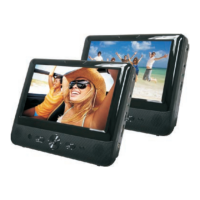
Getting to know your DVD Player
You’ll be up and running in no time
Getting to know your DVD Player
13
or online at www.bush-support.com If you still require further assistance, call one of our experts on 0345 600 3021.
1. DVD disc drawer Open/Close
2. Numeric 0-10 and 10+
3. Setup - Press to enter/exit the Setup menu
4. Navigation (Up/Down/Left/Right)
5. Skip back
6. Fast backward
7. On screen display (OSD) -During a movie, press to
display on screen information (if available), or to
turn this information off
8. Subtitle - During a movie, press to access the
subtitle menu (if available)
9. Step - During a movie, press repeatedly to display
frame by frame. Press Play/Pause to resume
normal playback.
10. Angle -During a movie with multi-angle options,
press repeatedly to select your required viewing
angle
11. Zoom -During a movie or image display, press
repeatedly to zoom in or zoom out
12. Program - Press to enter/exit programming.
13. A-B - During a movie (if available), press to define
the start point, press again to define the end point;
the selected section will play repeatedly and
continuously. Press again to cancel.
14. Power on/Standby
15. Volume up
16. Volume down
17. Mute - Press to turn the sound off/on
18. Menu - Press to display the DVD Menu screen (if
available)
19. Enter/Select an option
20. Skip forward
21. Fast forward
22. Play/Pause
23. DVD/USB- Press to access DVD or USB mode
24. DVD title menu (if available)
25. Stop - During a movie, press once to stop,
press again to stop completely
26. Audio - During a movie, press repeatedly to select
the language/audio channels required (if available)
27. GOTO
During a movie, press the GOTO button once, the
Title, Chapter and Time selection menu will be
displayed. Use the direction and numeric buttons
to select, then press the OK button to start playing
from that point
- When playing a CD, press the GOTO button
once, the Track and Time selection menu will be
displayed. Use the direction and numeric buttons
to select, then press the OK button to start playing
from that point
28. Repeat - During a movie, press repeatedly to
switch to different repeat options
29. Slow - During a movie, press repeatedly to set a
different playback speed. Press Play/Pause to
resume normal playback.


 To Next Page