Getting to know your DVD Player
You’ll be up and running in no time
Getting to know your DVD Player
15
or online at www.bush-support.com If you still require further assistance, call one of our experts on 0345 600 3021.
Remote control working range
The remote signal may not be received if there is an
obstacle between the remote control and the remote
sensor on your DVD Player.
Note: Direct sunlight or other bright light sources
shining on the remote sensor may affect the
performance of the remote control.
Connecting the mains power
1. Connect the mains power lead into the socket on
the back of the DVD Player (fig 7).
2. Plug the power adapter into the mains power wall
socket and switch on.
Note: Do not connect the mains power until ALL
other connections have been made.
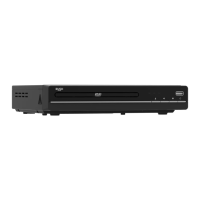
3. The Red LED on the front right of your DVD Player
will turn on and your DVD Player will now be in
Standby mode.
Standby mode
Note: This DVD Player has been designed to go to
Standby mode automatically after approximately
20 minutes of inactivity. Please press the Power
button on the product or the STANDBY button on
the remote control, to turn the DVD Player back on
again.
1. Press the Power button on the DVD Player or
the STANDBY button on the remote control to
Power on the product. The LED on the front right
of your DVD Player will change to green.
Fig 31.
16 Feet (5M)
STANDBY
OK
OPEN/CLOSE
MENU
DVD/USB
TITLE
GOTO
2. Press the Power button on the DVD Player or
the STANDBY button on the remote control to go
to Standby mode. The LED on the front right of
your DVD Player will change to red.


 To Next Page