Getting to know your Bluetooth Speaker
You’ll be up and running in no time
Getting to know your Bluetooth Speaker
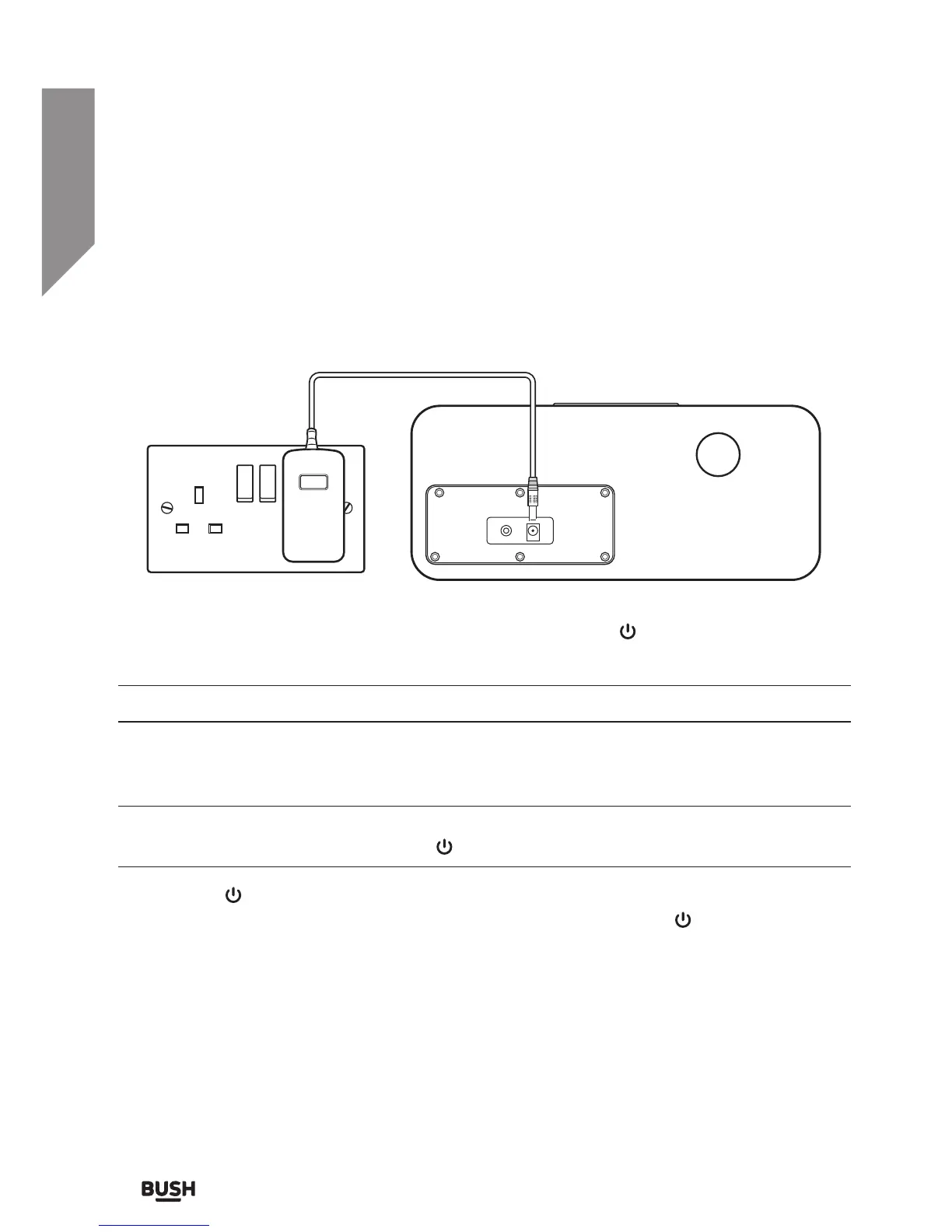
Connecting the mains power cable
1. Insert the mains socket jack into the DC power input (11) on the rear of the unit.
2. Connect the mains plug to a wall outlet and switch on.
3. The initial mode when powered on is STANDBY. Press the
button (2) to wake from
standby.
The last mode used is memorised when the power is turned off and on.
Standby mode
This unit is designed to enter STANDBY mode automatically after 20 MINUTES
(approximately) of inactivity. Press the
button (2) to wake the unit.
1. Press the
button (2) to put the system into standby mode. The red LED indicator will
flash for 5 minutes and then enter power saving mode. Press the
button (2) to wake.



 To Next Page