Line/AUX-in input connection
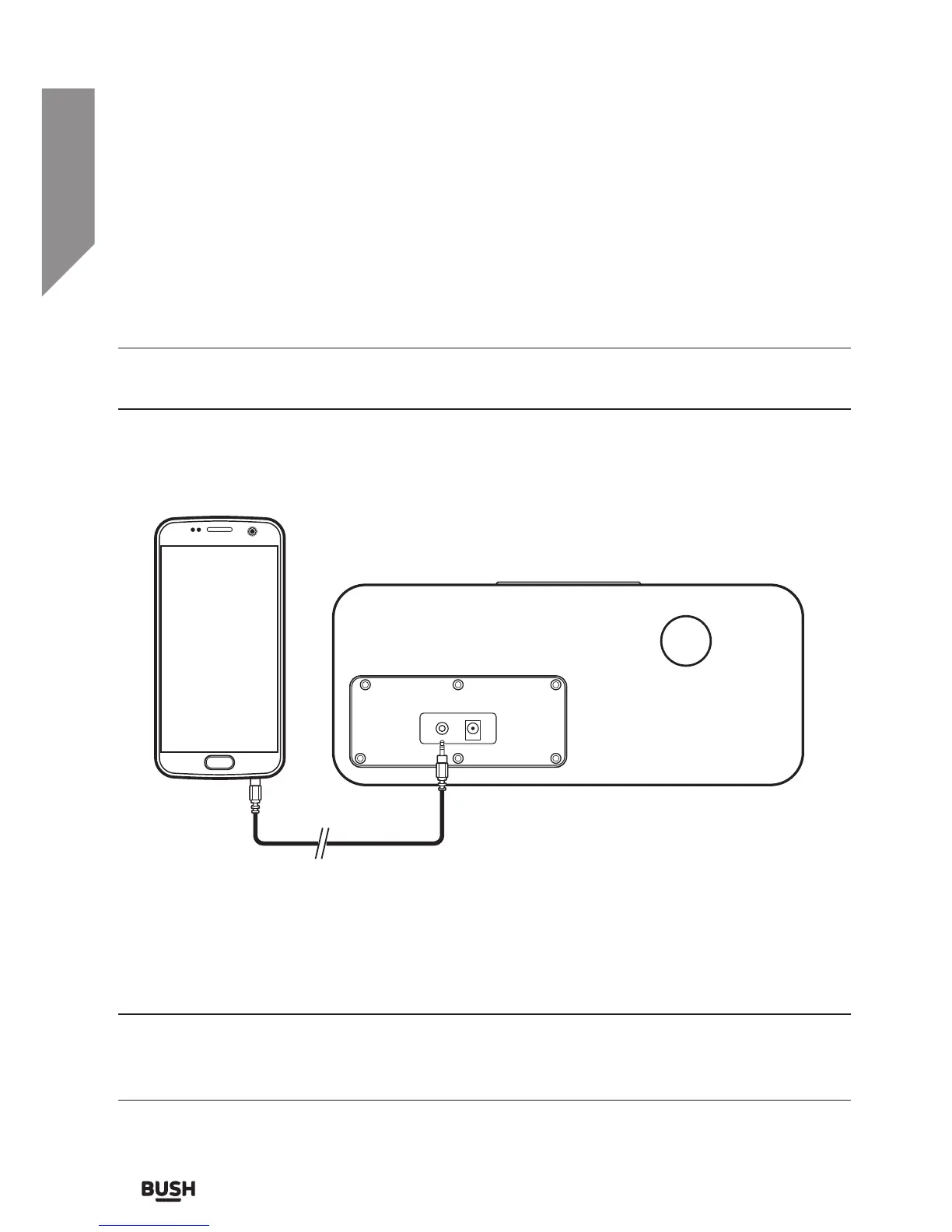
Follow the steps below to connect an external audio source (such as a smartphone) for
playback through the Bluetooth Speaker..
You will need a 3.5mm audio cable (not supplied) to connect a device to the AUX input
socket (9).
1. Connect one end of the 3.5mm audio cable to the AUX IN input socket (9) on back of
the unit. Connect the other end to an earphone socket on the audio device (such as a
smartphone).
2. Switch to AUX imode by pressing and holding the MODE button until you see the red
LED indicator.
3. Press PLAY on the audio device.
4. Adjust the volume to your desired level.
When connecting via the headphone output the volume of the bluetooth speaker
is affected by the volume control on the player. Ensure that the audio source (e.g.
smartphone) is set to about 70-80% to avoid distortion.



 To Next Page