Using your Mono DAB/FM Radio
Let’s get started
Using your Mono DAB/FM Radio
Let’s get started
3. Use the Prev or Next button to scroll through the options and short press the Volume
control to Select.
FM Radio mode
• If you are not already in FM mode, short press the Power button to go to FM mode
(check the display).
• If you were listening to an FM station when you switched the Radio off then this
station will be automatically selected when you switch the Radio back on.
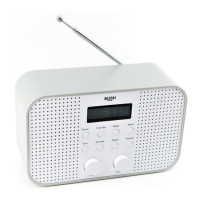
Telescopic aerial
Please make sure that the aerial is fully extended before you attempt to tune to a FM
station (a vertical position is recommended). This will ensure that the maximum signal
strength is available when the radio begins to scan. Extending the aerial also ensures the
best possible sound quality.
Tuning to an FM station
• Short press the Scan button to scan up the frequency band.
• Long press the Scan button to scan down the frequency band.
• Short press the Prev or Next button to fine tune each frequency in 0.05MHz steps.
Note: If reception is still poor try adjusting the aerial or moving the radio to another
location.
Changing the Scan setting
In FM mode:
1. Long press the Menu button, <Scan setting> will be displayed. Short press the Volume
control.
The current Scan setting will have an ‘*’ in the display.
There are two different options to choose from:
Strong stations: The scan will only stop when a strong signal strength is received which
should also result in a better audio quality. It is possible that the station
you are scanning for may be missed using this option.
All stations: The scan will stop for every station it receives, even if the signal strength
is poor.
2. Use the Prev or Next button to choose from the two options available and short press
the Volume control to select.
Audio mode
The radio will automatically switch between Stereo and Mono, depending on the quality
of the signal being received but you can override this function and manually switch
between Stereo and Mono.
1. Long press the Menu button to enter the menu options.
2. Use the Prev or Next button to scroll to <Audio setting>. Short press the Volume
control to Select.
There are now two different options of <Forced mono> and <Stereo allowed> and the
current setting will have an ‘*’ in the display.
3. Use the Prev or Next button to choose from the two options available and short press
the Volume control to Select.
Storing an FM station preset
Your radio can store up to 10 FM stations in its preset memories for instant access to your
favourite stations.
Note: When you store FM radio station presets, these do not overwrite your DAB
station presets.
1. Tune the Radio to the FM radio station that you wish to preset.


 To Next Page