11
Capture movies
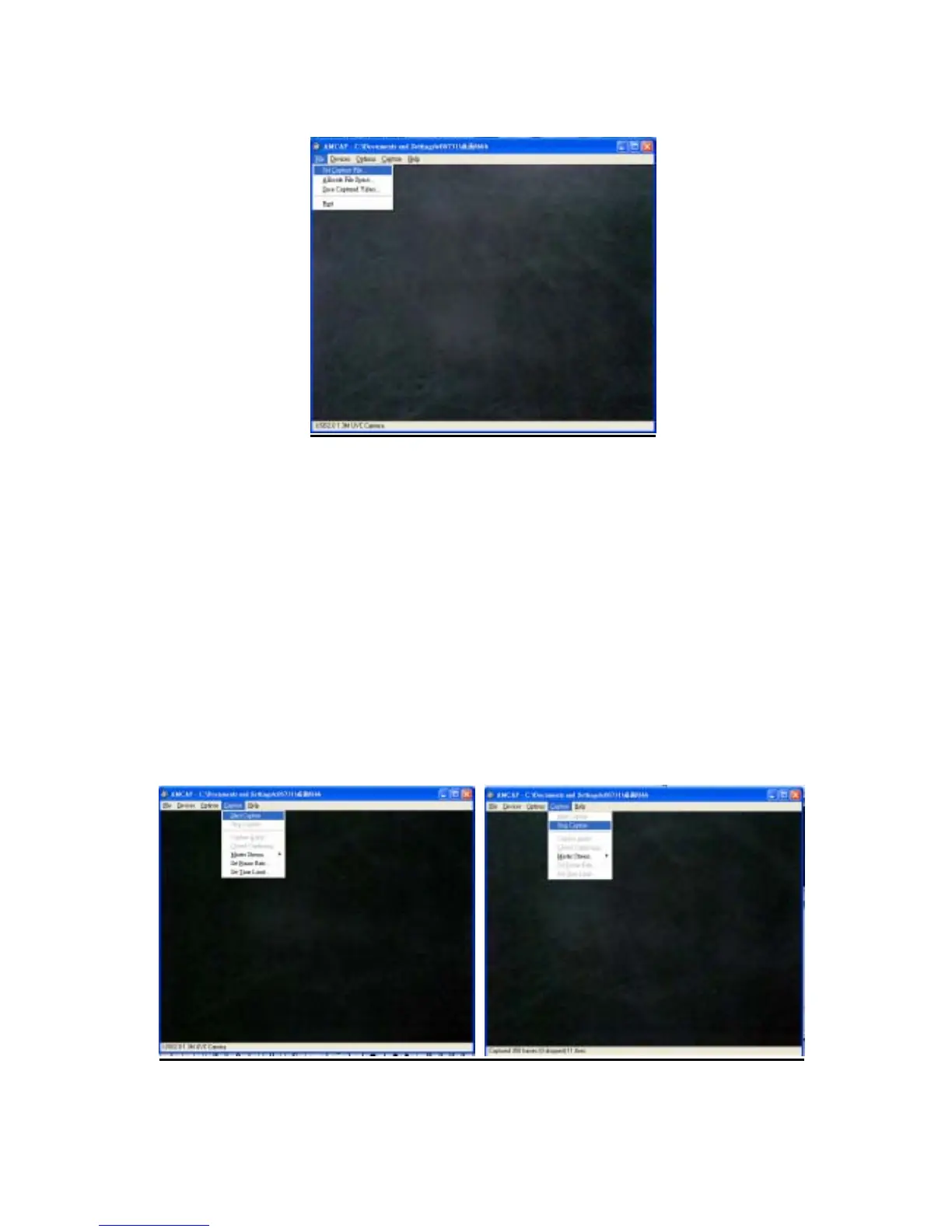
1. Click “ File” Æ “ Set Capture File” Æ” Desktop”
( Or Click “ File” Æ” Set Capture” to setup the path of the movie file in your
computer.)
2. Create a file name : ABC.avi
3. To set the file size : Suggest to enter 1Mbyte and press “OK “
4. Then the file ABC.avi will appear on the desktop.
5. Recording & Stop Recording images:
Click” Capture” to go into the pull down menu.
Æ Click” Start Capture” Æ “ OK” to start recording.
Æ Click” Stop Capture”, the recording process will be stopped.
6. You can use the “ Window Media Player” to play the movie.


 To Next Page