For any help concerning set up and use of your TV please call the Customer Helpline: 0 345 604 0105
General TV Operation
Media Browser
Only available when a USB device is plugged
into the TV.
Starting Media Browser
1. Press MENU button on the remote control
and select “Media Browser” pressing “
” or “
” button.
2. Press OK button to continue.
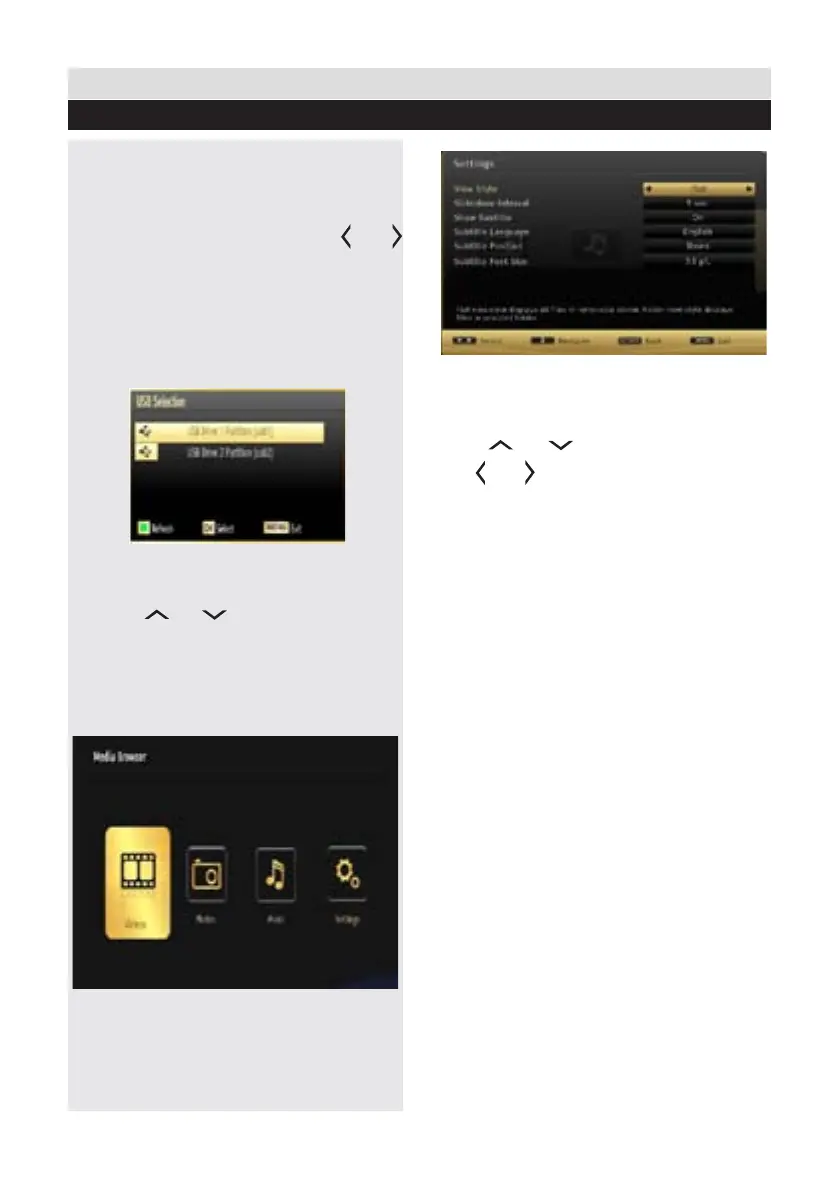
You can plug in two USB devices at the same
time to your TV. If both USB devices include
music, images and video, the USB Selection
screen appears.
The USB device which is connected rst to the
TV set will known as a USB Drive 1.
3. Use the“
” or “ ” button to select a device
and press OK. Media Browser menu contents
(depending on the contents of your USB drive)
will be displayed. You can play music, picture
and video les from the connected USB memory
stick.
Media Browser Conguration
Select Settings icon from the main media browser
page to view the current preferences.
You can set your Media Browser preferences by
using the Settings dialogue.
Operation
Press “
” or “ ” button to highlight an item.
Use “ ” or “ ” button to congure an item.
View Style
Sets default browsing mode. Sets default browsing
mode as folder or at. Select “Directory” to display
les in a folder or “Normal” to view les directly.
If you select the view style “Directory” the menu
point “All” will appear in the media browser (See
the section: Media playback using media browser).
The option “All” gives you an overview of the
directories images, music, videos.
Slide Show Interval
Sets slide show interval time.
Show Subtitle
Sets subtitle enabling preference.
Subtitle Language
Sets supported subtitle language.
Subtitle Position
Sets subtitle position as up or down.
Subtitle Font Size
Sets subtitle font size (max. 54pt).
33














 To Next Page