13
EN
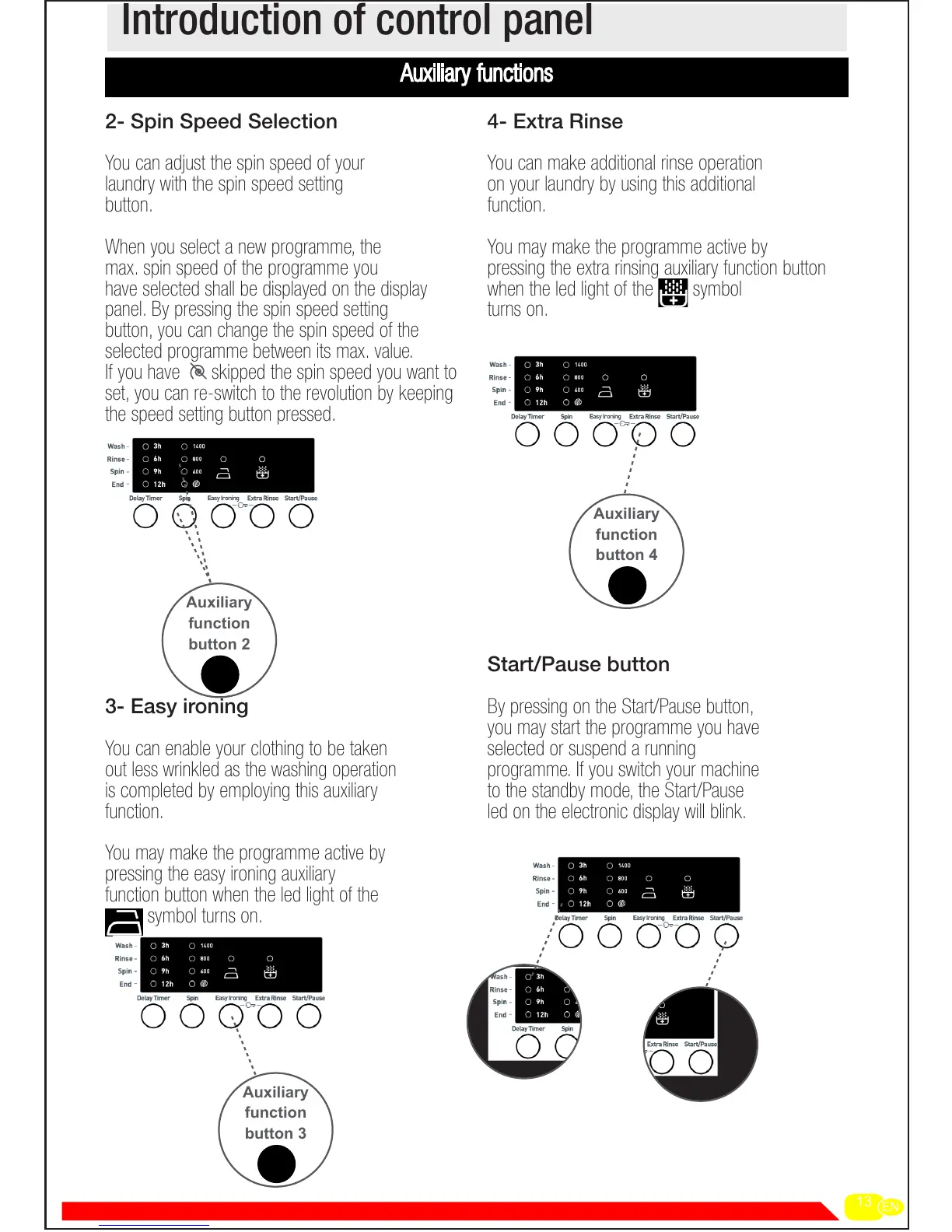
2- Spin Speed Selection
You can adjust the spin speed of your
laundry with the spin speed setting
button.
When you select a new programme, the
max. spin speed of the programme you
have selected shall be displayed on the display
panel. By pressing the spin speed setting
button, you can change the spin speed of the
selected programme between its max. value.
If you have skipped the spin speed you want to
set, you can re-switch to the revolution by keeping
the speed setting button pressed.
3- Easy ironing
You can enable your clothing to be taken
out less wrinkled as the washing operation
is completed by employing this auxiliary
function.
You may make the programme active by
pressing the easy ironing auxiliary
function button when the led light of the
symbol turns on.
4- Extra Rinse
You can make additional rinse operation
on your laundry by using this additional
function.
You may make the programme active by
pressing the extra rinsing auxiliary function button
when the led light of the symbol
turns on.
Start/Pause button
By pressing on the Start/Pause button,
you may start the programme you have
selected or suspend a running
programme. If you switch your machine
to the standby mode, the Start/Pause
led on the electronic display will blink.
Introduction of control panel
Auxiliary
function
button 2
Auxiliary
function
button 3
Auxiliary
function
button 4


 To Next Page