For any help concerning set up and use of your TV please call the Customer Helpline: 0044 845 604 0105
Subtitle Time Correction
Press YELLOW button during the video playback
for activating Subtitle Time Correction screen.
1. Enter an offset value using “ ” or “ ” button.
2. Press YELLOW button to conrm or press
RETURN button to switch back to previous
menu.
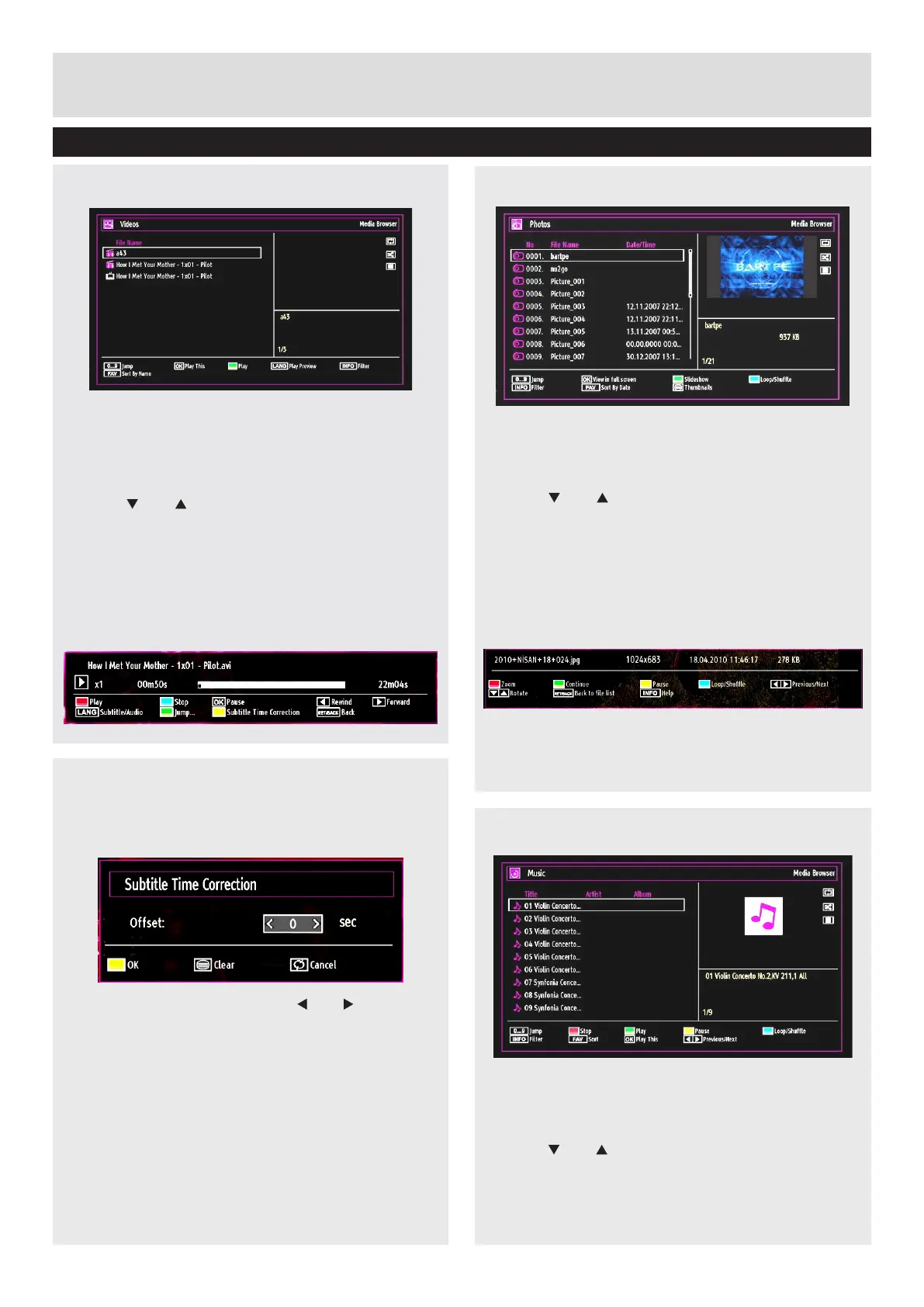
Viewing Videos via USB
1. Select Videos from the Media Browser screen
and press OK button.
2. All video les will be ltered and listed.
3. Use “ ” or “ ” button to select a video le and
press OK button to play a video.
Follow the information on the operations bar for
using other commands.
Video Playback Screen
The following screen will be displayed while playing
a video le.
Advanced Features
Media Browser - continued
Viewing Photos via USB
1. Select Photos from the Media Browser screen
and press OK button.
2. All photo les will be ltered and listed.
3. Use “ ” or “ ” button to select a photo le and
press OK button to play a video.
Follow the information on the operations bar for
using other commands.
Displaying Photos in Slideshow Mode
1. Press GREEN button when viewing photo les
to activate slideshow mode.
2. Press RETURN to go back to Photos screen.
Follow the information on the operations bar for
using other commands.
Playing Music via USB
1. Select Music from the Media Browser screen
and press OK button.
2. All music les will be ltered and listed.
3. Use “ ” or “ ” button to select a music le and
press OK button to play.
Follow the information on the operations bar for
using other commands.
30



 To Next Page