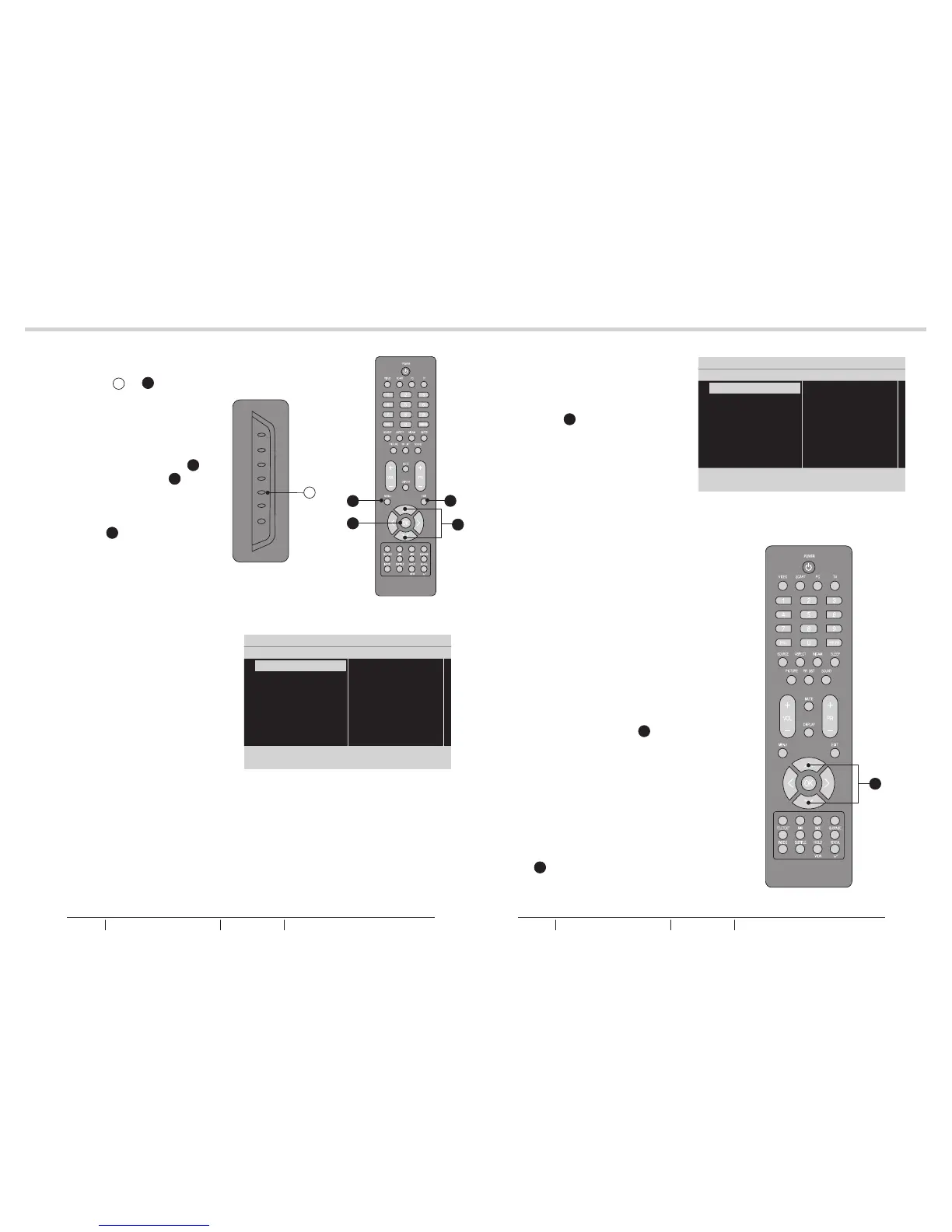
1. Press MENU G or U to entry the
OSD setting. There are five items
in the list: Picture, Sound, TV,
Installation and Parental.
See fig. 31 and 32.
2. Use the Up or Down Cursor Y to
select and press the OK X to
confirm your choice.
See fig. 31 and 32.
3. Press EXIT V to exit the screen.
See fig. 31 and 32.
Picture
- Shows more picture modes and
functions based on your favourite
channels and enables you to
adjust the colour and brightness
setup.
Sound
- Provides more audio selections.
You can also set the audio
environment of the LCD TV.
TV
- Enables you to adjust special
functions for country, audio
language and the TV channels.
Installation
- Enables you to adjust settings
related to the installation of the TV
channels and language.
Parental
- Enables you to control special
functions for the TV channels.
Picture mode
- To set the LCD TV to a predefined
picture settings. Use the Up or
Down Cursor Y to toggle between
User, Cinema, Sport, Vivid, and
Hi-bright.
See fig. 34 and 35.
Brightness
- To brighten the dark parts of the
picture.
Contrast
- To sharpen the picture quality.
Colour
- To add or reduce colour.
Sharpness
- To improve detail.
Colour temperature
- To choose between Normal
(neutral), Warm (redder), and Cool
(bluer).
Noise reduction
- To filter out and reduce the image
noise and improve picture quality.
Use the Up or Down Cursor Y to
toggle between Off, Low, Medium,
and Strong.
Back light
- To make the background brighter
or darker.
Picture format
- To display a list of available display
formats. Use the Up or Down
Cursor Y to toggle between
Automatic, Panorama, 4:3, Movie
expand 14:9, Movie expand16:9,
16:9 subtitle and Wide screen.
Picture
22
23
MENU OPERATIONMENU OPERATION
G
fig. 31
fig. 32
fig. 33
fig. 34
fig. 35
Picture
Sound
TV
Installation
Parental
Settings 5 Picture
Picture mode
Brightness
Contrast
Sharpness
Colour temperature
Noise Reduction
Back light
9
Picture
Sound
TV
Installation
Parental
Settings 5 Picture
Picture mode
Brightness
Contrast
Sharpness
Colour temperature
Noise Reduction
Back light
9
OSD SETTING
V
U
X
Y
Y
BUSH HD Ready Digital LCDTV User Manual Customer Helpline 0845 604 0105BUSH HD Ready Digital LCDTV User Manual Customer Helpline 0845 604 0105



 To Next Page