WARNING:
- Switch off the TV before
connecting any external device.
32/37/42/47LCD TV 2
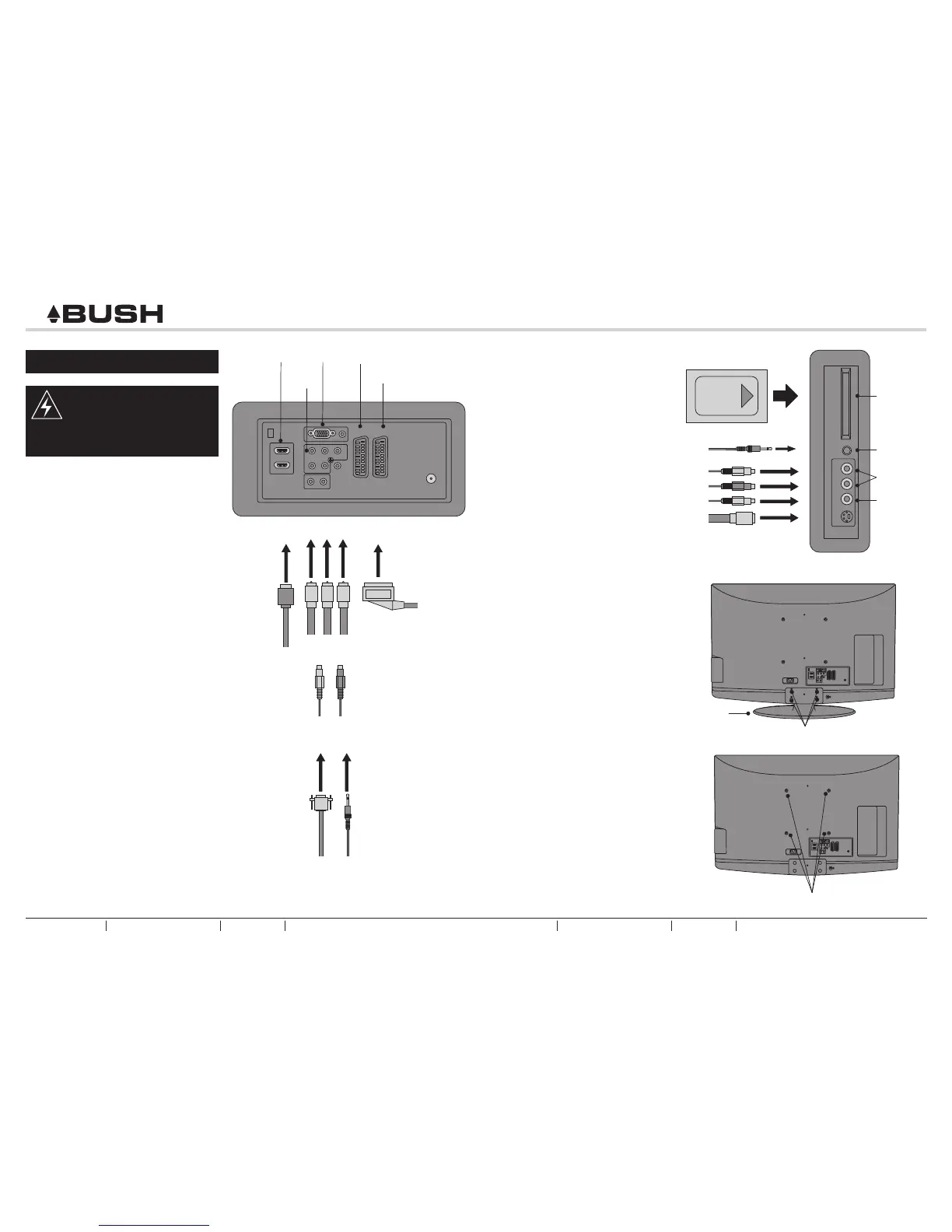
fig. 9
Audio In
SCART1
SCART Lead
Audio Cables
YPbPr
VGAHDMI
Rear Panel
fig. 10
Side Panel
Video In
HEADPHONE OUTPUT
- Connect a set of stereo
headphones (not included) to the
Headphone Output for private
listening.
See fig. 10.
Common
Interface
Slot
SCART2
Headphone
Wall Mounting (Optional)
1. Unscrew the stand screws. Then
remove the Stand.
See fig. 11.
2. Fix the TV to the wall mounting
bracket (not supplied), using the
stand fixing holes.
See fig. 12.
Stand
fig. 11
Screws
fig. 12
Screw Holes
QUICK START GUIDE
5 - CONNECTING OTHER DEVICES
SCART INPUT
- To connect external devices such
as DVD players, set top boxes or
games consoles.
See fig. 9.
YPbPr INPUT
- For connecting devices such as
video cameras.
See fig. 9.
Y PrPb
VGA INPUT
- You can use your LCD-TV as a
monitor for your personal computer.
See fig. 9.
S-Video Cable
to PC
HDMI
Cable
HDMI INPUT
- To connect external devices such
as Blu-ray disc players or HD
games consoles.
See fig. 9.
CAUTION: You must ensure both
devices are switched off before
connection.
AV INPUT
- For connecting an AV device.
See fig. 10.
S-VIDEO INPUT
- For connecting video recorders.
See fig. 10.
COMMON INTERFACE SLOT
- You can use a Conditional Access
Module (CAM) card to view Pay TV.
See fig. 10.
BUSH HD Ready Digital LCDTV Customer Helpline 0845 604 0105BUSH HD Ready Digital LCDTV QSG Customer Helpline 0845 604 0105
QSG



 To Previous Page