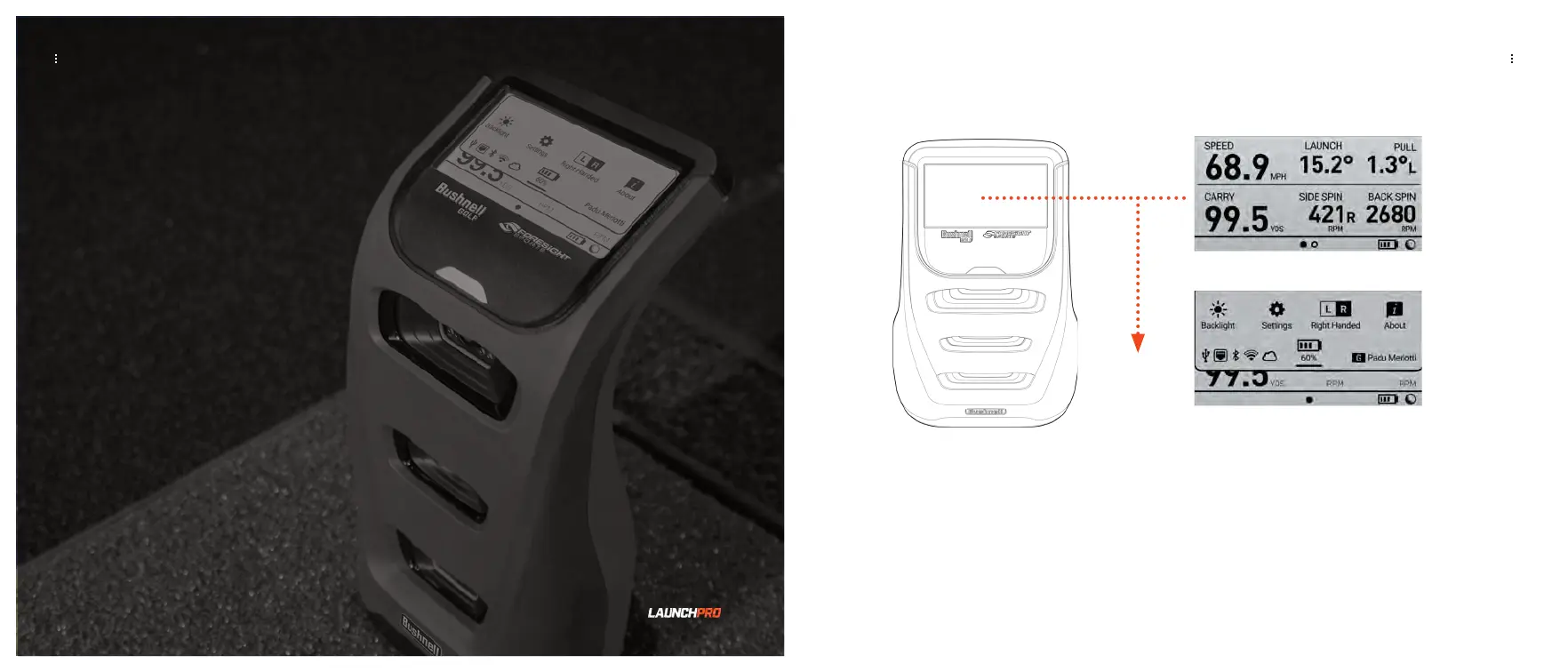
QUICK SETTINGS
Quick Settings
NAVIGATING THE MENU SCREENS
On your Launch Pro touch display, swipe down to access the QUICK SETTINGS screen. On
the QUICK SETTINGS screen, you can access the BACKLIGHT, SETTINGS, LEFT/RIGHT-
HANDED modes, ABOUT, and you can check the battery life.
QUICK SETTINGS
LAUNCH PRO USER MANUAL
LAUNCH PRO USER MANUAL
19 20


 To Next Page