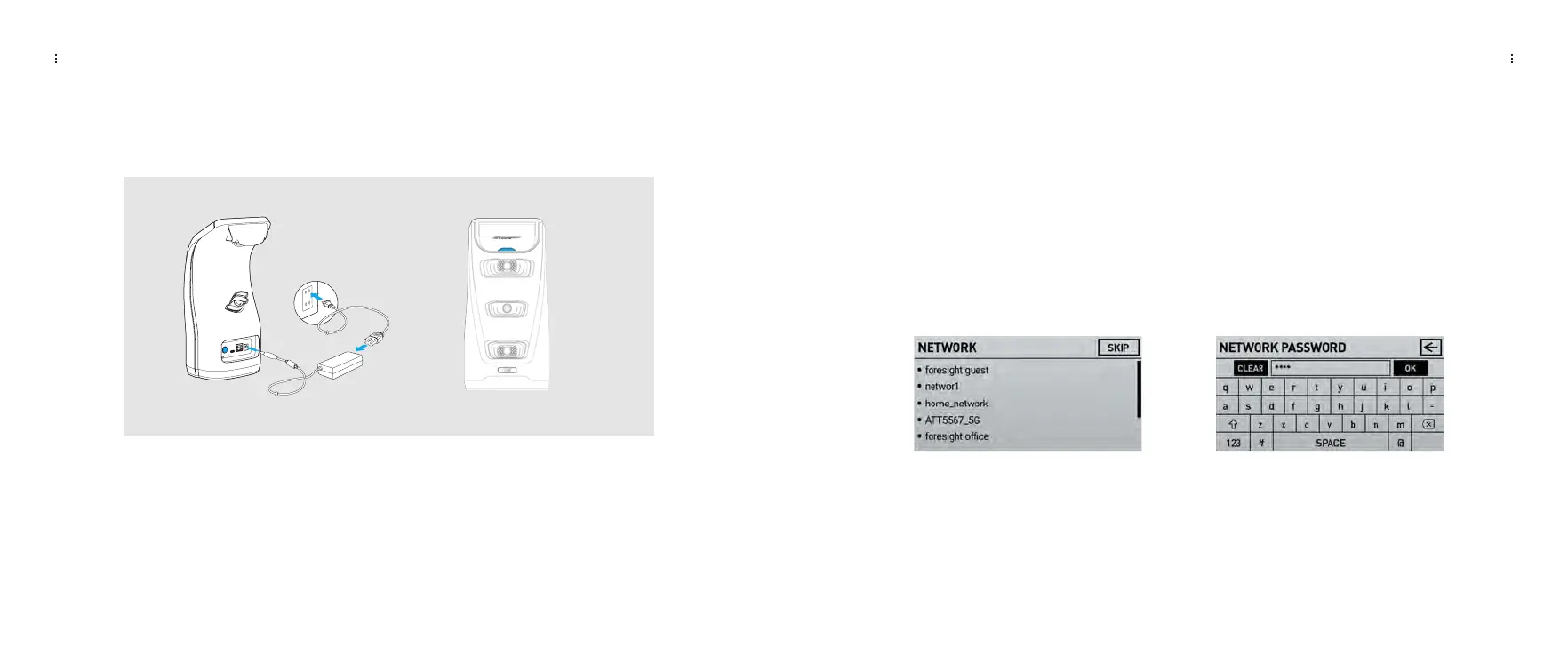
Plugging in the Launch Pro
You can use your Launch Pro right out of the box, but it is recommended that you plug in
your Launch Pro and allow the battery to fully charge before use.
To power on the Launch Pro, press and release the power button. You will see a flashing
blue indicator light. To power off the Launch Pro, press and release the power button again.
GETTING STARTED GETTING STARTED
Connect to the internet
The first time you power up your Launch Pro, you will be prompted to connect to the internet.
To connect with Wi-Fi, choose your network, then enter the password. Alternatively, you can
connect your Launch Pro to a PC using an Ethernet cable or the provided USB-C cable. You
can also connect it to mobile devices using Wi-Fi.
Note: To use all the functions of the Launch Pro, it must connect to the internet at least once every 45 days. You
will see a warning if you need to connect within 5 days. After 45 days, the Launch Pro will no longer connect
with any supporting apps or software and you will see a screen prompting you to connect to the internet to
restore all functions.
LAUNCH PRO USER MANUAL
LAUNCH PRO USER MANUAL
09 10












 To Next Page