7
Bluetooth
O
Bluetooth
On
Connected
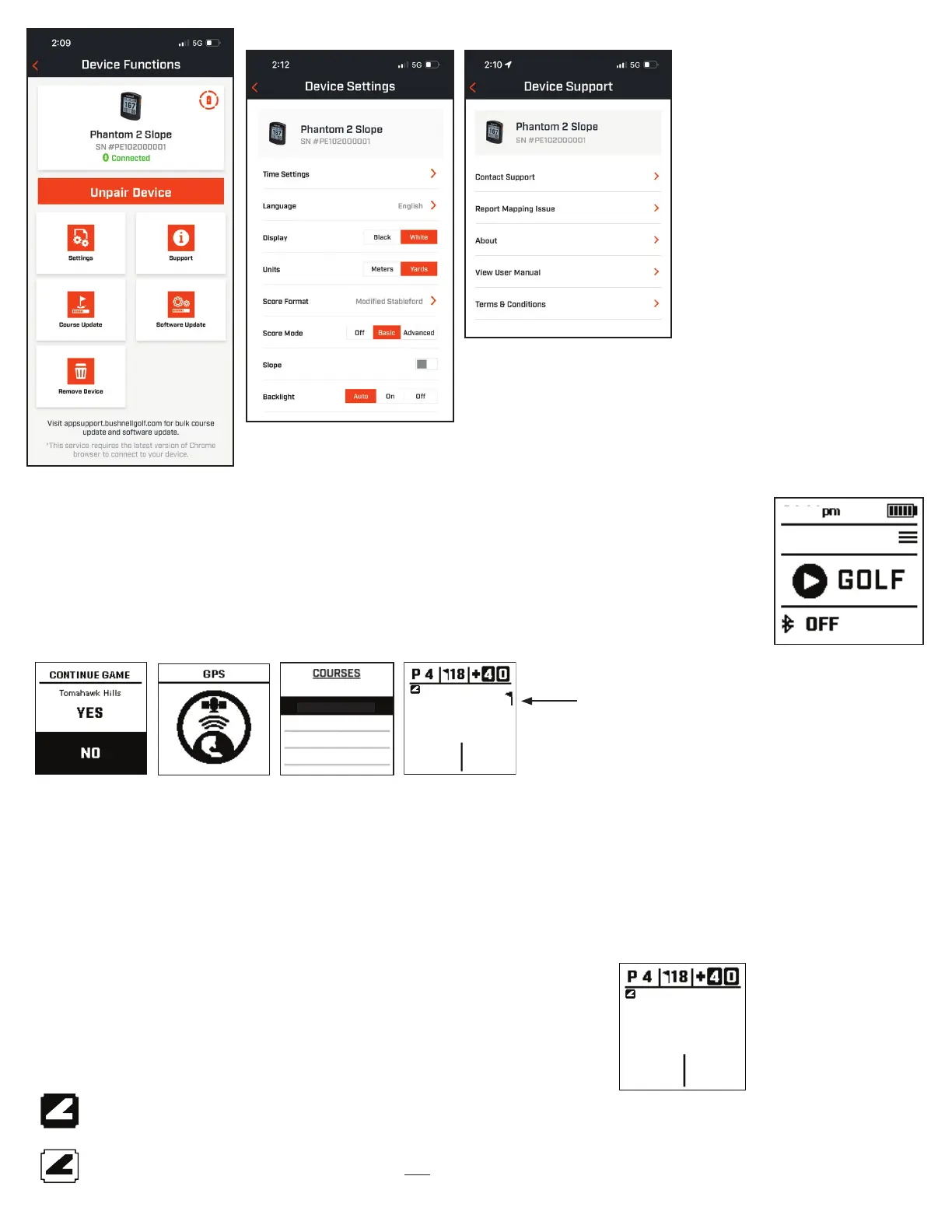
USING THE PLAY GOLF MODE
1. Make sure you are outdoors, with an unobstructed view of the sky. Highlight PLAY GOLF and press the
SELECT button. Display will show ”SEARCHING” as the Phantom 2 Slope looks for multiple available GPS
satellite signals and locks onto them. This can take several minutes the rst time you use the Phantom 2 Slope,
but will be faster when used in the same general area in the future.
2. You will be asked if you wish to continue a game that is active. Make your choice. If you are continuing a game,
you will be sent to the Front Center Back (FCB) screen. If you select no, the device will connect to GPS and a
list of nearest courses will appear.
3. Use the UP/DOWN buttons to select (highlight) the course you want to play from the list of nearby courses (closest course at top of
list), then press SELECT.
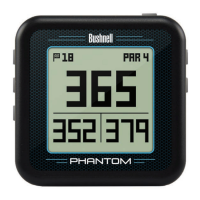
4. The display then shows Front/Center/Back Distance Screen: current hole # (Fig. 1), par for the hole (Fig. 2), game score (Fig. 3), distance
to the center/pin(Fig. 4), distance to the front of the green (Fig. 5) and distance to the back of green (Fig. 6).
Slope Feature (Fig. 7)
- Indicates unit is calibrated and displaying slope compensated distances. *Blinking Slope Icon - Still receiving slope compensated
distances but need to update calibration for more accurate distances. Calibrate unit by taking it to a Teebox or Green.
- indicates unit is not calibrated and is displaying non slope compensated distances. *Calibrate unit by taking it to a
Teebox or Green.
Play Golf Screen
To cycle through mode/menu screens (Front/Center/Back > GreenView > Hazards and Layup points > Time), press the Select button.
Front/Center/Back Screen
The Front/Center/Back Distance screen, see diagram to right.
78
1:47
When ag appears, indicates distance to
the pin, not the center of the green.
167
151
183
Tomahawk Hills
Canyon Farms G.C.
Lake Quivira C.C.
Milburn Golf C.C.
Falcon Valley G.C.
GPS Search Screen
Hole Fig. 1
Par Fig. 2
Score Fig. 3
Distance to the
center/pin Fig. 4
Distance to back of
the green Fig. 6
Distance to front of
the green Fig. 5
167
151
183
Front/Center/Back Distance Screen
Slope Feature Fig. 7
To turn o unit, exit round in
Golf Mode, then press and
hold the Power Button.
All settings on the Phantom 2
Slope can be changed in the
Bushnell Golf App once the device
is paired.
When starting a game and the
device is connected to the app, the
unit will automatically check for an
updated course le and update the
unit if one is available.



 To Next Page