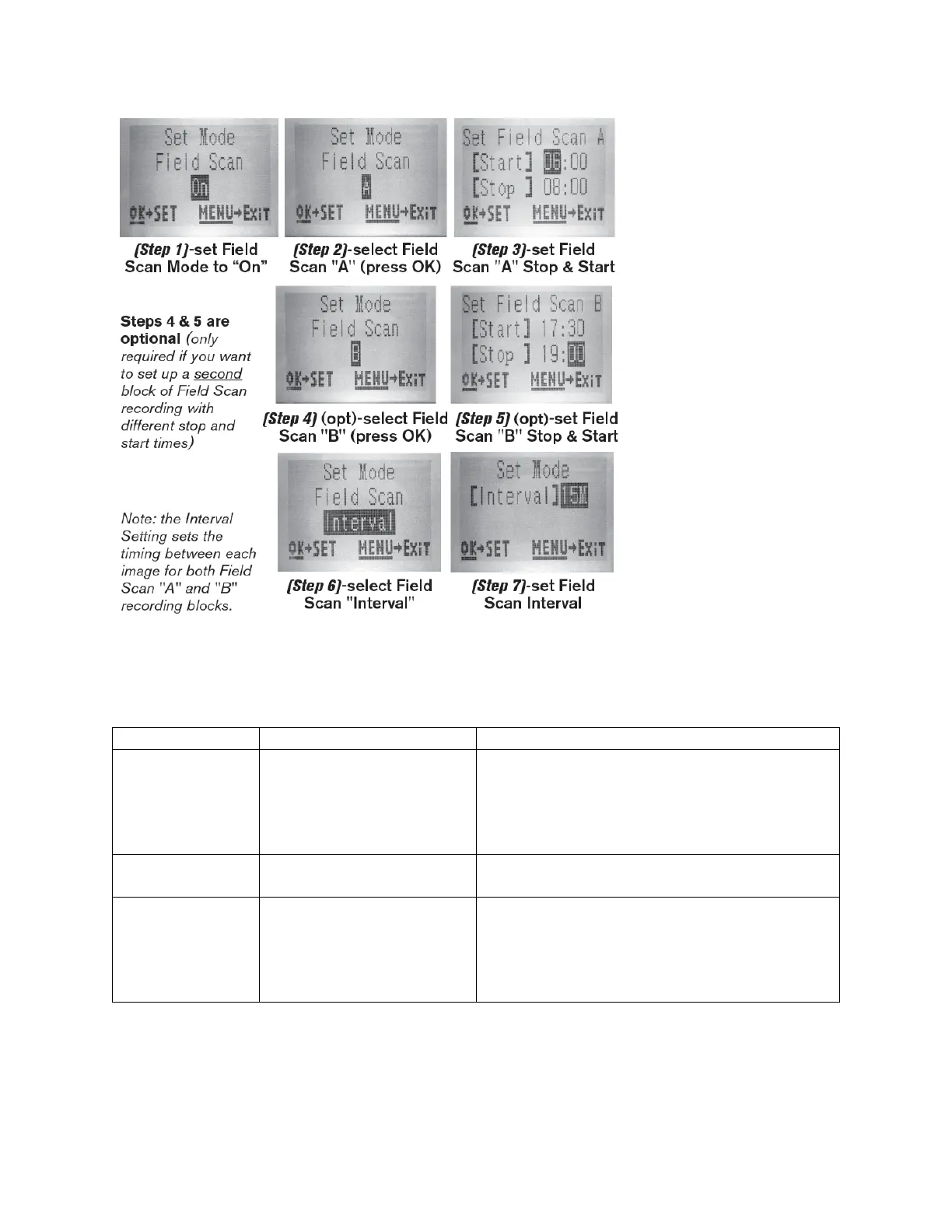
The SETUP Menu – Parameters and Settings List w/Descriptions
Press OK and use the UP/DOWN keys (to change
the setting) and LEFT/RIGHT keys (to move to the
next field) to set the hour (24-hr format only,
“00”=midnight, “12”=noon) and minute, and then
(on the lower row), the year, month and date.
Selects whether still photos or video clips are
captured when the camera is triggered
Image Size (only
affects still photos
in Camera)
3MP, 8MP, 24MP/30MP
(119975C/119977C Only)
Selects resolution for still photos. Higher
resolution provides more pixels, but creates
larger files that take up more of the SD card
capacity (fills up faster).
3MP, 8MP, 24MP, 30MP


 To Next Page