EasyManua.ls Logo

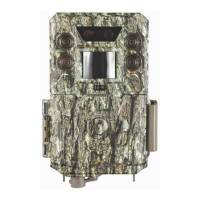
Bushnell Core - User Manual

Bushnell Core
26 pages
Print Icon
To Next Page IconTo Next Page
Loading...
Question and Answer IconNeed help?

Do you have a question about the Bushnell Core and is the answer not in the manual?

Summary

PARTS AND CONTROLS

INSTALLING THE BATTERIES AND SD CARD

Loading Batteries

Instructions for inserting 6 AA batteries, with polarity and battery type recommendations.

Inserting the SD Card

Steps for inserting an SD card, including format and write-protect switch considerations.

USING THE SETUP MENU TO CHANGE SETTINGS

Field Scan 2 x with Live Trigger Feature

The SETUP MENU - Parameters and Settings List w;Descriptions

USING THE SETUP MENU INPUT SCREENS

MOUNTING and POSITIONING the Core Trail Camera Mounting

Sensing Angle and Distance Test

Method to check the camera's motion detection range and coverage area.

Switching ON the Camera

Procedure for turning the camera on and activating the PIR sensor.

REVIEWING;DELETING THE PHOTOS;VIDEOS

Reviewing Images Directly From the SD Card

Steps to view photos/videos by removing the SD card and using a reader.

Reviewing Images by Connecting the Camera to a Computer

How to connect the camera via USB to view captured images and videos.

DOWNLOADING THE PHOTOS;VIDEOS

TROUBLESHOOTING; FAQ

Summary

PARTS AND CONTROLS

INSTALLING THE BATTERIES AND SD CARD

Loading Batteries

Instructions for inserting 6 AA batteries, with polarity and battery type recommendations.

Inserting the SD Card

Steps for inserting an SD card, including format and write-protect switch considerations.

USING THE SETUP MENU TO CHANGE SETTINGS

Field Scan 2 x with Live Trigger Feature

The SETUP MENU - Parameters and Settings List w;Descriptions

USING THE SETUP MENU INPUT SCREENS

MOUNTING and POSITIONING the Core Trail Camera Mounting

Sensing Angle and Distance Test

Method to check the camera's motion detection range and coverage area.

Switching ON the Camera

Procedure for turning the camera on and activating the PIR sensor.

REVIEWING;DELETING THE PHOTOS;VIDEOS

Reviewing Images Directly From the SD Card

Steps to view photos/videos by removing the SD card and using a reader.

Reviewing Images by Connecting the Camera to a Computer

How to connect the camera via USB to view captured images and videos.

DOWNLOADING THE PHOTOS;VIDEOS

TROUBLESHOOTING; FAQ

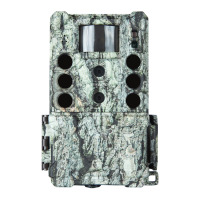
Bushnell Core Specifications

General IconGeneral
Megapixel24 MP
Sensor type-
Optical sensor size- \
Video recording time1 min
Supported video modes1080p
Maximum video resolution1920 x 1080 pixels
Night vision distance24.3 m
Number of illumination LEDs36
Display typeLCD
Mounting typeWall/Pole
Protection featuresCold resistant, Heat resistant, Waterproof
Battery typeAA
Battery life (max)26.088 week(s)
Number of batteries supported6

Related product manuals