tech-support@ibuture.com
EN
10.
•
Select Cleaning Mode
•
Abnormal Indicator
①
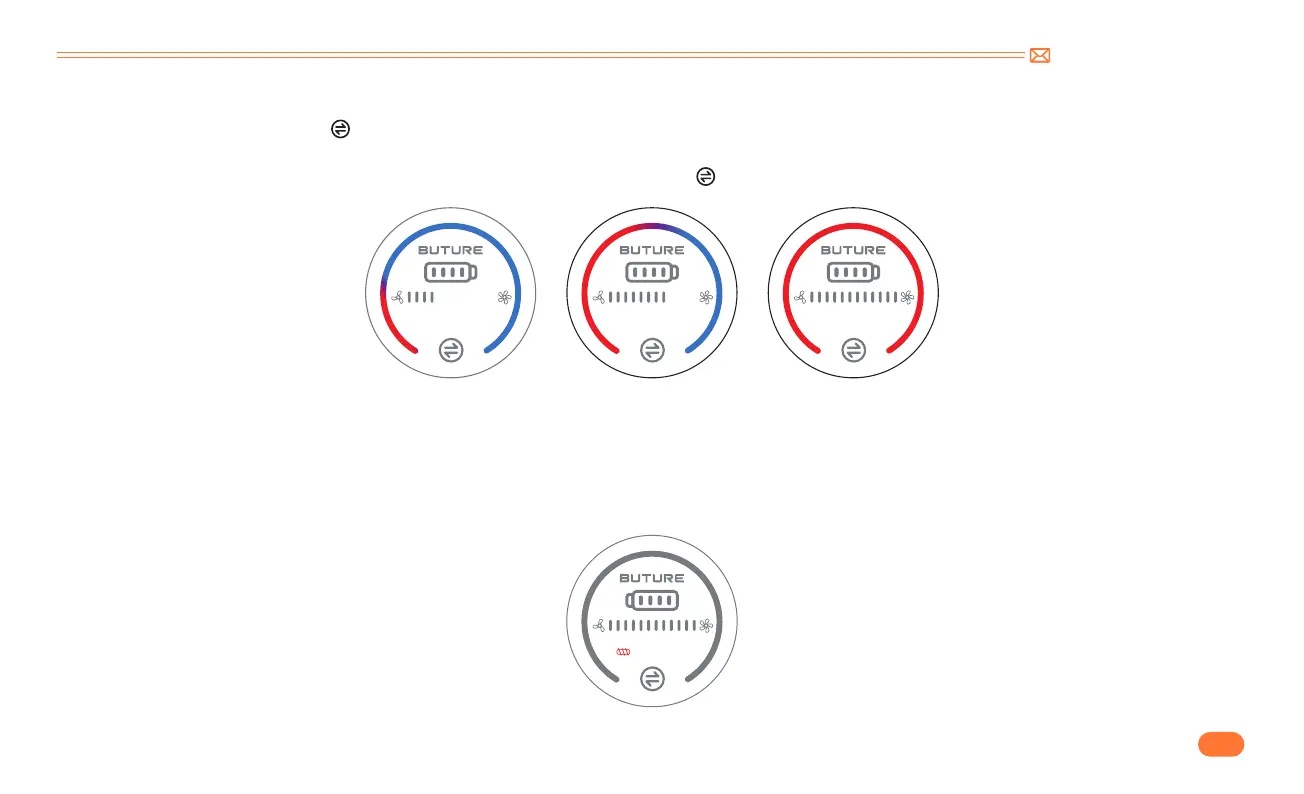
In MANUAL mode, touch the " " button to switch suction level. With the adjustment of the suction mode, the suction indicator light will change from
gradient color to red in turn: MIN>MID>MAX.
②
After switching to the highest suction level in manual mode, continue press the " " button to switch to AUTO mode.
When the red light flashing and the motorized floor brush does not work, it means that the motorized floor brush/telescopic tube/dust cup is blocked,
please clean it immediately. When the floor brush is blocked, the red lock rotor prompt light will always be on, and when the ventilation port is blocked, the
red lock rotor prompt light will flash 5 times. At the same time, the floor brush will stop working and the main motor will continue to operate.
MIN MID MAX



 To Next Page