EN
25
6.2 Electronic exchange indicator „Easy-Control“ - Model A
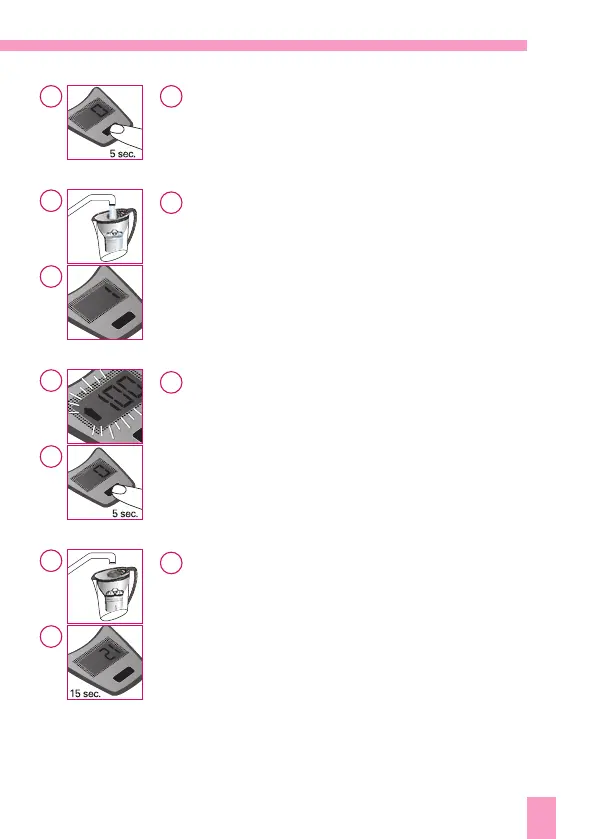
Putting into operation:
Press the push button for 5 seconds. The indication then
automatically adjusts to „0“ and the „Easy-Control“ is now
ready for operation.
Counting function:
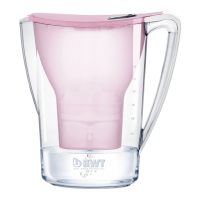
Each lling of the BWT water ltering system is counted by
means of the „Easy-Control“.
Filter cartridge change:
The display starts ashing if either the maximum number of
llings or the maximum period of use is exceeded
(depending on what happens rst). Now a change of the
lter cartridge is necessary. After inserting the cartridge,
please keep the push button pressed for 5 seconds. The coun-
ter then automatically adjusts to „0“.
Safety function:
In order to guarantee correct counting, the „Easy-Control“,
after each lling, gives a counting pause of 15 seconds.
Even if during these 15 seconds the „Easy-Fill“ is opened
several times, recording of the llings will not change and
remains correct.
1
2
3
4
1
2a
2b
3a
3b
4a
4b


 To Next Page