EasyManua.ls Logo

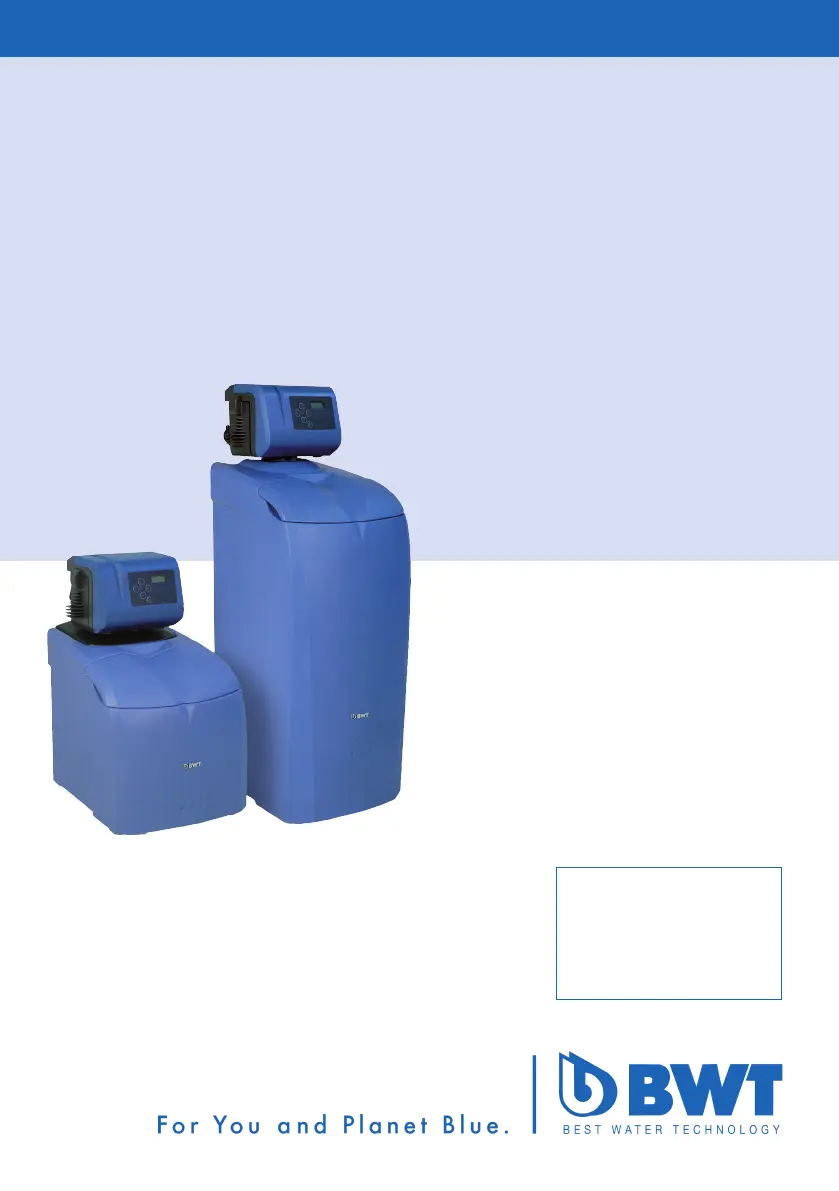
BWT AQA smart - User Manual

BWT AQA smart
56 pages
Go to English
Print Icon
To Next Page IconTo Next Page
Loading...
1-510305 / 11601 / 2015-08 / © BWT Wassertechnik GmbH / Printed in Germany
Einbau- und Bedienungsanleitung DE
Installation and operating manual EN
AQA smart
Einsäulen-Weichwasseranlage
Simplex water softening unit
Änderungen vorbehalten!
Changes reserved!

Table of Contents

Questions and Answers

  • D
    Danielle RileyJul 28, 2025
    What to do if the BWT Water System is not supplying softened or blended water?
    • G
      George RayJul 28, 2025
      If your BWT Water System isn't supplying softened or blended water, it could be due to several reasons. First, check if there is regenerative in the storage area (55555). Refill if necessary and then press the OOOOOKKKKK button until the SSSSSAAAAALLLLLttttt indicator goes out. Wait 3 hours for the brine to form and start manual regeneration. Another potential cause is an interrupted power supply, so ensure the electrical connection is properly established. Lastly, the blending adjusting spindle (VVVVV) might not be set correctly; refer to the Start-up section „Setting the hardness of blended water“ for instructions.
  • K
    Kimberly Farmer MDAug 4, 2025
    Why does SSSSSAAAAALLLLLttttt appear on the display of my BWT Water System?
    • K
      kperezAug 4, 2025
      The 'SSSSSAAAAALLLLLttttt' display on your BWT Water System indicates insufficient regenerative in the storage area (55555) or insufficient pipeline pressure, leading to inadequate suction speed. To resolve this, refill the regenerative and press the OOOOOKKKKK button until the 'SSSSSAAAAALLLLLttttt' display disappears. Acknowledge the fault by pressing the OOOOOKKKKK button. If the problem persists, contact after-sales service.
  • C
    Connie BrownAug 12, 2025
    What to do if the BWT Water System flow is insufficient?
    • J
      Jennifer SwansonAug 13, 2025
      If your BWT Water System isn't supplying softened water or the flow is insufficient, it might be due to low inlet pressure. Increase the inlet pressure, and if necessary, set the pressure reducer. Then, start manual regeneration.
  • K
    Katelyn RuizAug 19, 2025
    How to fix coloured flushing water at the start-up of BWT Water System?
    • E
      Eric VegaAug 19, 2025
      Coloured flushing water at the start-up of your BWT Water System is caused by abrasion particles from the exchanger resin. Repeat the start-up flush to resolve this issue.

Summary

Safety Advice

Important Information

Provides crucial details and warnings regarding system installation and operation.

Function

System Control Unit Operation

Explains how the control unit manages capacity and settings for different residential units.

Intelligent Regeneration Process

Details the system's advanced regeneration process based on water usage.

Installation Conditions

Feed-in Water Requirements

Details the quality and specifications for water supplied to the system.

Installation Procedures

Outlines the steps and considerations for installing the system.

Installation

Commissioning

Operation

Adjusting Working Range

Guide to setting the system's operating capacity levels (tP settings).

Adjusting Soft Water Supply

Instructions on how to set the desired soft water output based on water hardness.

Adjusting Blended Water Hardness

Procedure for setting the water hardness level using the blended valve.

Breakdowns and Recommissioning

Procedures for handling system breakdowns and recommissioning after stagnation.

Operator Responsibilities

Troubleshooting

BWT AQA smart Specifications

General IconGeneral
BrandBWT
ModelAQA smart
CategoryWater Dispenser
LanguageEnglish

Related product manuals