
 Need help?
Do you have a question about the BYD PREMIUM LVL 15.4 and is the answer not in the manual?
Check if the configuration is correct and the inverter is configured correctly.
Verify the internal cabling of the Battery-Box for proper connection and function.
Ensure correct external cabling, including communication, grounding, and DC ports.
Always update to the newest firmware version for optimal performance.
Complete commissioning by configuring the battery via the "BYD Be Connect" App.
Perform a proper system restart by switching off the battery correctly.
Follow the correct switch-on procedure for proper operation of the system.
Verify the system runs properly by checking inverter display and battery charge/discharge.
Address issues where the BMU shows no reaction or its LEDs do not light up.
Ensure the correct data cable port is used at the BMU, avoiding mixed ports.
Troubleshoot communication cable issues by unplugging, replacing, or checking voltage.
Diagnose potential issues where only the BMU LED is faulty.
Perform voltage measurements on the battery and specific pins for diagnosis.
Consider exchanging the BMU if other troubleshooting steps fail.
Verify configuration settings and inverter setup for communication.
Confirm PIN/cable configuration and replace communication cables if necessary.
Ensure the terminal resistor is correctly connected to the OUT port of the last battery.
Check if app configuration was successful and firmware is up-to-date.
Follow the specific procedure to restart the inverter and battery system.
Perform additional checks, download data, and check the inverter if problems persist.
Ensure latest app version and battery firmware before connecting the app.
Handle "Data connection busy" or "failure" by waiting or trying alternative methods.
Restart the app if it becomes unresponsive during the update process.
Update BMS version, noting BMU updates BMS, which can take time.
Update parameter table, download data, and replace BMU if issues persist.
Verify app configuration, terminal resistor, cable, and perform system restart.
Check DC cabling, voltage, restart system, and check LVL with EC 108.
Check DC cabling, short circuits, fuses, and restart system.
Inspect BICs for short circuits and verify sampling cable connections.
Address undervoltage by shutting down, measuring cells, and downloading data.
Check BIC LEDs, download data, measure cell voltage for general errors.
Ensure the inverter is operational and correctly configured for EC 106.
Utilize BCP for reading info, configuring, updating firmware, and exporting logs.
View max/min cell voltage in the BeConnect App for quick checks.
Get detailed module and cell voltage data using the BCP Program.
Manually measure module voltage between B+/B- and P+/P- terminals.
Measure cell voltages for errors like EC 107, EC 103, or low/missing voltages.
Identify undervoltage when a cell voltage is <1.5 V or total voltage is <45V.
Handle undervoltage by shutting down, charging, removing faulty LVL, or contacting service.
Provide serial numbers, voltages, logs, and firmware version when contacting service.
Replace the BMU if faulty and remember to re-do configuration and firmware updates.
Refer to the manual for the "BMS Drawer Replacement Guide".
Refer to the manual for the "BIC Board Replacement Guide".
 General
| Brand | BYD |
|---|---|
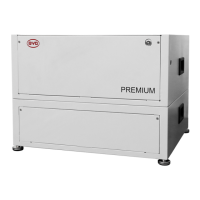
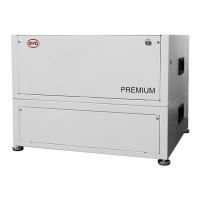
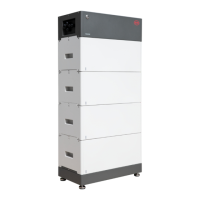
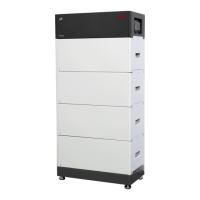
| Model | PREMIUM LVL 15.4 |
| Category | Camera Accessories |
| Language | English |



 To Next Page