CC Skywave Page 18
Radio Operation
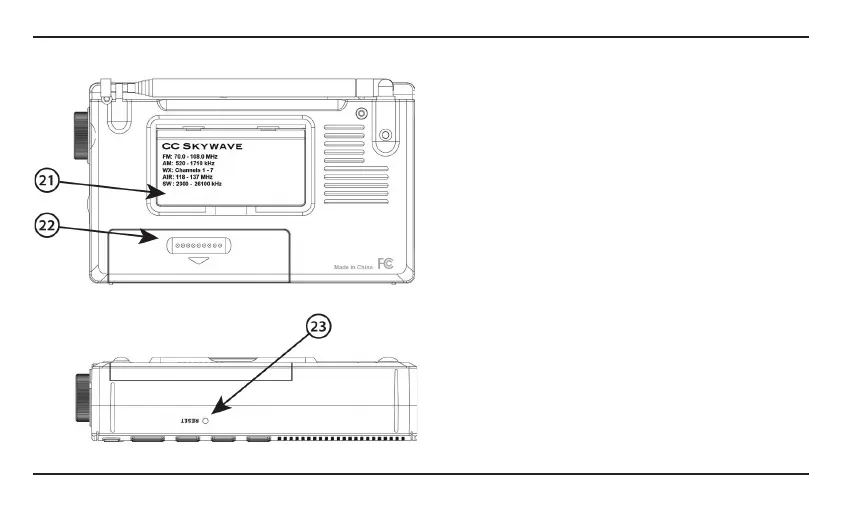
21. Back Stand
Flip this panel out to prop up your radio for easy use
of the controls, best audio and for viewing
positioning.
22. Battery Compartment
Requires two “AA” alkaline or NiMH batteries.
DO NOT USE LITHIUM BATTERIES.
23. Reset Hole - Resetting the Radio
Quickly press into the reset hole on the bottom of the
radio to reset the microprocessor. It is recommended
to use a toothpick or other soft device to reset the
radio. Do not press too hard as you might damage
the radio. See Page 19 for resetting to all factory
settings.
23




 To Next Page