CC Skywave Page 7
Getting Started
Installing the Batteries
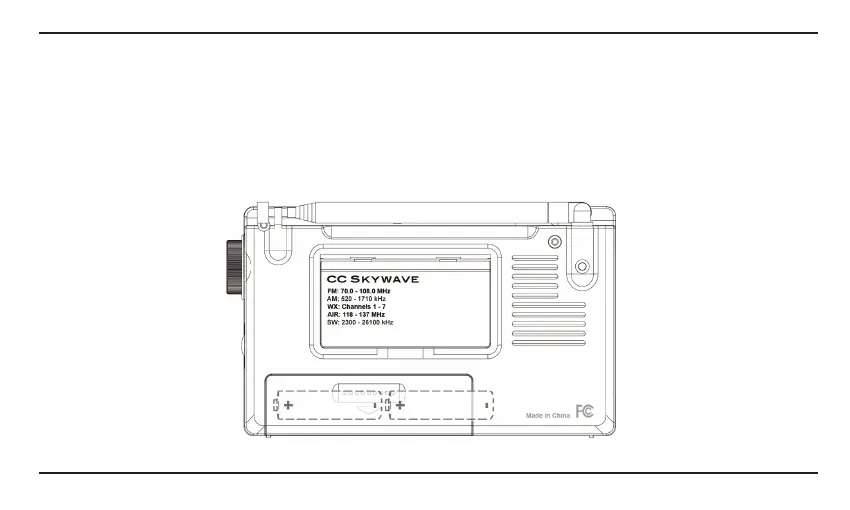
1. Position the radio face down on a soft surface to protect it.
2. Remove the battery cover by applying pressure and sliding downwards towards the bottom of the radio.
3. Insert the two (2) “AA” alkaline or NiMH cell batteries into the compartment as indicated.
Be sure the negative (-) end of each battery is against the spring.
4. Replace the battery cover. You are now ready to operate your radio.
Two (2) “AA” alkaline or NiMH batteries. DO NOT USE LITHIUM BATTERIES.
CC
SKYWAVE
FM: 70,
0-101
.
0MH:t
AM:
S20-1710kHz
WX: Channels 1
-7
AIR:
1t8
-
t37MHz
SW:2300-26
t
OO
kHz
r----D---,~L
____
_
~+
,:~+
L
________
,L
_____
_
MadeinChina
F@




 To Next Page