EasyManua.ls Logo

C.E.C. 530CD - Page 12

C.E.C. 530CD
62 pages
Print Icon
To Next Page IconTo Next Page
To Previous Page IconTo Previous Page
Loading...
ADJUSTMENT
PROCEDURES
ccontinuea)
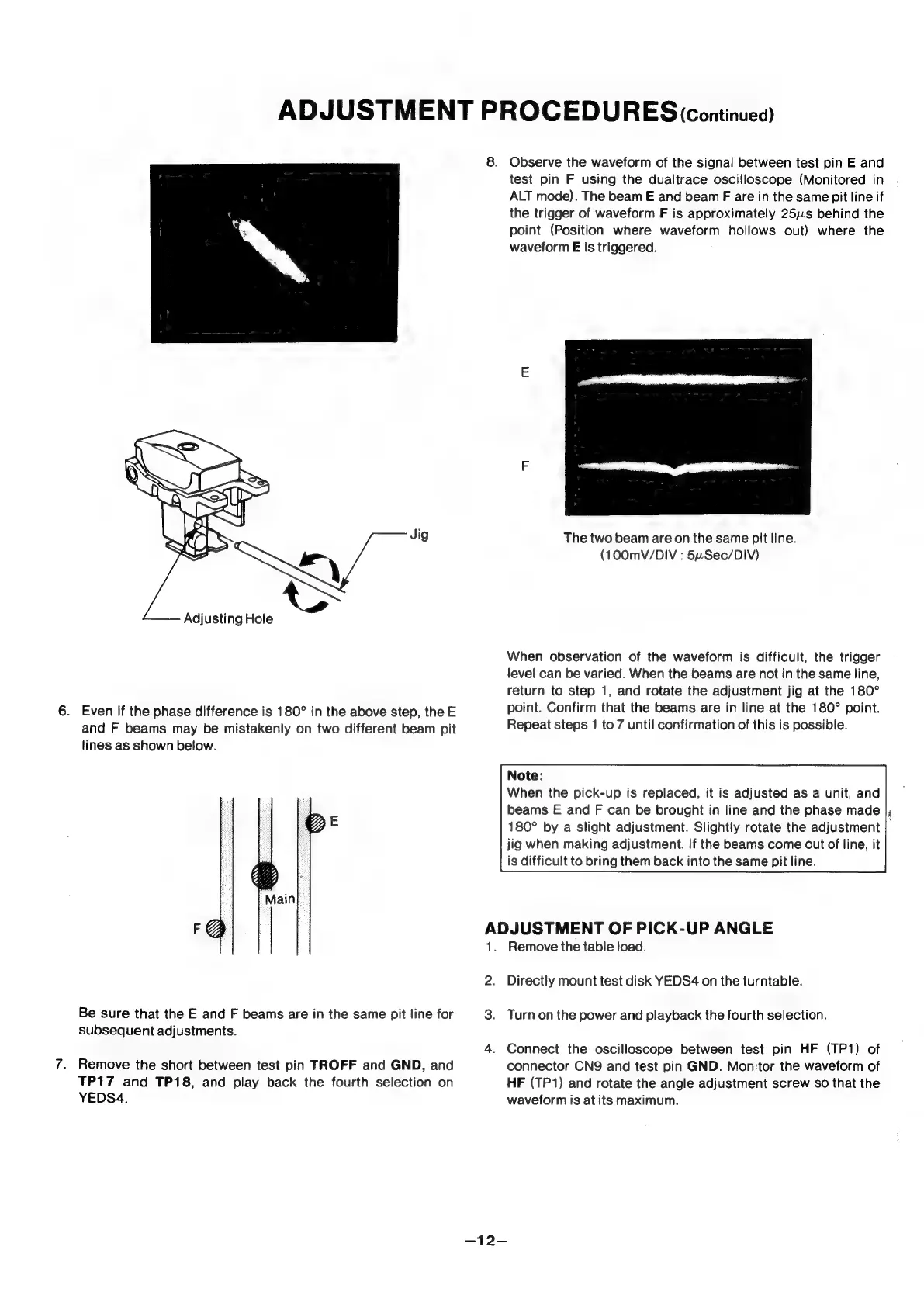
Jig
Adjusting
Hole
6.
Even
if
the
phase
difference
is
180°
in
the
above
step,
the
E
and
F
beams
may
be
mistakenly
on
two
different
beam
pit
lines
as
shown
below.
Main
Be
sure
that
the
E
and
F
beams
are
in
the
same
pit
line
for
subsequent
adjustments.
7.
Remove
the
short
between
test
pin
TROFF
and
GND,
and
TP17
and
TP18,
and
play
back
the
fourth
selection
on
YEDS4.
8.
Observe
the
waveform
of
the
signal
between
test
pin
E
and
test
pin
F
using
the
dualtrace
oscilloscope
(Monitored
in
ALT
mode).
The
beam
E
and
beam
F
are
in
the
same
pit
line
if
the
trigger
of
waveform
F
is
approximately
25us
behind
the
point
(Position
where
waveform
hollows
out)
where
the
waveform
E
is
triggered.
The
two
beam
are
on
the
same
pit
line.
(100mV/DIV
:
54Sec/DIV)
When
observation
of
the
waveform
is
difficult,
the
trigger
level
can
be
varied.
When
the
beams
are
not
in
the
same
line,
return
to
step
1,
and
rotate
the
adjustment
jig
at
the
180°
point.
Confirm
that
the
beams
are
in
line
at
the
180°
point.
Repeat
steps
1
to
7
until
confirmation
of
this
is
possible.
Note:
When
the
pick-up
is
replaced,
it
is
adjusted
as
a
unit,
and
beams
E
and
F
can
be
brought
in
line
and
the
phase
made
|;
180°
by
a
slight
adjustment.
Slightly
rotate
the
adjustment
|
jig
when
making
adjustment.
If
the
beams
come
out
of
line,
it
is
difficult
to
bring
them
back
into
the
same
pit
line.
ADJUSTMENT
OF
PICK-UP
ANGLE
1.
Remove
the
table
load.
2.
Directly
mount
test
disk
YEDS4
on
the
turntable.
3.
Turnon
the
power
and
playback
the
fourth
selection.
4.
Connect
the
oscilloscope
between
test
pin
HF
(TP1)
of
connector
CNQ
and
test
pin
GND.
Monitor
the
waveform
of
HF
(TP1)
and
rotate
the
angle
adjustment
screw
so
that
the
waveform
is
at
its
maximum.
-—12—